Vetted List of 60+ Profile Creation Sites for High-DA Backlinks: Free & Authoritative Platforms

Quick Stats:
- Total verified websites listed: 64
- Categories covered: 8
- Average Domain Authority (DA): 74
- Link types: 10 dofollow, 52 nofollow, and 2 unlinked
- High-authority sites (DA 80+): 32
Plenty of profile creation sites still work for SEO. The catch is finding them under all the copy-pasted lists of dead or spammy domains. The ones that still work can support your off-page SEO, add trust signals, and help people (and AI tools like ChatGPT and Claude) discover your brand. The hard part is finding them.
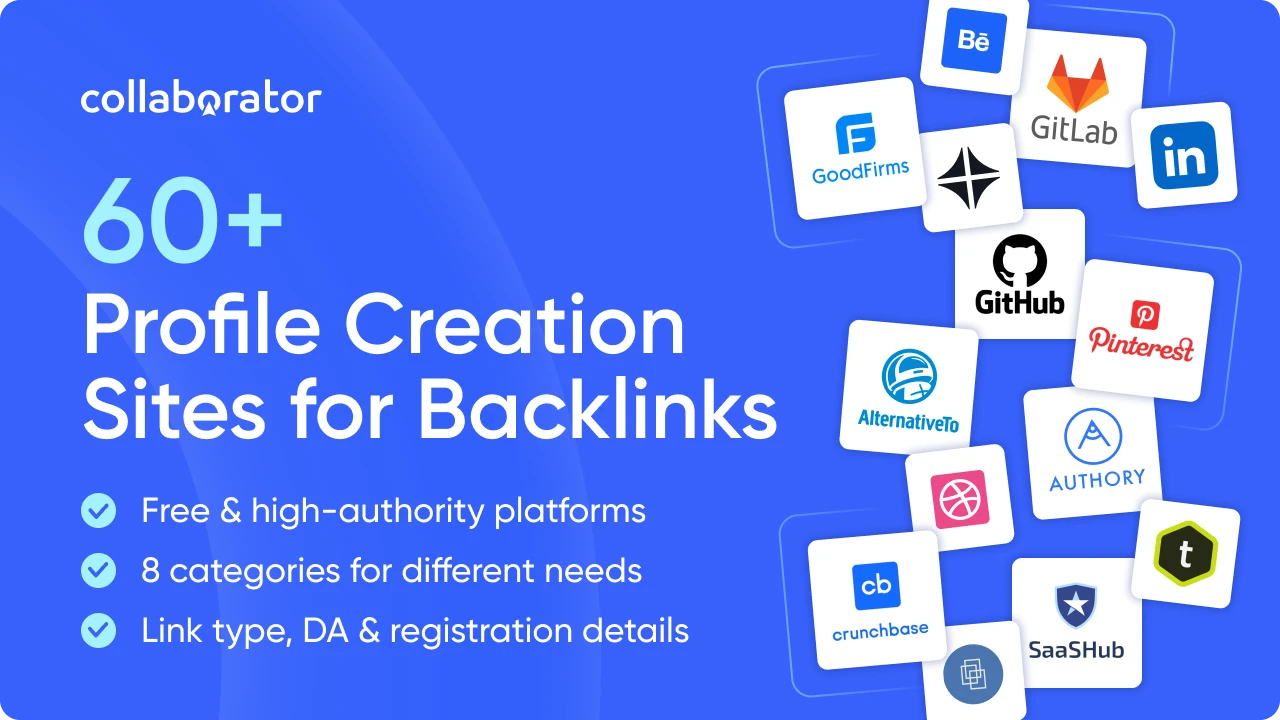
I’ve handpicked 64 profile creation sites and grouped them into 8 categories, from business directories and SaaS platforms to freelancer, portfolio, developer, and social profiles.
For each one, you get the link type, DA, best use cases, and registration steps, so you can pick platforms that actually fit your business, profession, or audience.
How I Selected and Checked Profile Creation Sites
I wanted this list to be useful for actual profile creation, not just another collection of domains from existing backlink lists. Each platform was evaluated against practical criteria to determine whether it still offers a meaningful profile or account and whether that profile can provide value beyond a backlink.
I selected and checked profile creation sites considering the following:
- Profile creation availability. I checked whether users can currently create an account or profile and excluded platforms where registration is closed or profile creation is no longer available.
- Website link availability. I checked whether profiles allow users to add a website URL and recorded the link type when it could be reliably verified as dofollow, nofollow, or UGC.
- Platform quality and legitimacy. I focused on established, active platforms and excluded obvious spam sites, abandoned websites, and resources created primarily for link building.
- Relevance and platform purpose. I looked for platforms with a genuine purpose for creating a profile, such as professional networking, business discovery, portfolio building, content sharing, or community participation.
- Profile visibility and usefulness. I checked whether profiles are publicly accessible and can help users discover a person, business, product, service, or professional work rather than simply hosting a backlink.
- Category fit. I grouped each platform by its primary purpose and audience, so you can find sites that make sense for your type of business or professional activity.
- Data accuracy. I verified key information before publication and removed or updated platforms when their registration process, profile features, or link attributes changed.
What I excluded:
- Closed or inaccessible platforms;
- Clearly spammy or abandoned websites;
- Sites where profile creation is no longer possible;
- Platforms that don't provide a meaningful profile or online presence;
- Duplicate domains;
- Low-value alternatives that didn't offer a clear benefit beyond placing a backlink.
With these criteria in mind, let's look at the profile creation platforms that can help you build a stronger online presence and support your SEO efforts.
60+ Best High-Quality Profile Creation Sites for SEO
Not every profile creation site works in the same way, so it makes little sense to treat them as identical backlink sources. I’ve grouped the platforms by what you can actually do on them, from creating professional and company profiles to showcasing portfolios, publishing content, joining industry communities, or listing products and services.
Let’s start with agency and company directories.
Agency and Company Directories
Agency and company directories are primarily geared toward agencies, consultancies, B2B service providers, and technology companies. They help businesses discover and compare service providers across areas such as marketing, design, development, IT, and other professional services.
For example, GoodFirms lists firms across development, design, marketing, and business and IT services. At the same time, The Manifest focuses on B2B service providers across development, marketing, design, IT, and other business services.
The directories let companies create or maintain profiles and, depending on the platform, showcase services, portfolios, reviews, expertise, or other business information.
|
Platform |
Best For |
DA / Link Type |
Registration process |
|
Collaborator has a GoodFirms profile |
IT companies, dev shops, and marketing agencies. |
56 / nofollow |
Free. Requires a legally registered business + official website. Website field in company profile; bio up to 400 characters; logo 300×300 px PNG. Submit and await activation. |
|
Collaborator has a DesignRush profile |
Design, branding and marketing agencies. |
58 / nofollow |
Free basic listing. Submit via the Agency Submission Form; the team vets your website, portfolio, online reputation and reviews before publishing. Paid membership for premium visibility. Note: Agency-name and profile-URL changes require Support. |
|
B2B service providers looking for client leads. |
54 / nofollow |
No separate sign-up — The Manifest is Clutch's sister site. Create or claim a profile on Clutch, and it's automatically featured on The Manifest. |
|
|
Agencies targeting European clients. |
48 / dofollow |
Go to sortlist.com/providers → "Register as an agency." Three steps (select company → add info → create manager account); takes under ~5 minutes, with email/agency verification. Note: Free plan shows up to 2 services (Sortlist+ for more) |
|
|
Collaborator has a TechBehemoths profile |
IT and web development companies. |
37 / dofollow |
Click "Get Listed," then register or claim using a corporate email (Gmail/Yahoo not accepted for claiming); confirm via automated email. Claiming takes ~3–4 minutes. |
|
Software development and IT outsourcing firms. |
37 / nofollow |
Sign up at techreviewer.co/users/sign_up or use "Add Company." Analysts manually review submissions; typically 3–5 business days before going live. |
|
|
Mobile and web development companies. |
36 / nofollow |
Free basic listing. Search your company first; if absent, click "Add Listing" (top right) or register at /register/company and follow the listing process. Paid packages for featured placement. |
|
|
Digital agencies and development studios. |
34 / dofollow |
Free listing available (Apply to Get Listed) — the form takes ~under 2 minutes. Submissions are evaluated/verified before appearing. Premium/sponsorship from ~$200/month. |
|
|
Creative and marketing agencies in the US market. |
44 / nofollow |
Register as a user with your business email, then request your agency be added. Requires ≥2 full-time employees and a core service; no freelancers or single-employee firms. Note: Premium membership to be featured on the homepage. |
|
|
Collaborator has a SuperbCompanies profile |
IT outsourcing companies and software vendors. |
29 / nofollow |
Free. Independent research/analytics platform — submit via the "Get Listed" button; their team researches and moderates before publishing. |
The websites listed in the following category will be useful for those dealing with technology businesses.
SaaS and Product Listing Sites
If you run a SaaS company, software product, startup, or other technology business, product directories can be useful for building a presence beyond your own website. They serve slightly different purposes: some focus on software discovery and alternatives, while others focus on technology stacks, startup discovery, or product launches.
For example, SaaSHub describes itself as an independent software marketplace for finding software and product alternatives, while Serchen focuses on helping software buyers discover business software. For startups and new products, Product Hunt is particularly relevant because it provides makers with a platform to launch products and reach early adopters, tech enthusiasts, and product-focused audiences.
These sites can therefore be worth considering when you're looking to increase product visibility, create additional branded profiles, and give potential customers more ways to discover your software.
|
Platform |
Best For |
DA / Link Type |
Registration process |
|
Collaborator has a SaaSHub profile |
SaaS products competing for alternative-search traffic. |
44 / dofollow |
Free. Submit via the Product Promotion / "Submit a Product" page; goes through an approval queue. Verify with an email on the product's own domain to gain editing rights. Software-development agencies are not accepted; listing your competitors speeds approval. Featured placement is paid. |
|
Any software product with known competitors. |
86 / nofollow |
Use "Suggest new application" (User icon, top right). Submissions are verified/approved before going live; new accounts have a short waiting period before they can submit. |
|
|
Dev tools and technical infrastructure products. |
59 / nofollow |
Verify via a company-domain email (or GitHub for open-source projects). |
|
|
Collaborator has a Crozdesk profile |
B2B SaaS / business-software vendors. |
47 / nofollow |
Free basic listing. Use "Apply to List" or "Claim a Listing" via the Vendor Portal; listings are approved after review. Paid modular campaigns available for more reach. |
|
Collaborator has a Serchen profile |
SaaS and cloud service providers. |
50 / nofollow |
Via the Get Listed page, claim an existing profile or add a new listing; each product is approved before publishing. Note: the outbound link to your site is included on paid plans. Reviews are collected and moderated by Serchen. |
|
Collaborator has a SourceForge profile |
Open-source and downloadable software. |
93 / unlinked |
Free for vendors to claim, edit and manage a business-software listing (per SourceForge docs). Basic editing/listing management is free; enhanced features, CTA buttons and demand-gen tools require a paid plan. Open-source projects can also host a project. |
|
Early-stage startups before or around launch. |
59 / nofollow |
Submit your startup for editorial review. If selected, you'll be emailed within ~a week, and it takes ~2 months to be featured in the free/regular queue. Paid "expedited review" skips the queue (full refund if not selected). Must be pre-launch/recently launched and on its own domain (no free subdomains). |
|
|
Collaborator has a StartupRanking profile |
Startups tracking visibility and growth metrics. |
73 / dofollow |
Register/create your startup; it goes through an approval process before data is collected. Claim it (the Edit button in your startup profile) to manage the information. Note: Ranking is algorithm-driven from social and SEO signals and updates daily. |
|
Collaborator has a Product Hunt profile |
New products, tools, and feature launches. |
90 / dofollow |
Free, but you need a personal account (business accounts can't post); new accounts must complete onboarding, and Product Hunt advises signing up at least ~a week before launch. |
|
SaaS products, AI tools, and other digital products. |
4 / dofollow |
Submit your product through the Get Listed form. Submissions are reviewed, and the team usually replies within 3 business days with placement and pricing details. |
For a broader professional presence, consider creating a profile on professional and business profile sites listed in the category below.
Professional and Business Profile Sites
Professional and business profile platforms serve different purposes, from showcasing an individual’s career and expertise to documenting a company’s background or connecting startups with talent.
As an example, LinkedIn supports personal profiles and company pages; About.me lets people create personal pages; and F6S is built around startups, founders, and their teams.
Together, these platforms can support professional identity, company visibility, founder profiles, startup discovery, and business networking.
|
Platform |
Best For |
DA / Link Type |
Registration process |
|
Collaborator has a LinkedIn profile |
Any brand or specialist, baseline B2B presence. |
99 / nofollow |
A Company Page requires an existing personal LinkedIn account as admin. LinkedIn's stated prerequisites: use your real name, confirm the email on your personal account, make sure a Page doesn't already exist, and build enough connections. Create it from the "For Business" menu → Create a Company Page (desktop or mobile). |
|
Collaborator has a Crunchbase profile |
Funded startups and established companies. |
91 / nofollow |
Register an account (email + name + password, or via Google/LinkedIn), then complete social authentication — Crunchbase requires this before you can add or edit any profile. |
|
Wellfound (formerly AngelList Talent) |
Startups, founders and teams that are hiring. |
86 / dofollow |
First create a personal user profile (your login) by signing up and completing the onboarding questions. Then start a new company or claim an existing one; Wellfound reviews claims — usually processed every few business days — before you're granted admin/recruiting rights. Note: Posting jobs is free. |
|
Collaborator has an About.me profile |
Freelancers and personal brands needing a one-page card. |
92 / nofollow |
Build a single personal page: add a background image, headline/short bio, and links to your content and social profiles; publish at about.me/[username]. Connect a custom domain and unlock extra features (e.g., analytics) with Pro (a paid option). |
|
Anyone commenting across the web, avatar plus link. |
96 / nofollow |
Requires a WordPress.com account (Gravatar is by Automattic). Click Sign Up, enter your email, confirm via the emailed link, then go through the new-user flow (upload an avatar or choose "do this later"). Note: Profile lives at gravatar.com/[username]; a custom domain is an optional upgrade. |
|
|
Founders, startups and accelerator applicants. |
72 / nofollow |
Sign up / Join (with email, or via LinkedIn/Facebook) and create a founder account. |
For professionals who want to build a more personal online presence, the following platforms offer different ways to showcase expertise and professional activity.
Freelancer and Specialist Profile Sites
Freelancer and specialist profile platforms give independent professionals a place to showcase their expertise and connect with people looking for specific skills.
These differ in how they connect professionals with opportunities: Codementor focuses on developer mentoring; Bark is about finding local and online professionals; and Torre is built to match people with work opportunities.
Browse through the list I’ve gathered and find the platforms that best meet your needs.
|
Platform |
Best For |
DA / Link Type |
Registration process |
|
Freelancers in design, marketing, and content. |
46 / nofollow |
Free (Contra Pro optional, $29/mo). Sign up with an email address or Google, then complete the onboarding flow. |
|
|
Professionals who want a skill-based public profile. |
35 / nofollow |
Sign up on torre.ai and build your professional genome. |
|
|
Freelancers across most service categories. |
70 / nofollow |
Sign up (email, or Google/LinkedIn/Facebook), choose "Freelancer" or “Employer” as the account type, set a password, and verify with the emailed security code. Note: the website link on your profile is displayed only with a paid Professional, Business, or Executive membership. |
|
|
Freelancers targeting UK and EU clients. |
79 / unlinked in description |
Free to register; becoming a freelancer requires submitting a freelancer application. Verify your email, then complete the application (genuine profile photo, intro, up to 15 skills, portfolio/links, remote or on-site, location). The moderation team reviews and approves within ~2 working days; applications can be rejected. No contact details allowed in the profile. |
|
|
Developers offering mentoring and code reviews. |
73 / nofollow |
Fill out the mentor application form; Codementor vets applicants for quality before approving them. |
|
|
Consultants and advisors selling expert calls. |
61 / dofollow |
Sign up as a member (Facebook/LinkedIn/email) at clarity.fm/sessions/signup. To earn, apply to become an expert: Me → Edit Profile → "Apply to be an Expert," and complete the multi-step application. Reviewed by the team (about 24 hours), assessed on background, community demand, and profile completeness. |
|
|
Local service providers and small businesses. |
72 / nofollow |
Create a professional (seller) account at bark.com/sellers/create; provide business details and verify your phone via a code. The basic profile is ready in minutes. (Contacting customers/responding to leads uses paid credits, but the account and profile are free.) |
|
|
Creative freelancers: video, design, audio. |
54 / nofollow |
Sign up with email; you'll get a one-time verification code to activate (email arrives within ~5 minutes). Note: The free plan includes 1 application/day; Twine Pro (from $9.49/mo billed yearly) unlocks up to 50 pitches/month. |
|
|
Freelancers working with LATAM and Spanish markets. |
62 / nofollow |
Sign up (email, or Google/Apple/Facebook) as a freelancer ("talent"). After you complete your profile 100%, it enters a moderation/review process that can take ~15–30 days before approval. |
Our next category includes portfolio websites for people working in content and publishing.
Content and Writing Portfolio Sites
Content and writing portfolio platforms give writers and other content professionals a place to collect and present their published work. They serve different content formats and professional use cases.
For instance, Muck Rack provides journalists with profiles that can showcase their reporting and bylines; Hashnode is a blogging platform for developers and teams; and SlideShare lets users upload and share presentations, documents, and infographics.
These options are particularly relevant to writers, journalists, content marketers, publishers, and experts who need a dedicated place to present their published work, articles, presentations, or other professional content.
|
Platform |
Best For |
Link Type |
Registration process |
|
Writers who want an auto-updating portfolio. |
63 / nofollow |
Setup takes about 3 minutes: sign up (email or Google). Add a bio, links and images; curate imported pieces into Collections; upload PDFs or add audio/video/social sources; flip the "portfolio online" switch to publish. The portfolio self-updates and backs up your work. |
|
|
Journalists and freelance writers. |
58 / nofollow |
Free tier (always free; up to 10 clips), sign up takes a few minutes at clippings.me; you can optionally connect X to auto-import your bio and avatar. Premium is $9.99/month for unlimited clips, a custom domain, an unbranded portfolio, and analytics. |
|
|
Journalists and content specialists. |
65 / nofollow |
Free plan (after a 7-day trial of the Plus plan). Register with email or a social account at app.journoportfolio.com. Note: Pro adds a custom domain, privacy settings, and more. |
|
|
PR professionals and working journalists. |
64 / nofollow |
Free for journalists. Muck Rack auto-creates profiles by identifying article authors. To claim or create one: sign up for a free user account, verify your email, optionally connect X/Twitter, then customize. Claim an existing profile via your X handle or email. The Verified badge (which unlocks more tools) requires requesting verification with recent bylined articles from verified outlets that have been reviewed by the editorial team. |
|
|
Technical writers and developer bloggers. |
95 / nofollow |
Free to start. Sign up with email (a secure magic link is sent) or a social account. Complete your profile — full name, unique username, tagline, profile picture, plus socials and a short bio. Then create your blog: name it and choose a free Hashnode subdomain (yourname.hashnode.dev) or map your own custom domain (free). Write in the editor (hn.new) or import posts from Medium/Dev.to/RSS. |
|
|
Collaborator has a SlideShare profile |
B2B brands publishing decks, reports, and research. |
94 / dofollow |
Free to browse and upload (a subscription is only needed to download). SlideShare is part of Scribd, so you sign up/sign in with a Scribd account (via the "Sign up" link, or Google). |
|
Magazines, brochures and visual publications. |
85 / nofollow |
Free Basic plan available (paid tiers add features). Sign up as a free publisher; a verification code is emailed to confirm your account. Log in → Upload (or drag-and-drop) into the Publication Workspace; the file converts and saves as a draft. Add a title (required), description and publishing date, set availability (Public or Unlisted/Private), confirm you own the rights, then Publish. Publications appear on your Issuu profile page. |
If you're looking for platforms focused on technical work rather than written content, the next category is for you.
Developer and Tech Profile Sites
Developer and technology profile platforms combine professional profiles with spaces for code, technical discussions, and startup communities.
As an example, DEV is a community for developers to discuss software development and manage their careers, while Indie Hackers brings together founders of profitable businesses and side projects to share their experiences and learn from one another.
These platforms are particularly relevant to developers, technical experts, founders, open-source projects, and technology communities, with each serving a different part of the developer and startup ecosystem.
|
Platform |
Best For |
DA / Link Type |
Registration process |
|
Developers and open-source products. |
96 / nofollow |
Create an account at github.com (username, email, password) and verify your email. Note: You can add a profile README by creating a public repository named exactly your username with a README.md — it displays at the top of your profile. You can also pin repositories and set a status. |
|
|
Developers and DevOps teams. |
92 / nofollow |
Use "Register now" / gitlab.com/users/sign_up and confirm your email. Note: You can also add a profile README (from a project named after your username). |
|
|
Developers with community activity and reputation. |
92 / nofollow |
Part of the Stack Exchange network. Click Sign up (top right) and register with a display name, email, and password, or via Google/GitHub/Facebook; confirm your email. Note: Reputation and badges build up as you ask and answer. |
|
|
Developers who publish articles and tutorials. |
85 / nofollow |
Sign up at dev.to with Apple, GitHub, Twitter/X, or email. Note: You can also connect an RSS feed to auto-publish posts from your own blog, with a canonical-URL option so your original site keeps the SEO credit. |
|
|
Solo founders and bootstrapped products. |
61 / nofollow |
Sign up with email (or a social/federated login). Note: A premium founder profile and first-class community privileges come with the paid IH+ plan. |
If your work is visual, audio, or video-based, the platforms below are a better place to showcase it.
Creative and Media Portfolio Sites
Creative and media portfolio websites give professionals dedicated spaces to showcase visual, video, audio, and other creative work.
The platforms cover different types of media: Behance and Dribbble center on design and creative work; ArtStation supports visual and 3D portfolios; and SoundCloud provides artist profiles and tools for uploading and sharing music.
These platforms are particularly relevant to designers, artists, photographers, video creators, musicians, and other creatives, depending on the type of work they produce and the format they want to showcase.
|
Platform |
Best For |
DA / Link Type |
Registration process |
|
Designers, illustrators and creative agencies. |
92 / nofollow |
Requires an Adobe ID — click Sign Up and register with email or via Apple/Facebook/Google; fill in your name, email and basic info. |
|
|
UI, UX and visual designers. |
92 / nofollow |
Sign up (choose a username, add an avatar); takes about 5 minutes. |
|
|
Game, film and concept artists. |
92 / nofollow |
Free basic portfolio. Click Join (top right); register with email or a social account; confirm your email and agree to the community guidelines. Note: A custom domain (bring your own free, or register from $20/yr) and custom pages/contact form come with a paid plan. |
|
|
Illustrators and hobby artists. |
90 / nofollow |
Click Join (top right); enter email + password (or Continue with Google/Apple/Facebook); choose a username (3–20 characters; letters, numbers and hyphens) and your date of birth; agree to the ToS; verify your email. |
|
|
Collaborator has a Flickr profile |
Photographers and photo-heavy brands. |
72 / nofollow |
Sign up with email + password (website or app) and confirm via email. Note: Free accounts store up to 1,000 photos/videos; Pro is unlimited with Auto-Uploadr. |
|
Video production studios and motion designers. |
95 / nofollow |
Free basic plan (paid tiers available). Visit vimeo.com → Join; enter name, email and password (or Continue with Google/Apple); answer a few onboarding questions; verify your email. |
|
|
Brands publishing video content. |
95 / nofollow |
Go to Dailymotion.com → Sign up; register with email + username + password (or Continue with Google); verify via the emailed code. You can edit your username once. Note: a "channel" is reserved for Dailymotion content partners (brands, media, public figures, institutions); a regular account has a profile. |
|
|
Podcasters and musicians. |
93 / nofollow |
Create an account with email, or connect Google/Facebook/Apple; agree to the Community Guidelines and verify your email. A free account gives unlimited listening and up to 120 minutes of your own audio uploads. |
If portfolio platforms focus on showcasing your work, social and community platforms are more about building a presence, sharing content, and interacting with other users.
Social and Community Platforms
Social and community platforms can support different types of online presence, depending on how a profile or account is used.
Pinterest, Bluesky, Threads, YouTube, TikTok, Instagram, X, and Facebook can be used to build a presence for a brand, creator, or community, while Eventbrite focuses on events and Goodreads on books, authors, and readers.
Overall, these sites can support brand, creator, event, or community presence, making them relevant for different types of profiles and organizations.
|
Platform |
Best For |
DA / Link Type |
Registration process |
|
Collaborator has a Pinterest profile |
Visual discovery & driving traffic (brands, bloggers, e-commerce). |
94 / nofollow |
Free (personal or business; a business account is free, unlocks analytics/ads, and is created on desktop or by converting a personal account). Sign up with email, Google or Facebook; a birthdate is required. |
|
Collaborator has a Bluesky profile |
Decentralized (AT Protocol) microblogging; custom-domain handle. |
87 / nofollow |
Sign up for a Bluesky account (email, then choose a handle; the default is username.bsky.social). Registration is open to everyone. |
|
Event organizers creating ticketed or free event listings. |
93 / nofollow |
Free to sign up and to publish events (ticketing/payment fees apply to paid tickets). Create an account with email (or a social login). |
|
|
Readers tracking/reviewing books; authors promoting via an author page. |
93 / nofollow |
Create an account with email, or continue with Amazon/Google/Apple/Facebook. Note: Authors can join the free Author Program: find your book (ISBN/ASIN/title), click your author name, scroll down and click "Is this you? Let us know!" to apply; approved in ~2 business days, then you can add an author bio/photo, connect your blog, run giveaways and use Ask the Author. |
|
|
Collaborator has a Threads profile |
Text conversations/microblogging linked to Instagram. |
90 / nofollow |
Free, but requires an Instagram account — log in with your Instagram credentials (your username is imported and can only be changed via Instagram). |
|
Collaborator has a YouTube channel |
Video creators/brands hosting a video channel. |
100 / nofollow |
Free; you need a Google account (and a channel to upload or have a public presence). Sign in → profile picture → Settings → Add or manage channel(s) → Create a channel → choose a profile picture, name, and handle. |
|
Collaborator has an TikTok profile |
Short-form video creators. |
94 / dofollow |
Sign up with phone or email (or continue with Google/Facebook/Apple). Note: A clickable website link in the bio is available to Business accounts and to eligible personal accounts (TikTok applies a follower threshold) and is editable only in the mobile app. |
|
Collaborator has an Instagram profile |
Photo, video, and Reels sharing. |
97 / nofollow |
Sign up with email or phone number (or via Facebook); choose a username and password. Note: You can switch to a Professional (Creator/Business) account for extra tools. |
|
Real-time microblogging and news. |
96 / nofollow |
Sign up with email or phone; enter name and date of birth; choose a username (under 15 characters; can't contain "admin" or "X"); verify with a code. Note: Optionally switch to a Professional (Business/Creator) account. |
|
|
Collaborator has a Facebook profile |
Personal networking, or a business/brand Page presence. |
97 / nofollow |
For a business/brand presence, create a Page (requires a personal profile as admin): facebook.com/pages/create → choose a category, enter the Page name, category (up to 3) and description → Create Page. Then add a profile photo, cover photo, website, contact info, and a call-to-action button. |
All platforms I’ve covered above serve different purposes, but they all have one thing in common: they give you a place to build an online profile.
What Are Profile Creation Sites?
Profile creation sites are platforms where individuals, businesses, and organizations can create public profiles to present information about themselves, their services, or their products.
Depending on the platform, a profile may include a name, bio, personal or company description, website URL, social media links, professional details, or portfolio items. Links placed on profile creation websites are called profile backlinks and can be dofollow, nofollow, or UGC.
Profile creation in SEO involves building profiles on relevant platforms, including profile backlinks, which not only provide another way for users to discover your website but also build user trust and boost your website's visibility. Let’s discuss this in detail.
Do Profile Creation Backlinks Still Help SEO?
Just as they did before the AI era, profile backlinks can support SEO. They work best as an additional tactic rather than a primary link-building strategy.
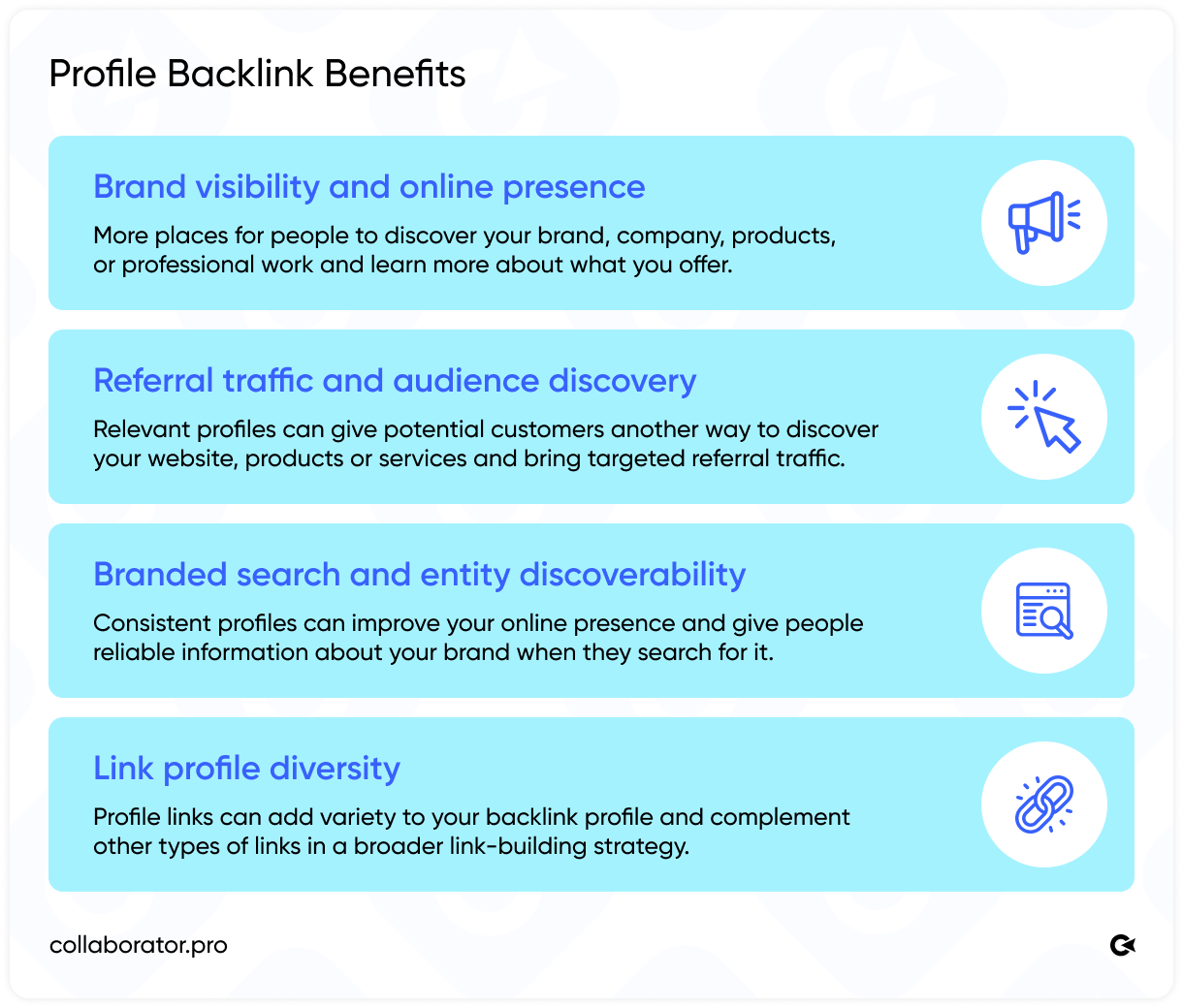
However, keep in mind that the value goes beyond the link itself: being present on relevant platforms can help increase your online visibility, showcase your expertise, and make your brand easier to discover across the web, including by search engines and AI systems such as ChatGPT and Claude.
Note: Profile backlinks aren't a reliable shortcut to higher search rankings. A profile on a high-authority domain doesn't automatically make the backlink valuable, and a dofollow link alone isn't a reason to choose one platform over another. Instead, consider the platform's relevance and purpose, as well as whether the profile provides genuine value to users.
Let’s discuss both points below, starting with how to choose the right profile creation websites for your purpose.
How to Choose the Right Profile Creation Sites
A good profile strategy starts with knowing what actually makes a platform worth your attention. Instead of chasing every available listing opportunity, use a few practical checks to separate useful profiles from pages that add little to your SEO efforts.
- Choose relevant platforms. Don't create a profile everywhere. Choose platforms that make sense for your company, profession, product, or audience.
- Look beyond DA and PA. Authority metrics can help you compare platforms, but they shouldn't be the only factor. Collaborator's study of 40,000 sites found that the most commonly used SEO authority metrics showed only weak or moderate correlations with one another, so relying on a single metric can give you an incomplete picture.
- Check traffic and real user activity. Look at whether the platform attracts people who are relevant to your business. A profile on an active website can offer value beyond the backlink by giving potential customers another way to discover you.
- Check whether profiles are public and indexable. Make sure the profile is publicly accessible and check whether search engines index platform pages. A profile that users or search engines can't access offers limited value.
- Consider the link type. Check whether the profile link is dofollow, nofollow, or UGC. Pay attention: link type matters, but it shouldn't be the deciding factor if the platform itself isn't relevant to your business.
- Prioritize platforms you can actually maintain. Focus on profiles you can keep complete and up to date. A useful profile should represent your current business, expertise, or professional activity rather than exist only to host a backlink.
How you complete your profile matters, too. Not every profile is useful for both users and Google.
How to Create an SEO-Friendly Profile: Step-by-Step
If you're about to create profiles across various platforms, set realistic expectations. Creating profiles isn't always as quick as it sounds. Before you start, prepare the content and assets you'll need, including short and long bio versions, your logo, images in the right sizes, and, where relevant, a few posts to make the profile look active.
Some platforms have their own image requirements or don't offer convenient cropping tools, which can turn a simple profile setup into an extra round of resizing and editing. Others may let you upload PDFs, presentations, GIFs, or other documents, so it's worth preparing those assets in advance.
To show you how to create a profile step by step, I’ll use TechBehemoths as an example:
1. Add your website where relevant.
Only create profiles on platforms that have an audience relevant to your business or personal brand. Make sure the platform can actually help you reach potential customers, clients, partners, or other people in your target audience.
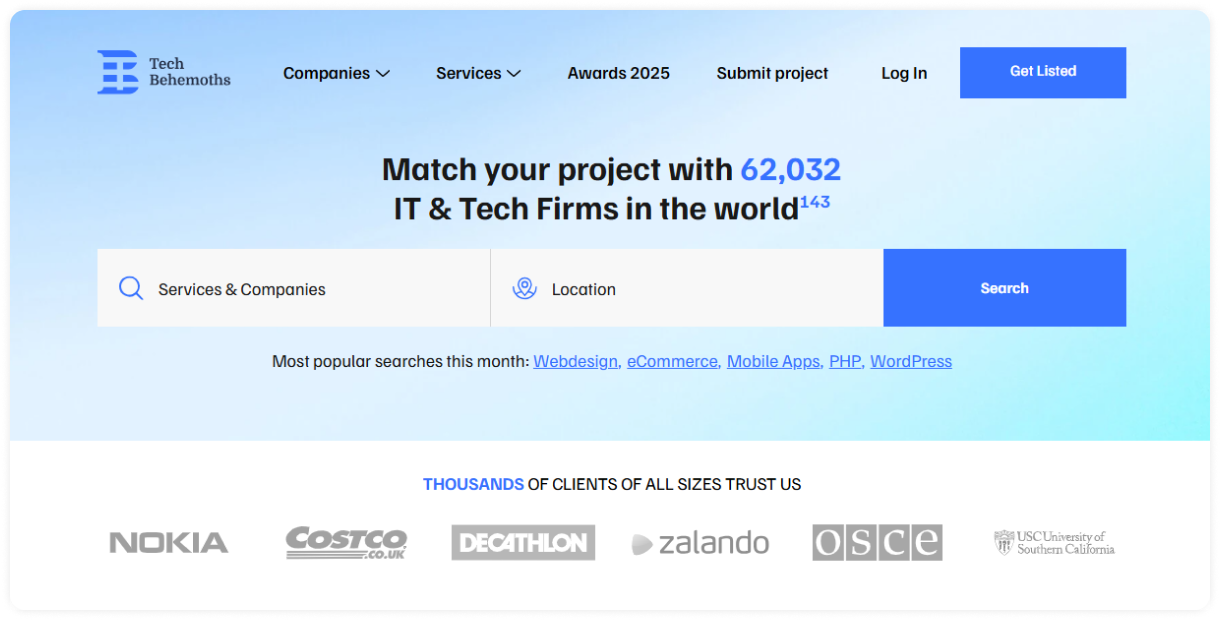
Let's say you own an agency that develops websites for online shops. Techbehemoths is the right platform for creating a profile.
1.1 Go to the homepage and click “Get Listed”
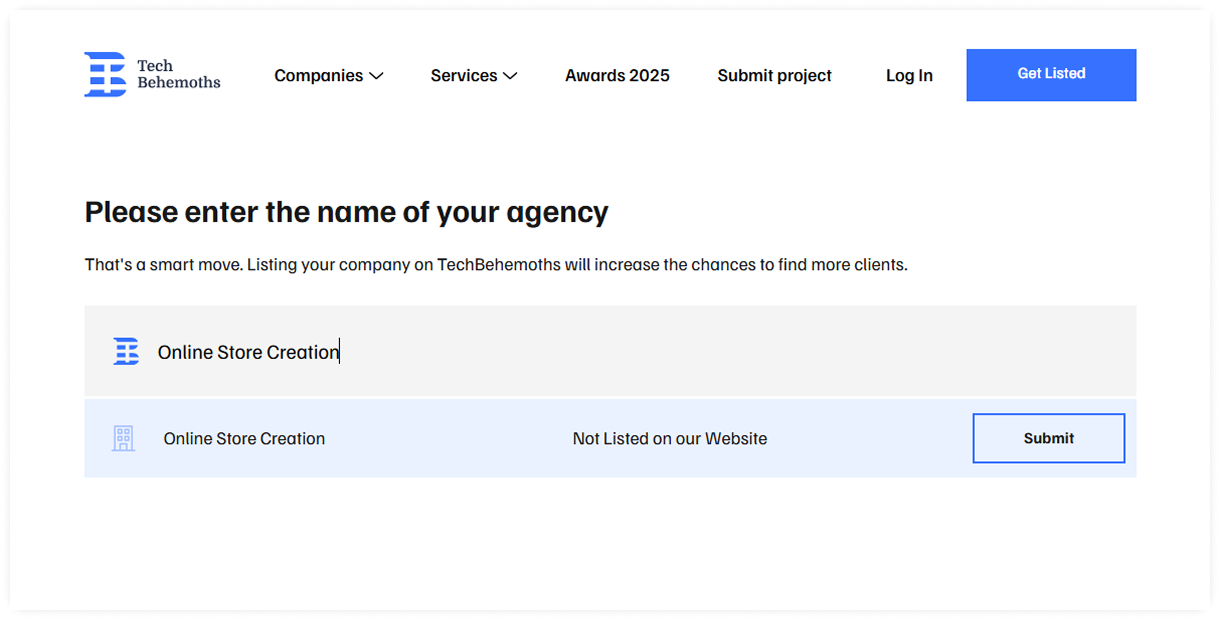
1.2 Enter your company’s name. The system will check whether the company already exists. Then click “Submit.”
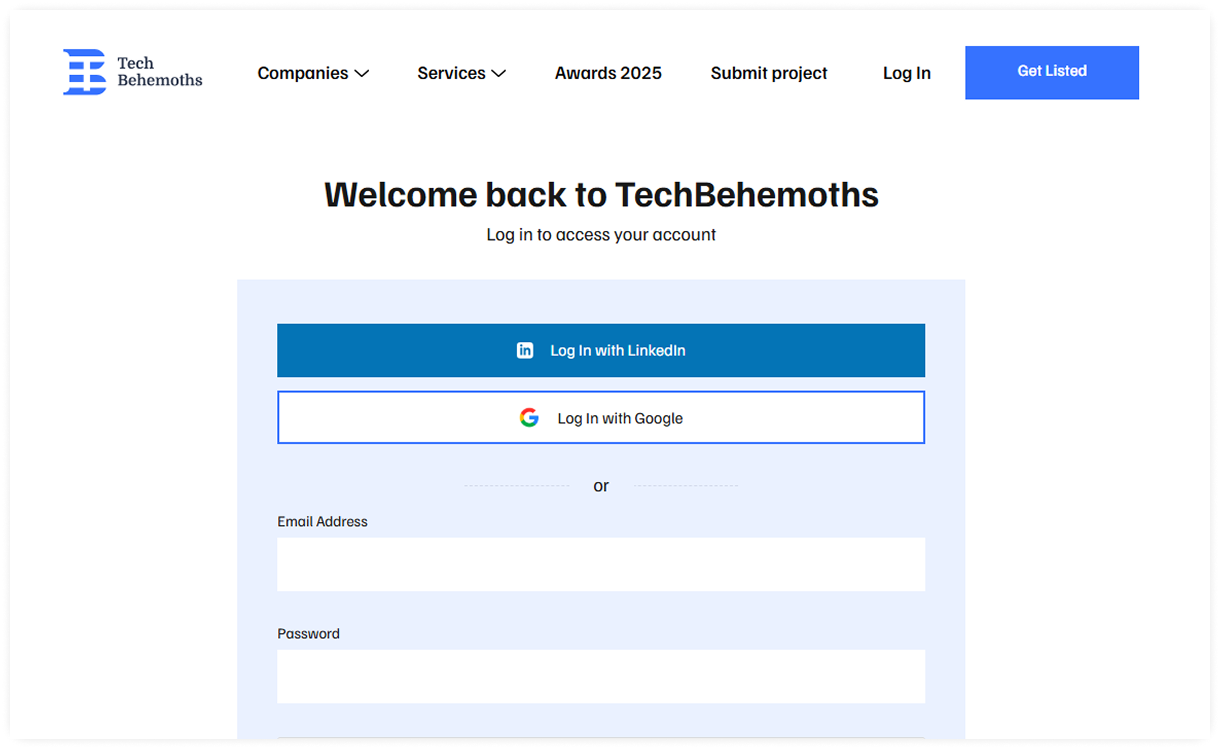
1.3 Log in using LinkedIn, Google, or your email and password.
2. Write a useful profile description and upload a logo or avatar.
Keep your description clear and relevant to what you do. Use it to explain your expertise, services, products, or professional focus rather than filling it with keywords or promotional claims.
However, that doesn’t mean you should ignore keywords. Use them naturally throughout the description.
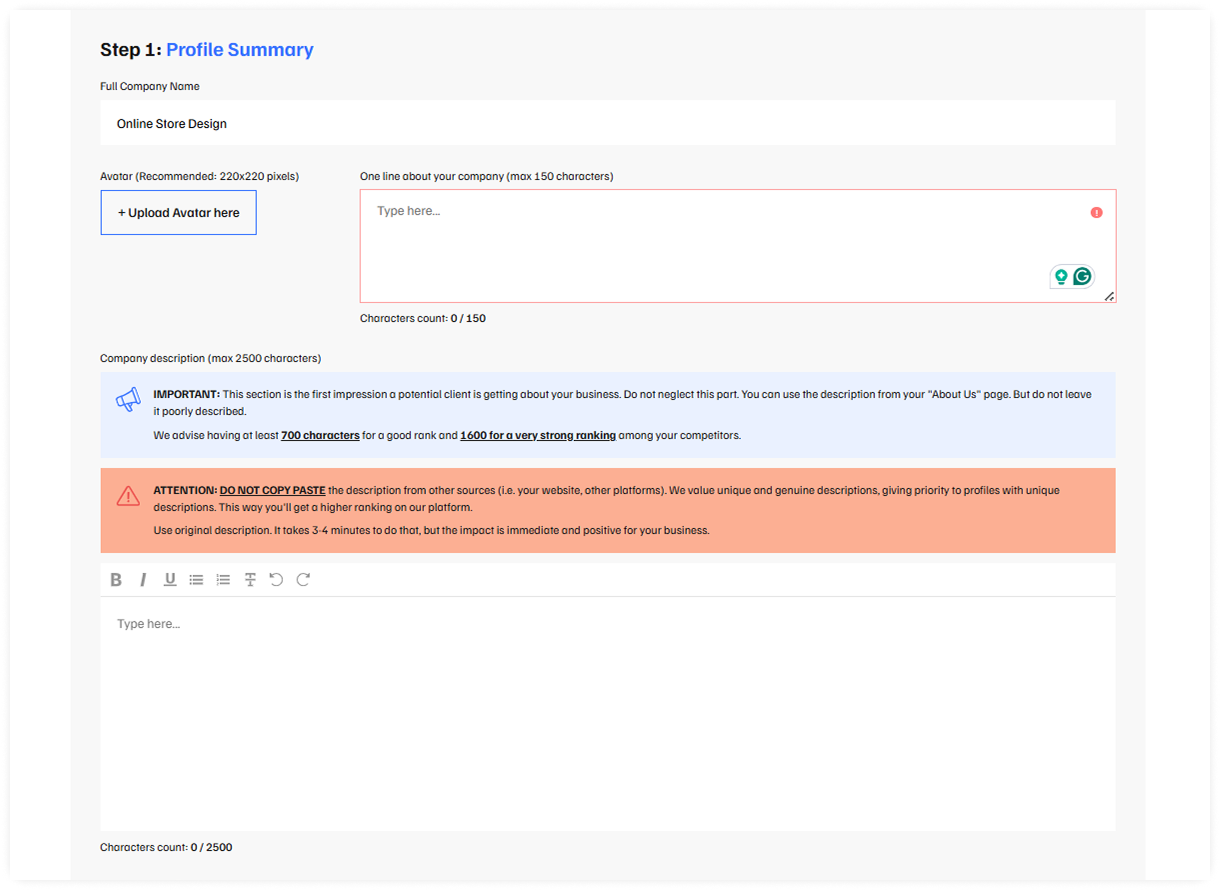
On TechBehemoths, there are two description fields: a one-line description of your company (up to 150 characters) and a longer description (up to 2,500 characters).
3. Use consistent business or personal information.
Make sure your name, company details, website, and other key information match across your profiles. Consistency helps people recognize your business and makes your online presence look more professional.
On TechBehemoths, you’ll also need to choose answers to general questions about your business.
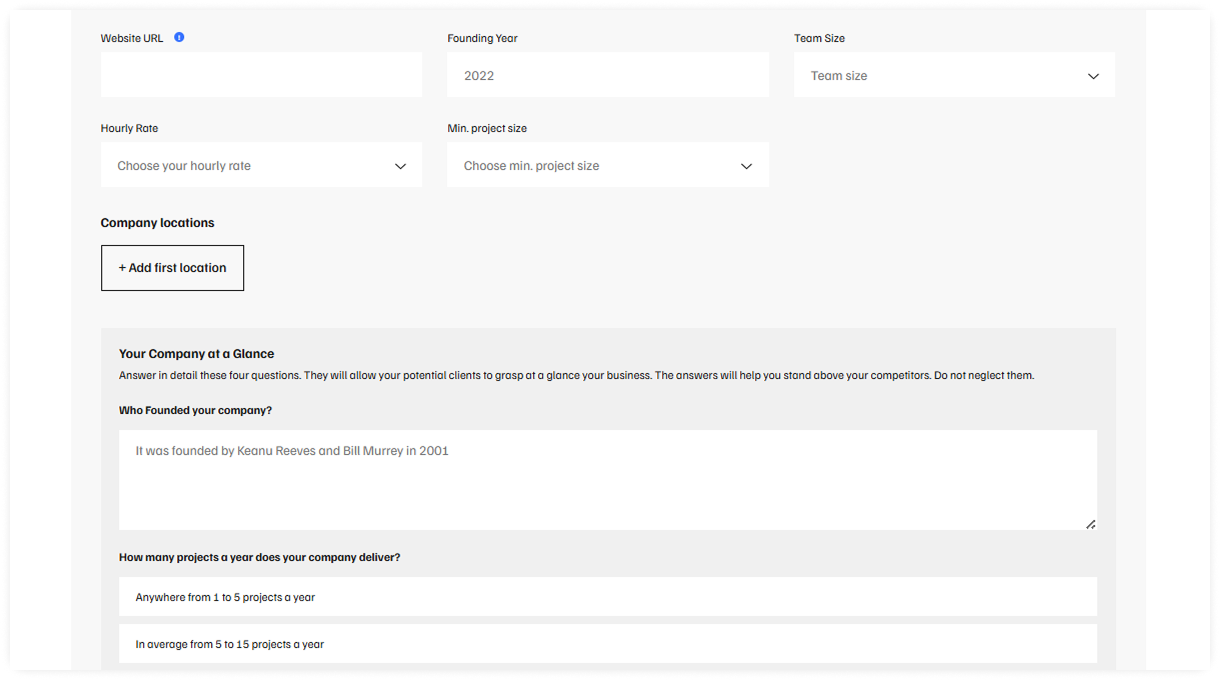
4. Complete the profile.
Fill in all relevant sections the platform provides, including service lines and focuses. Make sure you provide the fullest possible information about your business. An incomplete profile can leave important information about you or your business missing.
Then submit your profile and wait for approval.
5. Add genuine work, products, or credentials.
Show what you actually do by adding relevant projects, products, publications, certifications, or other professional achievements where the platform allows it. This gives your profile substance and helps visitors understand your expertise.
For instance, Collaborator has two cases on its TechBehemoths profile: How SEO Drove 24x Traffic Growth for This SaaS Brand and Strategies and Trends Proven To Drive Leads and 200% Traffic Growth.
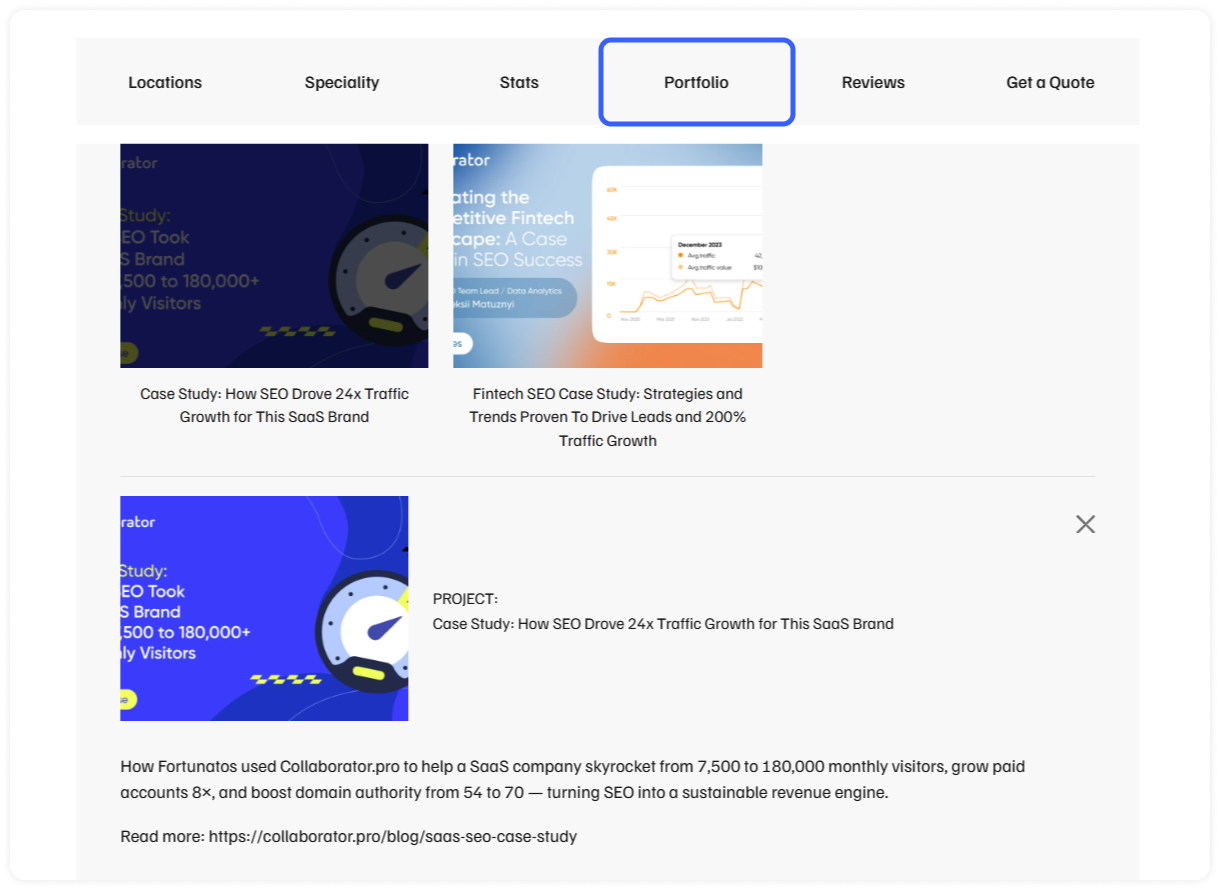
The profile of Collaborator on TechBehemoths
Common Mistakes When Building Profile Creation Backlinks
Creating profiles can be a useful part of an off-page SEO strategy. Still, the quality of the profiles matters more than the number of links you can collect. Here are some common mistakes to avoid.
1. Choosing sites only because they have high DA
A high Domain Authority score doesn't automatically make a platform a good choice for your business. Consider the site's relevance, audience, activity, and the profile's actual purpose before creating one. A relevant platform can be more useful than a high-metric site unrelated to your niche.
2. Focusing only on dofollow links
Don't reject a platform simply because its profile link is nofollow or UGC. Link type is only one factor to consider, and a profile can still help people discover your brand, website, or professional work. Focus on the platform's overall value rather than chasing a single link attribute.
3. Creating irrelevant profiles
Creating a profile on a platform that has no connection to your business usually doesn't make much sense. Choose sites where your company, profession, products, or content would be relevant to the people using the platform.
4. Creating too many profiles at once
Building dozens of profiles simply to increase the number of backlinks can quickly turn into a numbers game. Google considers links created primarily to manipulate search rankings a form of link spam, including links from low-quality directories and other manipulative sources.
Instead, focus on platforms where you can create a genuine presence and keep the information up to date.
5. Using duplicate or keyword-stuffed descriptions
Copying the same description across every platform can make your profiles look generic. Adapt the text to each platform and describe what you actually do.
Avoid forcing keywords into your bio just to influence rankings. Google defines keyword stuffing as filling a page with keywords or numbers in an attempt to manipulate search rankings, especially when the wording becomes unnatural or out of context.
6. Leaving profiles incomplete
A genuine profile is created to represent a person, company, or professional presence on a platform. It contains relevant information and reflects the user’s real activity. A fully completed profile with a relevant description, photos, portfolio items, case studies, or supporting documents such as PDFs or presentations can provide more useful information to visitors and give the page more substance.
A profile created purely for a backlink serves a different purpose: it exists mainly to place a link to a website. This approach offers little value to users and shouldn't be treated as a standalone link-building strategy. What’s more, some platforms may mark such profiles as ones they cannot recommend. View an example below.
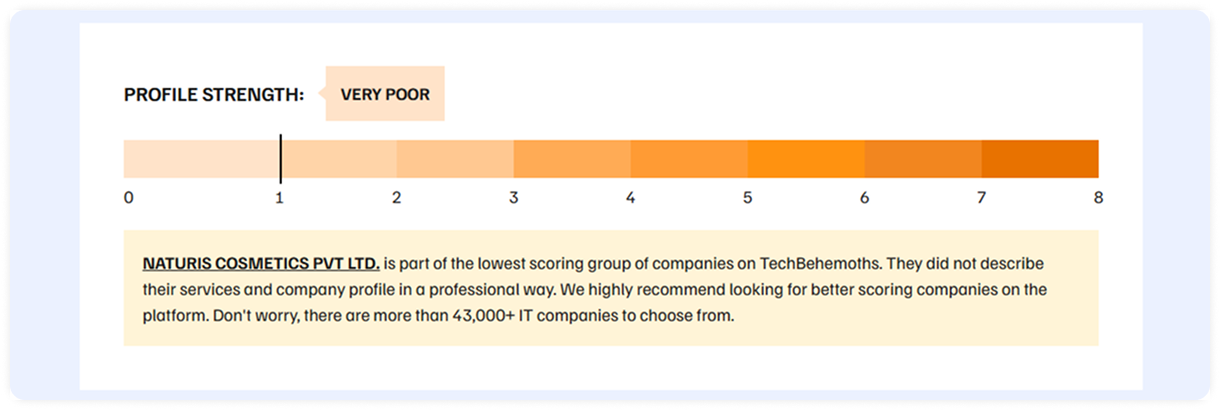
The profile of NATURIS COSMETICS PVT LTD. on TechBehemoths
7. Ignoring the platform's actual audience
Don't choose a platform based only on its metrics or backlink opportunities. Consider what problems its audience is trying to solve and whether your business can offer something genuinely useful to them.
A relevant profile should help people find a solution, useful information, or a service that matches their needs. If your business has nothing relevant to offer the platform's audience, creating a profile there is unlikely to provide much value.
Final Thoughts
Profile creation can be a useful part of your SEO strategy when you choose platforms that are relevant to your business and use them to build a genuine online presence. The goal isn't to build as many profile backlinks as possible. Since most profile backlinks are nofollow, their value often goes beyond the link itself, supporting brand visibility and adding variety to your backlink profile.
If you’re looking for relevant dofollow backlinks from media outlets, Collaborator makes it easy to find suitable sites and secure placements. Browse our catalog to discover websites for link building and content placement.
Related reading
- • Best SEO Affiliate Programs: Top 35+ Programs Compared
- • 42 Best Review Sites in 2026: Full List by Industry
- • 30 + Free Web 2.0 Submission Sites List for High-Quality Backlinks in 2026
- • 175+ Free Guest Posting Sites List 2026. Top Websites To Submit Guest Posts
- • Free Backlinks: 55 High-Authority Sites List to Build Links for Free in 2026