Link building takes a lot of time. You need to research prospects, evaluate sites, handle outreach, and sometimes it's just faster to do all of that with a set of tools.
So, today we'll share with you the 13 best link-building tools that our team tested in real workflows. To help you find the right ones, we categorized them by use case:
- Backlink analysis (checking if a site is actually worth a link)
- Outreach and discovery (finding the right people to email)
- Publisher placements (getting links on quality sites)
- Link monitoring (checking if the links you build stay live)
In addition to the list, we'll also share how to build a stack that fits your budget and your role, whether you're a solo SEO, an in-house marketer, or running an agency. Let's get into it.
How We Chose the Best Link Building Tools
Our selection process was based on the hands-on expertise of our in-house link builders. They've used these tools in live campaigns, so they know which ones are worth your time and money. As for the factors, we looked at:
- Backlink data accuracy and freshness
- Features that matter specifically for link builders
- Pricing vs. value across different budgets
- Integration with other tools in a typical stack
Last but not least, we reviewed feedback from SEOs and included what we found in the pros and cons for each tool.
Top 13 Link Building Tools for 2026
And now that you’ve seen our methodology, here are the top link building tools grouped by the specific tasks they handle.
|
Tool |
Use Case |
Top Features |
Pricing |
|
Ahrefs |
Finding link opportunities and analyzing competitors |
Link Intersect, Batch Analysis |
From $29/mo |
|
Semrush |
Research-to-outreach in one platform |
Backlink Gap, Link Building Tool |
Free plan available; from $139.95/mo |
|
Majestic |
Qualifying prospects by link quality |
Trust Flow, Clique Hunter |
Free tools available; from $49.99/mo |
|
Hunter.io |
Finding the right contact before you pitch |
Domain Search, Email Verifier |
Free plan available; from $49/mo |
|
BuzzStream |
Managing outreach campaigns and relationships |
Email Sequences, Project Dashboards |
Free trial; from $49/mo |
|
Pitchbox |
Scaling multi-client outreach with automation |
Prospect Importer, AI Personalization |
Free trial; from $300/mo |
|
ListBrew |
Finding listicle opportunities for AI search visibility |
AI Recommendations, Bulk Contact Finder |
Free plan with 50 one-time credits; from $49/mo |
|
Collaborator |
Buying placements on vetted publisher sites |
Publisher Filters, Competitor Analysis |
No subscription; 10% commission on deposits |
|
Featured |
Earning editorial links through expert quotes |
Opportunities Tab, Keyword Alerts |
Free plan available; from $19/mo |
|
AlertMouse |
Turning unlinked mentions into backlinks |
Mention Tracking, Email Alerts |
Free plan available; from $10/mo |
|
Google Search Console |
Checking which links Google actually sees |
Links Report, URL Inspection |
Free |
|
Linkody |
Getting alerted when links are gained or lost |
Real-time Alerts, Link Visualizer |
Free trial; from $14.90/mo |
|
SE Ranking |
Monitoring link growth and reporting to clients |
Backlink Monitor, Backlink Gap Analyzer |
Free trial; from $129/mo |
Let’s look at each tool in more detail. We’ll start with the ones that help you research backlink profiles and analyze competitors.
Best Link Building Tools For Backlink and Competitor Analysis
Ahrefs
Best for: SEOs and agencies who need in-depth backlink analysis, competitor insights, bulk prospecting, and real-time monitoring.
Ahrefs tops our list as the gold standard in link-building workflows, boasting one of the largest (35 trillion) and freshest backlink databases. It’s perfect for finding hidden backlink opportunities as well as filtering out toxic links that could tank rankings.
In Site Explorer, you can get data on your target's full backlink profile, including metrics like DR, UR, backlinks, and referring domains.
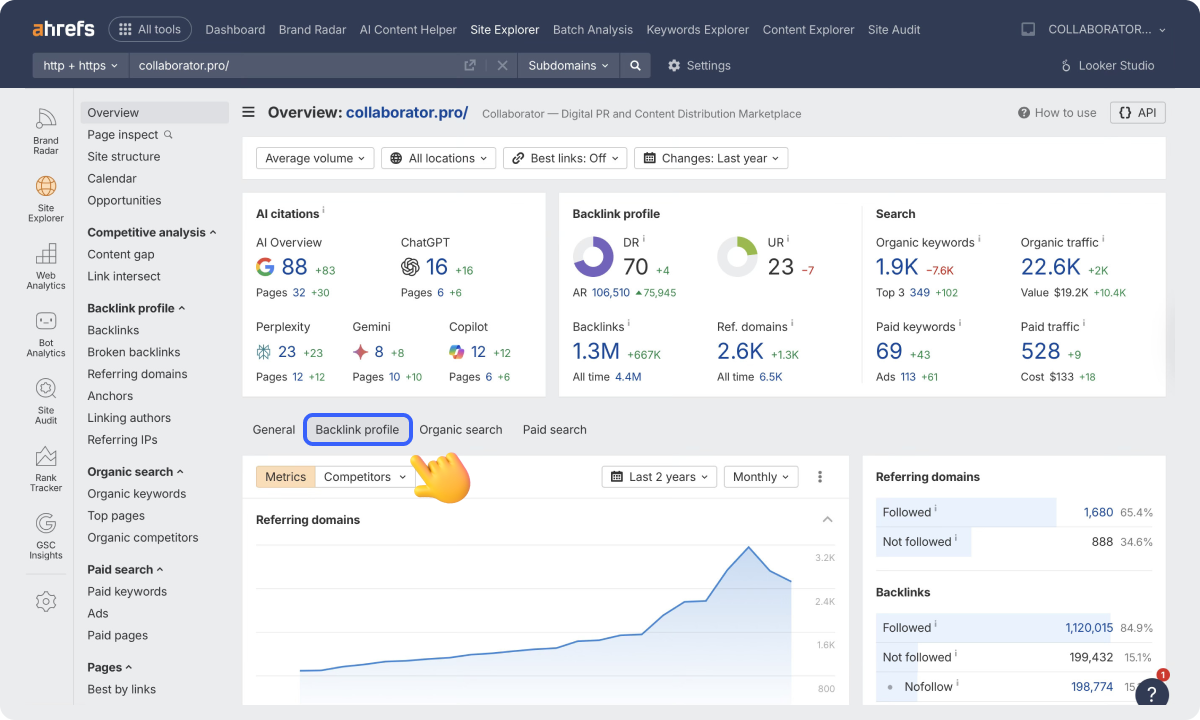
To get even more details, you can navigate to the Backlink Profile section, where you’ll find data on all of the target’s backlinks, live/deleted links, top anchors for replication, and more.
When it comes to other helpful features for link building, Ahrefs also offers:
- Content Explorer — Find linkable assets by traffic and shares, ideal for resource page hunts.
- Link Intersect — Pinpoint pages linking to multiple competitors but not you for quick-win outreach.
- Batch Analysis — Process dozens of domains at once to scale prospecting.
- Free Backlink Checker — Teaser tool for the top 100 links and quick audits without commitment.
|
Pros |
Cons |
|
35T+ links, daily crawls for unmatched freshness |
Pricing can be steep (from $129/mo) |
|
Intuitive filters like DR and exact anchors |
No free trial available to test advanced features |
|
All-in-one analysis + keyword overlap |
No built-in outreach |
Ahrefs’ Pricing
- Starter from $29/month
- Lite from $129/month (5 projects, 750 tracked keywords, 1 user)
- Standard from $249/month (20 projects, 2,000 tracked keywords, 1 user)
- Advanced from $449/month (50 projects, 5,000 tracked keywords, 1 user)
- Enterprise from $1,499/month (from 3 users, unlimited API access, unlimited historical data)
Semrush
Best for: SEO teams and agencies that want backlink research, prospect discovery, outreach, and backlink audits in one place.
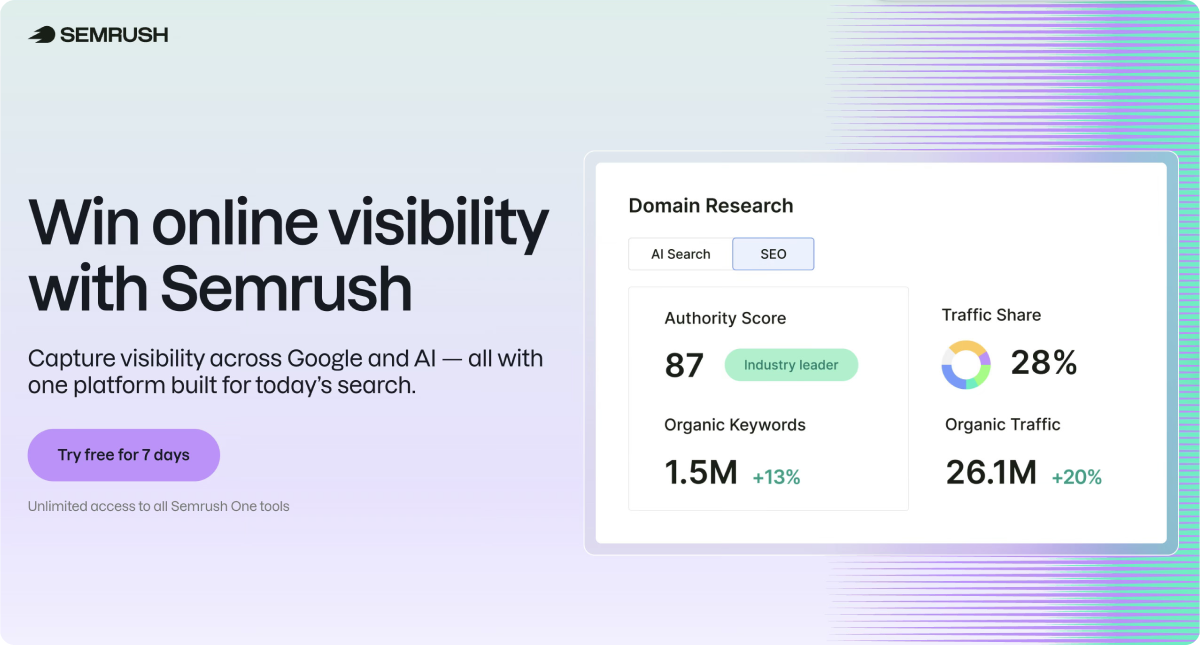
Semrush combines a large and frequently updated backlink index with built-in outreach tools, so you can go straight from competitor research to sending pitches. Its project‑based setup makes it especially useful if you manage several sites and need to keep audits, prospecting, and reporting in one place.
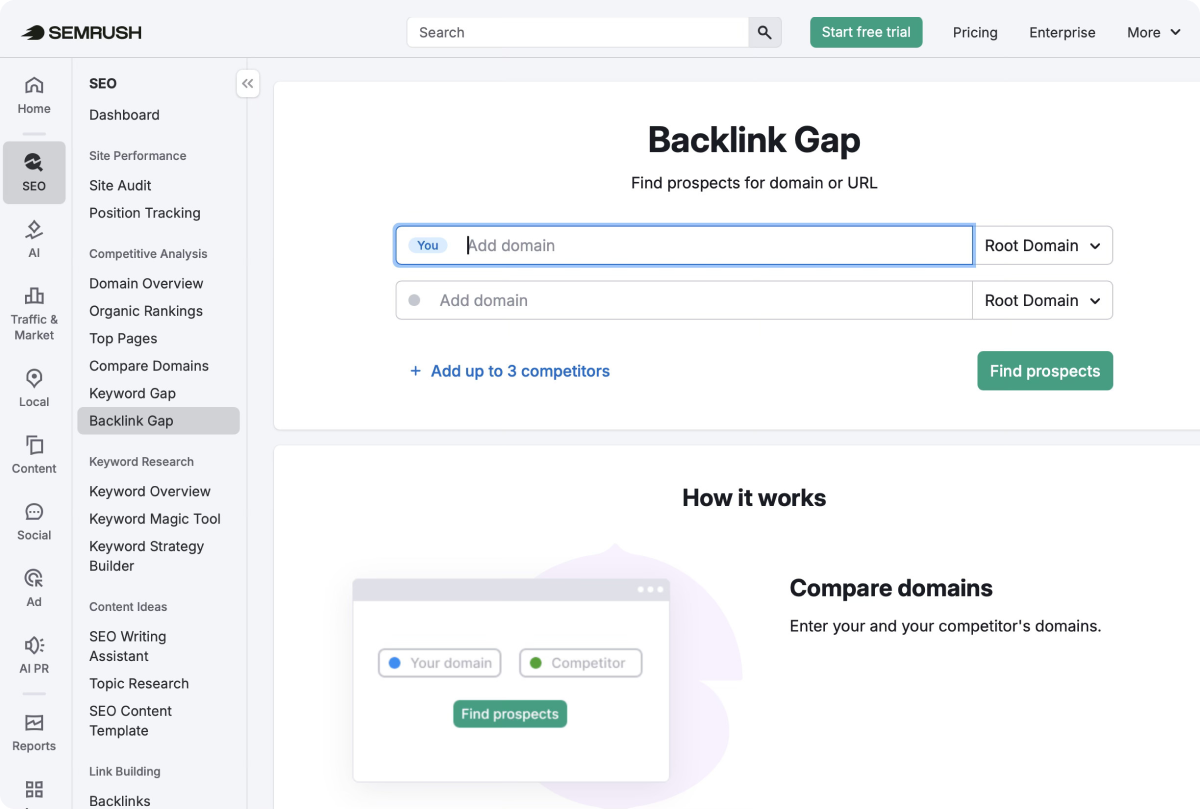
One of its top features for link building is Backlink Gap. You can compare your site against competitors, find domains that already link to them, and turn that into a prospect list for outreach.
Additional helpful features for link builders inside Semrush include:
- Link Building Tool — Compile prospect lists, connect a mailbox, send outreach emails, and track replies inside Semrush.
- Backlink Audit — Check backlink quality and flag potentially risky links.
- Bulk Backlink Analysis — Review multiple domains when qualifying prospects at scale.
|
Pros |
Cons |
|
50T+ links, daily crawls |
Less timely backlink updates, compared to Ahrefs |
|
Authority Score and toxicity detection |
Steep learning curve for 20+ feature sprawl |
|
All-in-one tool (analysis + outreach + rank tracking) |
Cost can be high for solo/freelance link builders |
Semrush Pricing
-
Free account with limited access (10 searches/day)
-
Pro from $139.95/month (5 projects, 500 tracked keywords, backlink analysis)
-
Guru from $249.95/month (15 projects, 1,500 tracked keywords, historical data)
-
Business from $499.95/month (higher limits for teams and agencies)
Majestic
Best for: SEOs prioritizing Trust Flow analysis to filter high-quality prospects and avoid spammy link opportunities.
Majestic is more of a specialized tool than Ahrefs or Semrush. It’s built around patented metrics like Trust Flow (quality) and Citation Flow (quantity) scores, and is helpful for link builders when they need a second opinion on backlink quality or need to review large link profiles.
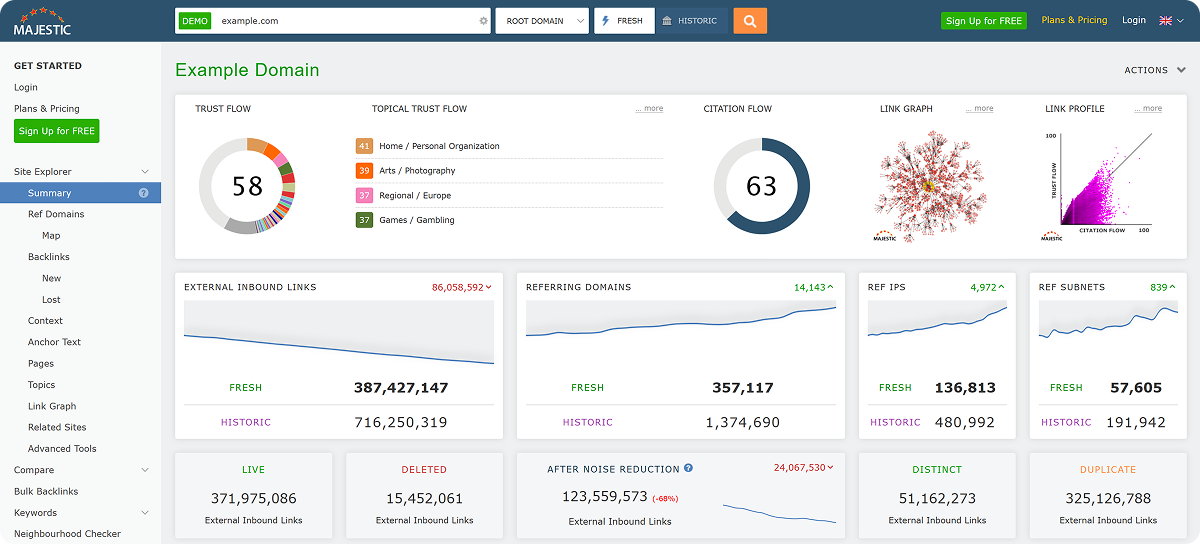
Their standout feature is Site Explorer, where you can see TrustFlow, CitationFlow, and Topical TrustFlow side by side.
Other helpful features for link builders include:
- Bulk Backlink Checker — Analyze 100+ domains at once to score TF/CF instantly.
- Clique Hunter — Find sites that link to several competitors, which makes prospecting much faster.
- Fresh vs Historic Index — Use the Fresh Index for newer links and the Historic Index for deeper backlink history.
|
Pros |
Cons |
|
TF/CF metrics uniquely predict link value, 15+ years of historic data |
Smaller index vs Ahrefs/Semrush |
|
TF filtering and Clique Hunter speed up prospect qualification |
Fresh index updates slower than competitors |
|
Best TF metrics for the price, free tools available |
No outreach or monitoring built-in |
Majestic Pricing
- Free access to selected tools, including its Free Backlink Checker.
- Lite plan ( $49.99/month, 1 user, Fresh Index, Site Explorer, Trust Flow, Topical Trust Flow)
- Pro plan ($99.99/month, historic Index, Clique Hunter, custom reports, exports)
- API from $399.99/month (5 users, API access, Google Sheets integration)
Best Link Building Tools For Contact Discovery and Outreach
Hunter.io
Best for: Freelancers, SEO specialists, and lean outreach teams that need a fast way to find and verify contact details for link prospects.
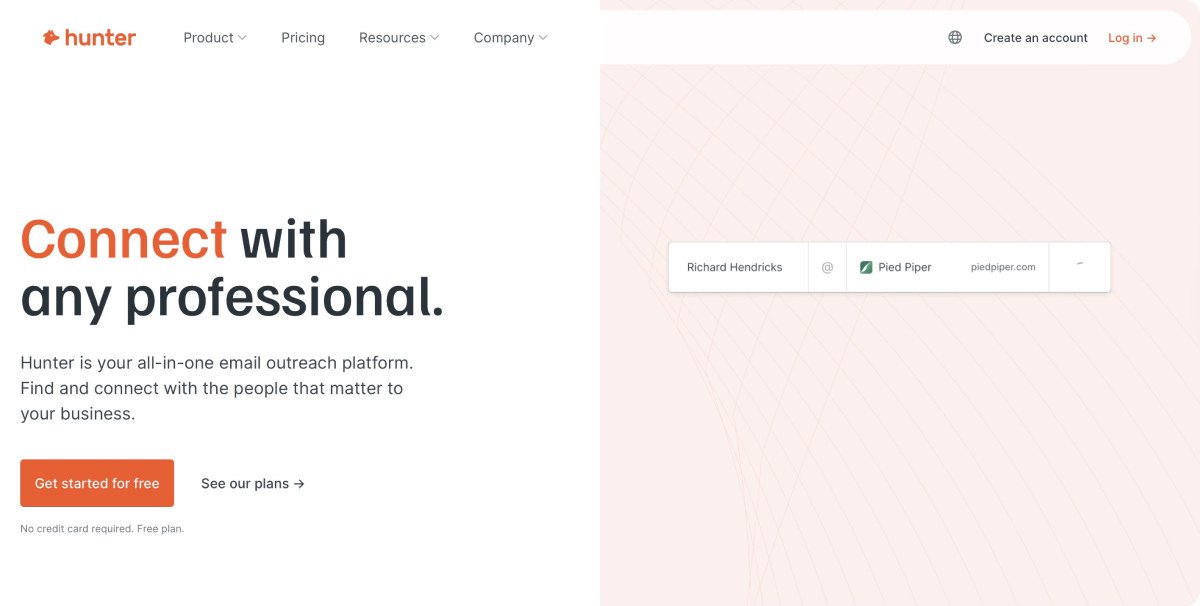
Hunter.io is one of the best link building tools for contact discovery. It helps you find and verify professional email addresses and move straight into outreach. The tool is useful for guest post outreach, resource page pitching, digital PR follow-ups, or reclaiming unlinked mentions.
In Finder, you can enter a website, and Hunter pulls the email addresses connected to that domain, along with names, roles, and confidence scores when available.
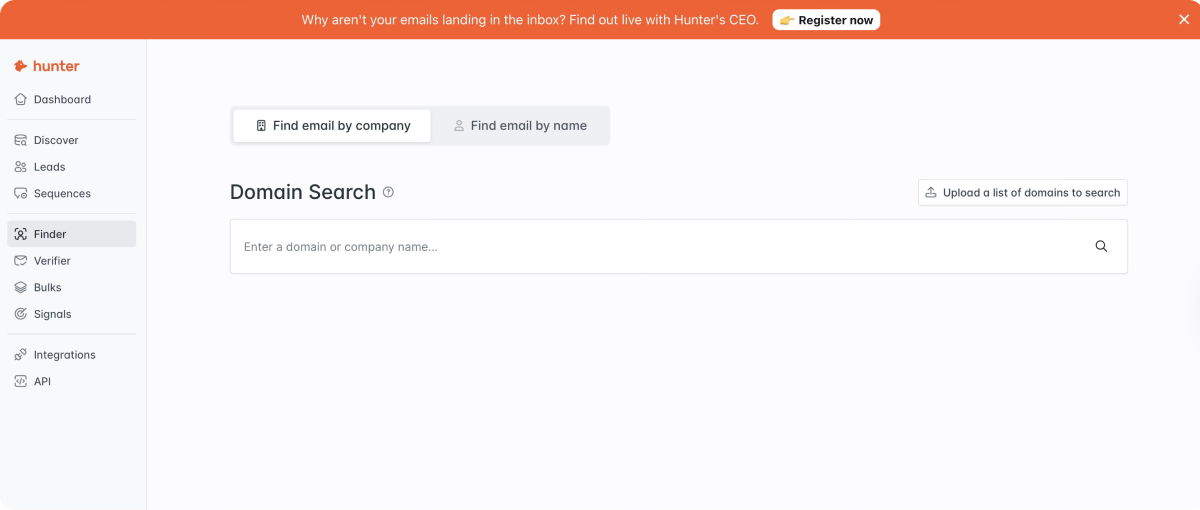
For link builders, this is one of the quickest ways to find the right editor, content manager, or marketing contact without researching the site manually.
In addition to that, they offer other helpful features, like:
- Email Verifier — Check whether an email address is valid before you send outreach, which helps reduce bounce risk.
- Sequences — Connect email accounts and run cold outreach campaigns from inside Hunter.
- Integrations — Use it with Chrome and Firefox extensions, Google Sheets, MailTracker, TechLookup, and ready-made templates to speed up prospecting and outreach.
|
Pros |
Cons |
|
Fast way to find outreach contacts by domain or by person |
Built for contact data first, so backlink research still needs a separate SEO tool |
|
Email verification helps clean lists before outreach goes live |
Outreach features are lighter than dedicated tools like BuzzStream or Pitchbox |
|
Simple interface and easy to use |
Monthly credits can run out quickly on larger campaigns |
Hunter’s Pricing
- Free plan ($0/month, 50 monthly searches, 1 email account, 500 monthly recipients)
- Starter plan ($49/month, 2,000 monthly searches, 1,000 verifications, 3 email accounts)
- Growth plan ($149/month, 10,000 monthly searches, 5,000 verifications, 10 email accounts)
- Scale plan ($299/month, 25,000 monthly searches, 20,000 verifications, 20 email accounts)
BuzzStream
Best for: Link builders, digital PR teams, and agencies that need a better way to manage outreach, follow-ups, and prospect relationships at scale.
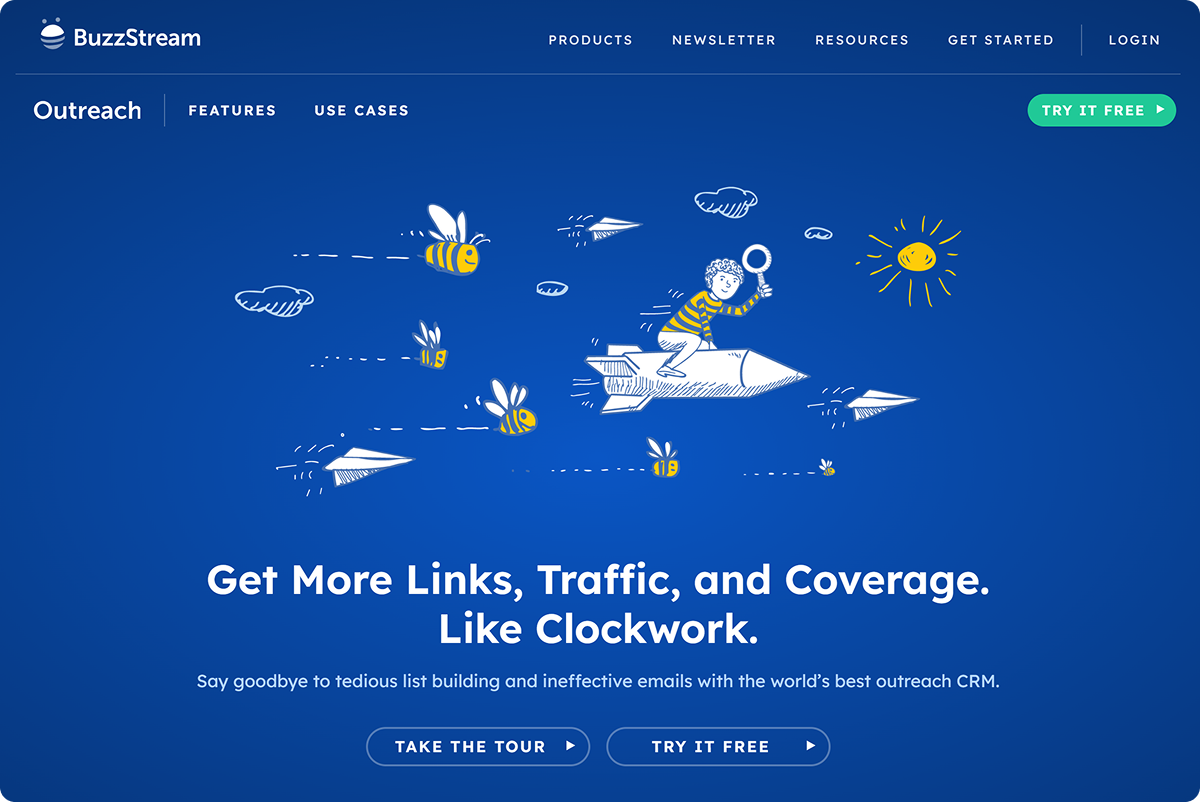
BuzzStream is built for the outreach side of link building. Once you already have a list of sites to pitch (from Ahrefs/ Semrush), it helps you organize contacts, send personalized emails, and track where each campaign stands.
With BuzzStream’s Prospecting Tool, you can find and save relevant websites, group them into campaigns, review site details, and keep outreach organized in one place.
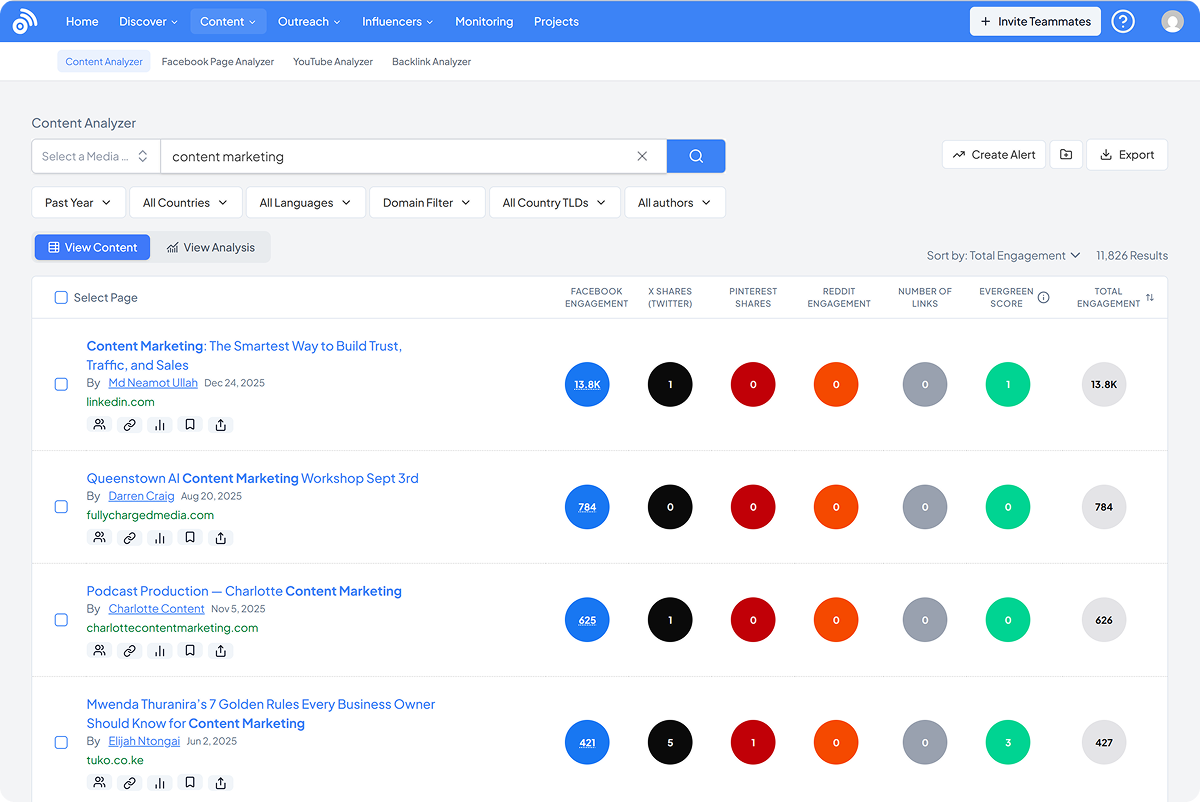
Additional helpful features for link builders include:
- Email Sequences and Templates — Send personalized outreach at scale and keep follow-ups moving.
- Contact Discovery — Collect contact details and site data while building outreach lists.
- Project Dashboards — Keep track of campaign progress across lists and outreach stages.
|
Pros |
Cons |
|
Keeps link outreach, contacts, and follow-ups organized in one place |
The interface feels dated in places |
|
Speeds up prospecting, pitching, and campaign management |
There’s a learning curve when setting up campaigns and workflows |
|
Makes outreach much easier to manage than handling it manually |
Pricing can feel harder to justify for smaller teams |
BuzzStream Pricing
- Free 14-day trial.
- Starter from $49/month (1 user, 500 contacts, 30 prospecting searches, 1,000 monitored links)
- Growth from $174/month (3 users, 25,000 contacts, team sharing, reporting, and automation features)
- Professional from $424/month (6 users, 100,000 contacts, API access, custom reports, 100,000 monitored links)
- Custom from $999/month (15+ users, 300,000+ contacts, onboarding support, tailored setup)
Pitchbox
Best for: Agencies and larger SEO teams that run high-volume outreach and need more automation around prospecting, email sequences, follow-ups, and campaign management.
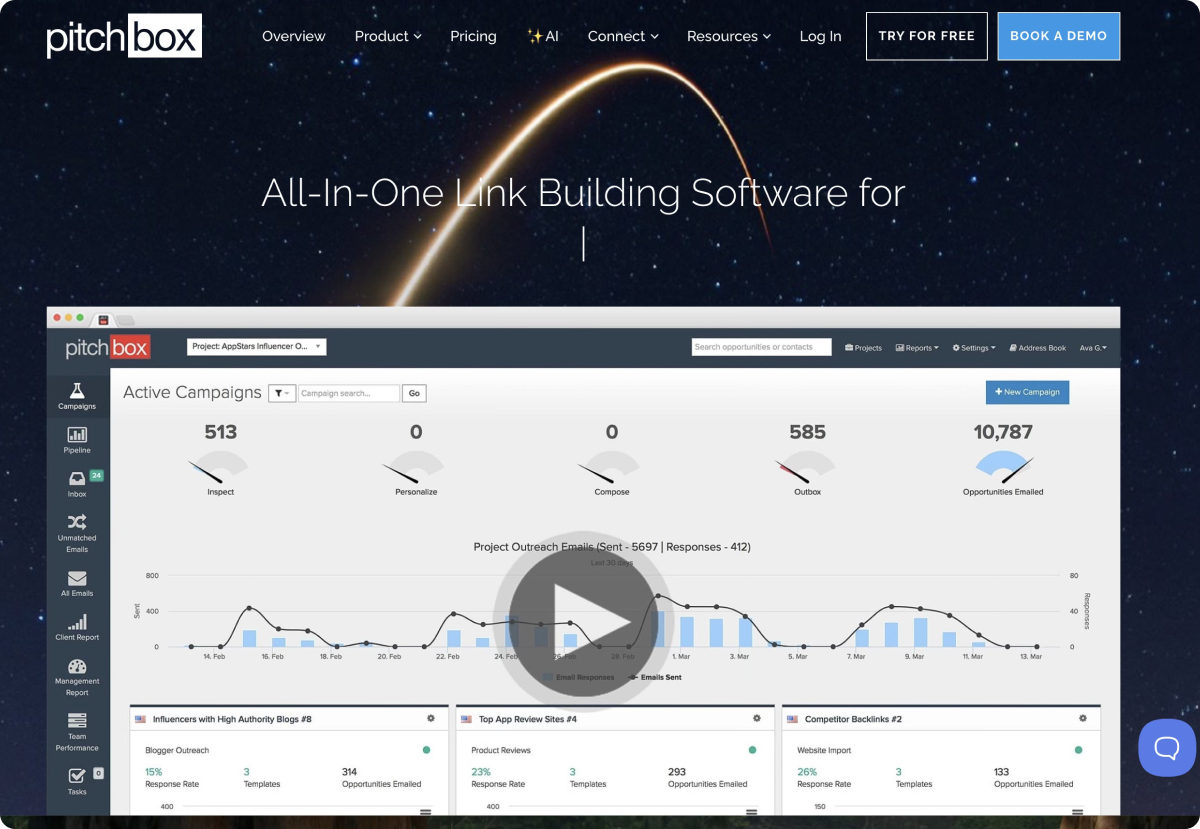
Pitchbox brings prospecting, email outreach reporting, and SEO data into one place, making it one of the strongest full-stack outreach tools in the market. It also integrates with tools like Ahrefs, Semrush, Moz, Majestic, and LRT, so you can qualify prospects before sending a single email.
In their dashboard, SEOs can easily manage all the active campaigns. From one view, you can track how many opportunities are in progress, how many emails have gone out, and how replies are coming in.
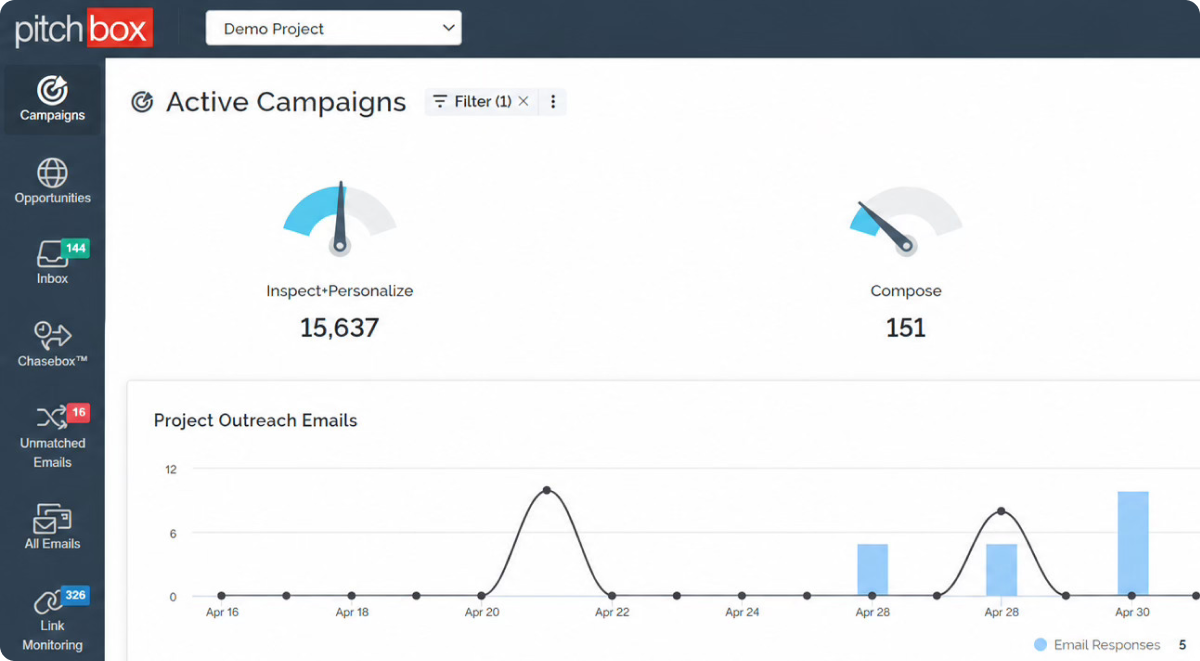
Additional helpful features for link builders inside PitchBox include:
- Prospect Importer — Pull prospects from tools like Ahrefs/Semrush and enrich them with SEO metrics and contact data inside Pitchbox.
- AI Personalization — Generate more tailored outreach emails with data pulled from your prospects, which helps teams personalize campaigns faster.
- Link Monitoring — Keep track of placements, replies, and campaign performance from one dashboard.
|
Pros |
Cons |
|
Covers prospecting, outreach, follow-ups, and reporting |
Can feel too feature-heavy for simpler outreach needs |
|
Gives teams one central place to see campaigns and email activity |
Setup takes time, and the interface can feel overwhelming at first |
|
A good fit for larger SEO teams that need automation for multiple campaigns |
Pricing is on the expensive side for freelancers and smaller teams |
PitchBox Pricing
- Free 30-day trial
- Pro from $300/month ( 2 users, 2 email accounts, 2,000 outreach emails, 25 campaigns per month)
- Advanced from $600/month (unlimited users, 6 email accounts, 5,000 outreach emails, 25 workspaces)
- Scale from $1,200/month (unlimited users, 20 email accounts, 25,000 outreach emails, unlimited campaigns)
ListBrew
Best for: SEO agencies, freelancers, and in-house teams looking to secure backlinks that impact AI visibility
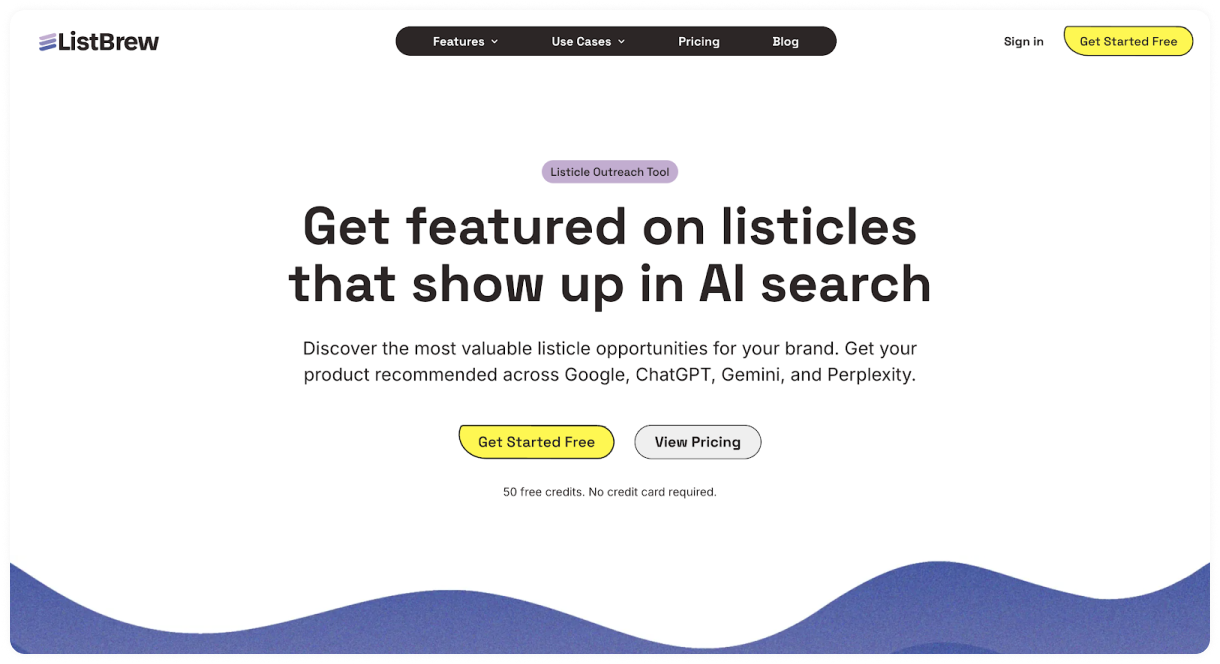
ListBrew is a link building tool built for the AI era. Developed by Position Digital, it helps brands get featured in third-party listicles, comparison pages, buying guides, and editorial content that already influence AI-generated recommendations.
Simply set up a new campaign and give ListBrew details about your brand, target queries, and location. It will then scan Google results and LLM answers, and surface relevant outreach opportunities to target.
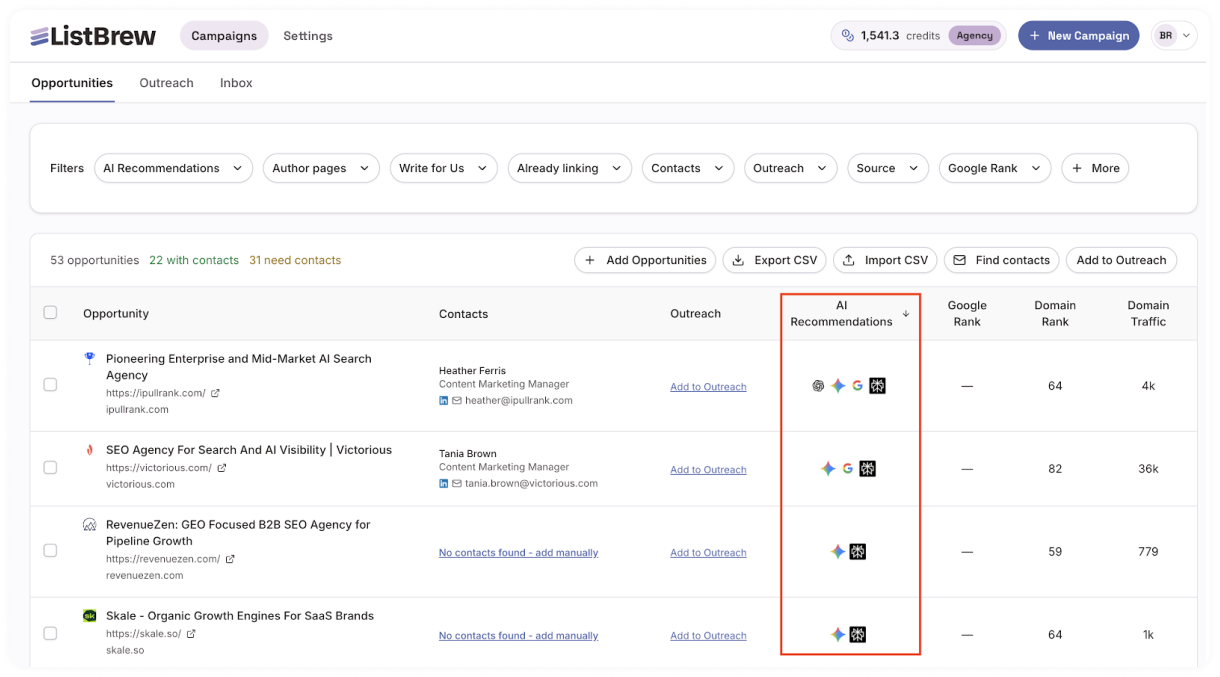
From there, you can:
- Filter the results by Google ranking and AI Recommendations to prioritize prospects that will move the needle.
- Use the bulk contact finder to find the contact information of each opportunity.
- Create personalized pitches, set up outreach sequences, as well as send and track your outreach emails.
|
Pros |
Cons |
|
Surfaces relevant backlink opportunities that can boost your AI visibility |
A relatively new platform, so expect some rough edges |
|
Covers prospecting, contact finding, and outreach in one place |
No built-in backlink reporting and monitoring tool |
|
Supports listicle, guest post, and link insertion outreach campaigns |
Outreach analytics features aren’t as deep as Pitchbox or BuzzStream |
ListBrew Pricing
- Free plan with one-time 50 credits
- Solo from $49/month (100 credits/month, 1 team member, Google SERP, Google AI Overviews, ChatGPT)
- Pro from $99/month (300 credits/month, 3 team members, Contact Data, Google SERP, Google AI Overviews, ChatGPT, Perplexity, Gemini)
- Agency from $199/month (700 credits/month, 10 team members, Contact Data, Google SERP, Google AI Overviews, ChatGPT, Perplexity, Gemini)
Best Link Building Tools For Authority Backlinks
Collaborator
Best for: Marketers, SEO specialists, and agencies who need direct publisher access and safe guest post placements without juggling multiple expensive tools.
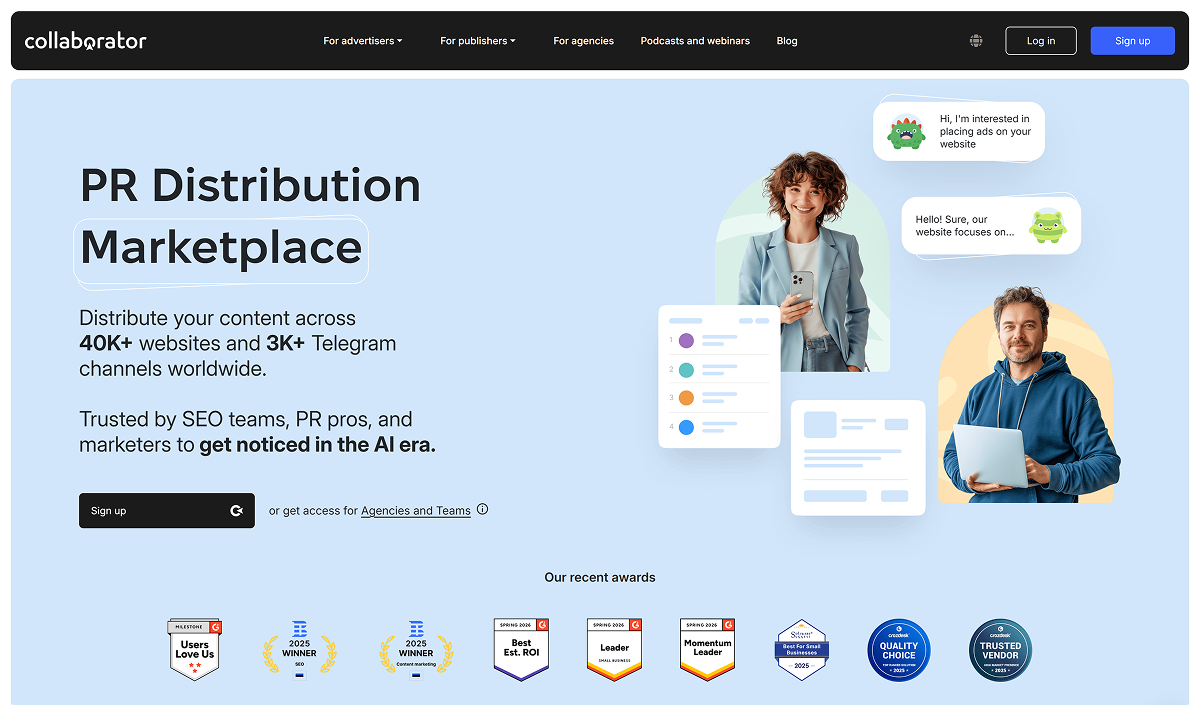
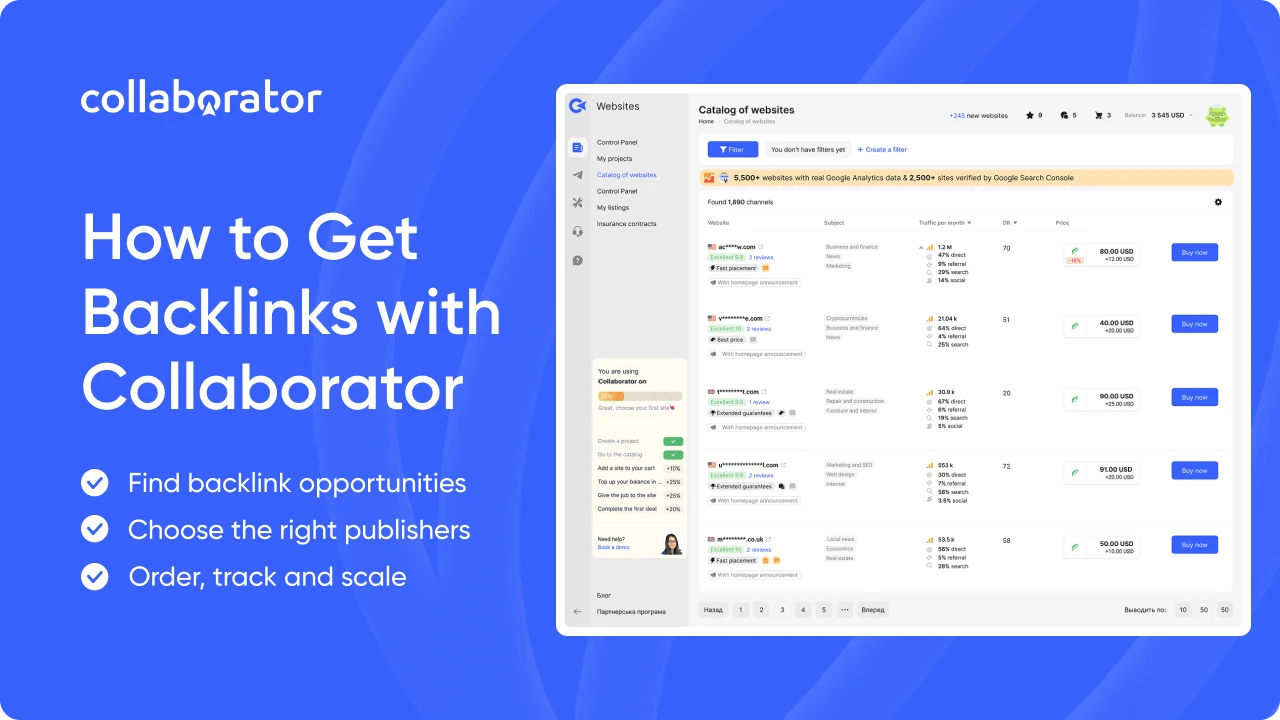
Collaborator leads publisher marketplaces with 40,000+ pre-vetted sites, letting you buy guest posts and backlinks directly from site owners. It pulls live data from Ahrefs, GSC, GA4, and other top SEO tools, with over 40 SEO metrics you can filter by to find relevant websites in no time.
In the Dashboard, you can browse a full catalog of websites with verified SEO metrics.
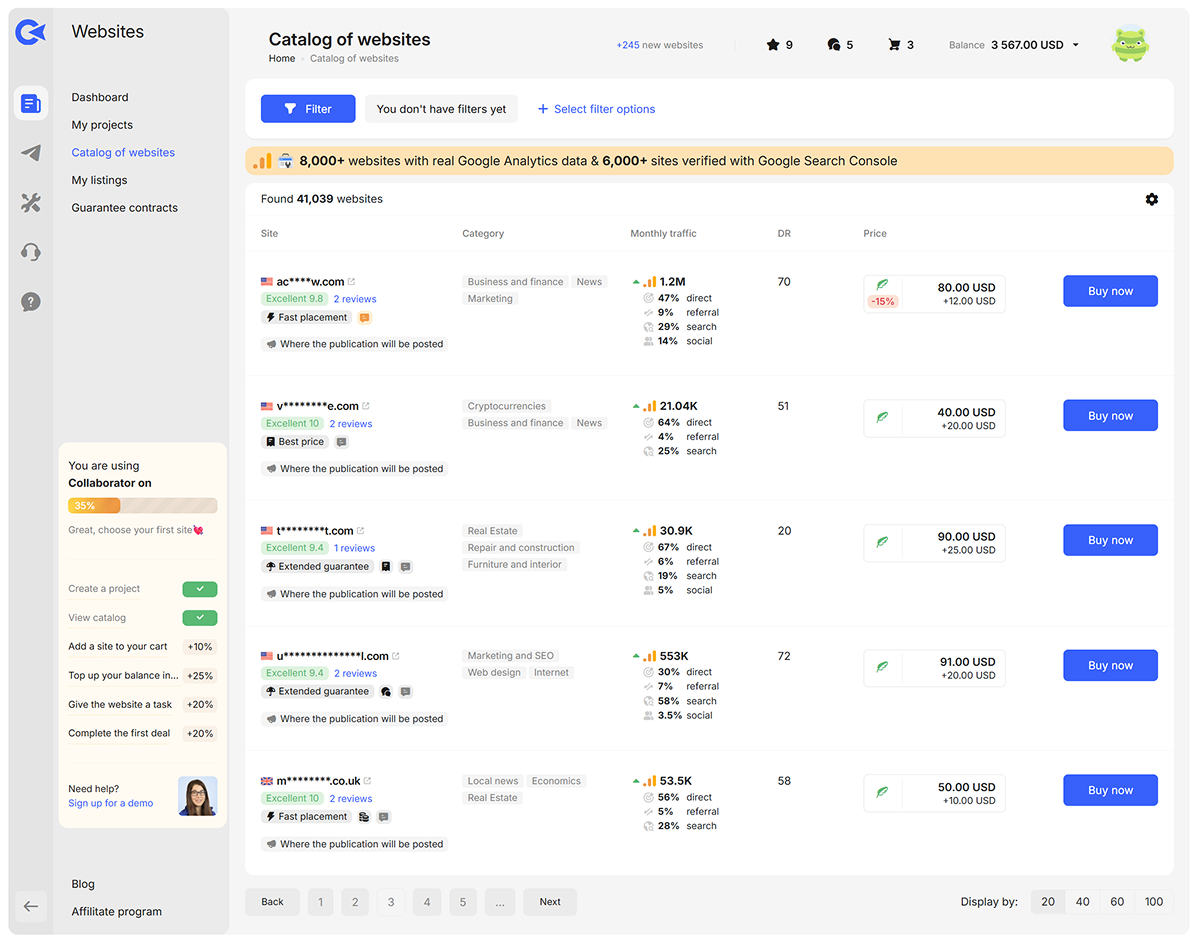
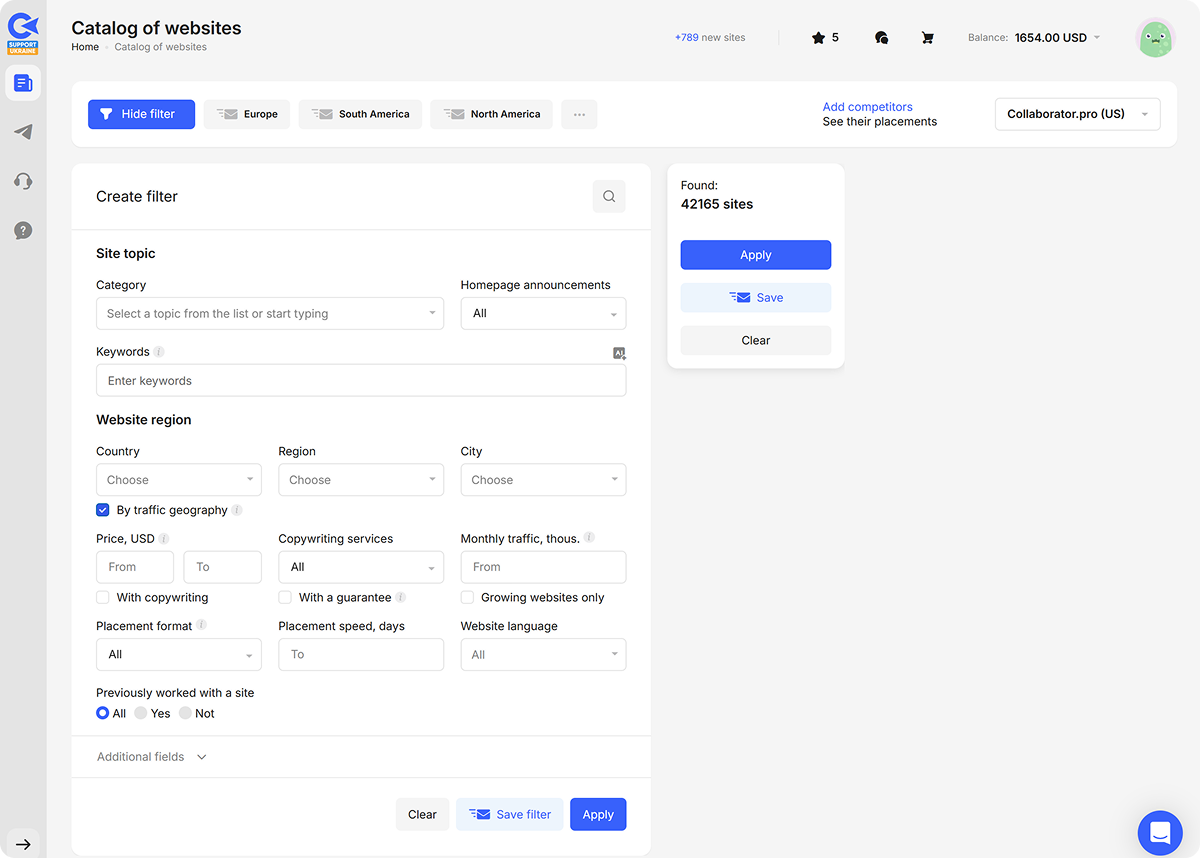
To narrow the results, you can filter by topic, country, organic traffic, DR, and price range. These metrics are pulled directly from SEO tools, helping you vet targets in seconds.
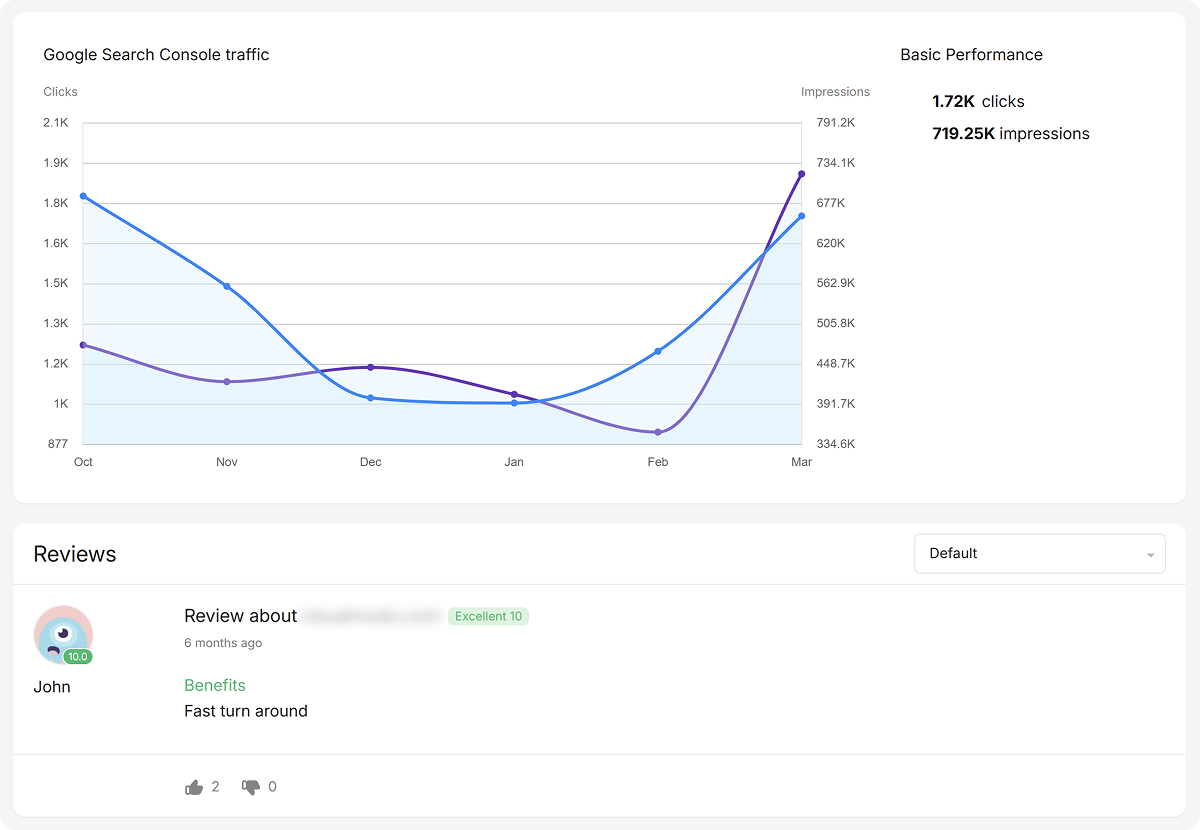
At the same time, you can tap on each individual site profile to see ratings, reviews, traffic graphs, and sample backlinks to make sure a placement there is actually worth your effort.
Of course, there are many more helpful features you can use inside Collaborator, such as:
- Automatic Competitor Analysis — Upload 5–10 competitor domains to reveal which referring domains already exist in our 40k+ catalog and get monthly alerts on new opportunities.
- Team Account — Invite team members/clients, organize shared projects, and access volume-based agency pricing.
- AI Filtering by Keywords — Input niche keywords (like "dentist software") to find hyper-relevant sites beyond categories.
|
Pros |
Cons |
|
40k+ vetted sites, with DR, traffic, and geo filters from multiple SEO tools |
Biggest coverage in Europe and CIS; some niches/regions still have a small website selection |
|
Fast filtering by DR/traffic/price, direct ordering from publishers |
First-time users may need orientation to advanced filters and metrics |
|
Transparent pricing set by publishers |
Cheapest sites can have modest traffic, so vetting is on you |
Collaborator Pricing
- No subscription fees.
- Pay only 10% commission on platform deposits.
Featured
Best for: Link builders and SEO teams that want to earn editorial mentions and expert quote placements on high-authority websites.

Featured (formerly Terkel) is a top choice for landing hard-to-get links from major publications and niche blogs. The tool connects your company's internal experts directly with journalists who are actively looking for specific insights to fill their upcoming articles.
Inside the platform, publishers post questions for upcoming articles, which you can find in the Opportunities tab.
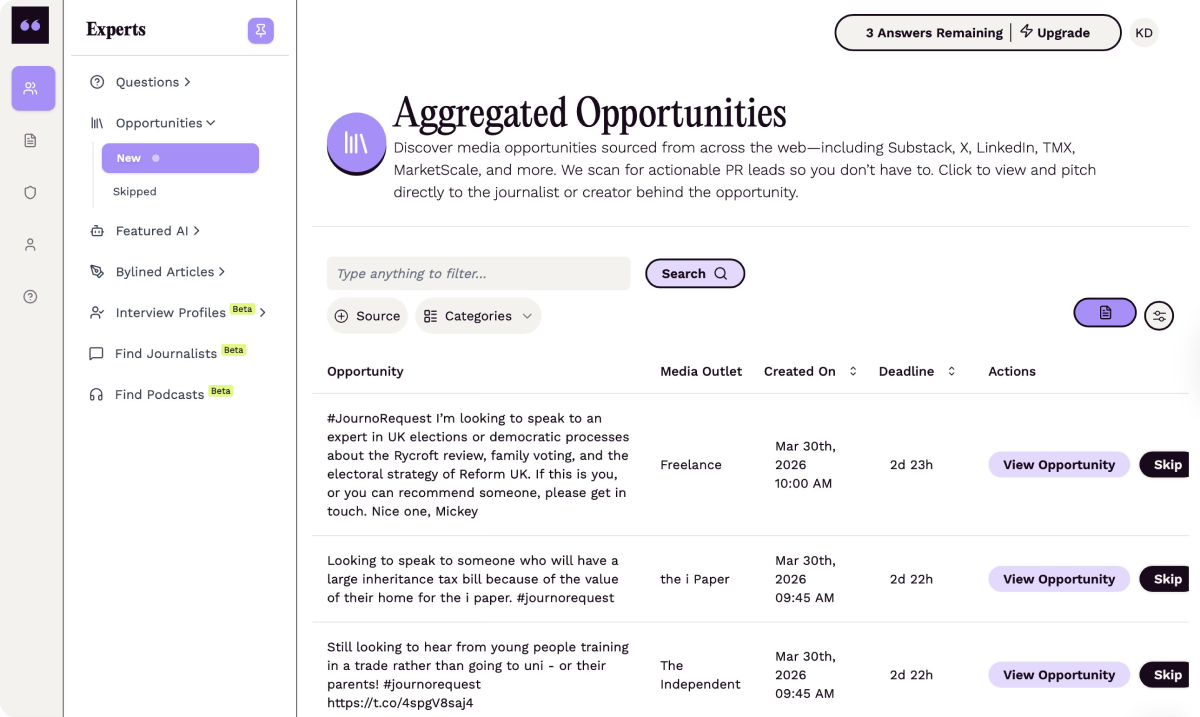
Once you find an opportunity that matches your expertise, you can submit an answer on behalf of yourself, your client, or your company. When your quote gets picked up, you can land a mention, a link, or both.
As for the other features, the tool also offers:
- Keyword Alerts — Track topics you want to be known for and get matched with relevant questions.
- Link Type and DA Filters — Sort opportunities by link type and authority metrics, so you can qualify placements faster.
- Find Journalists (currently in beta) — Enter your product or announcement, and the tool helps you find journalists who may be relevant for outreach.
|
Pros |
Cons |
|
Direct access to high-quality "DR 60-90+" editorial backlinks |
Very competitive (only high-quality answers get selected) |
|
Easy workflow (find a question, submit an answer, and track opportunities) |
Results depend a lot on response quality and relevance, so success can feel less predictable than marketplace placements |
|
Free access and lower-cost paid plans |
No absolute guarantee of a link (editor’s choice) |
Featured Pricing
- Free plan (3 answers/month, 1 bylined article/month, 3 keyword alerts)
- Lite plan ($19/month, 10 answers/ month, 10 keyword alerts)
- Pro plan ($49/month, unlimited answers, unlimited bylined articles, link type and domain authority filters)
Business plan ($99/month, media database, AI journalist recommendations, media list exports, shared team access)
AlertMouse
Best for: Link builders and SEOs who want to easily track unlinked brand mentions and turn them into backlinks.
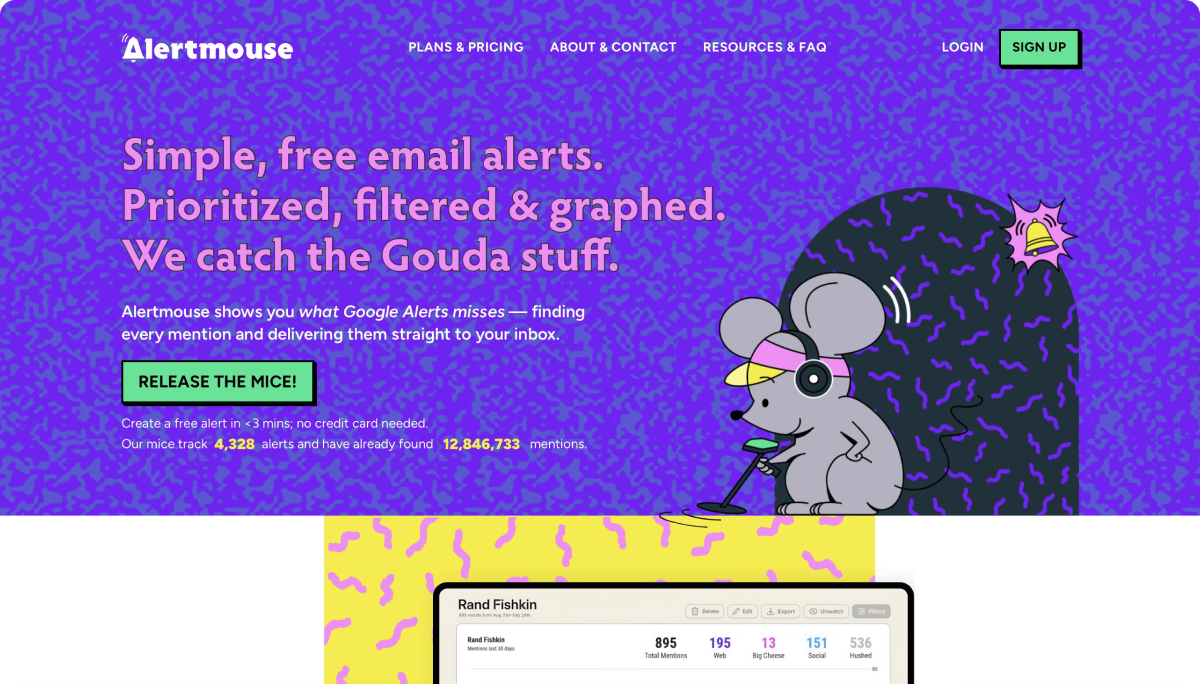
Alert Mouse is a Google Alerts alternative for catching unlinked brand mentions across the web, social, and Reddit. It scans daily for your brand and product mentions without links and delivers them directly to your inbox or Slack.
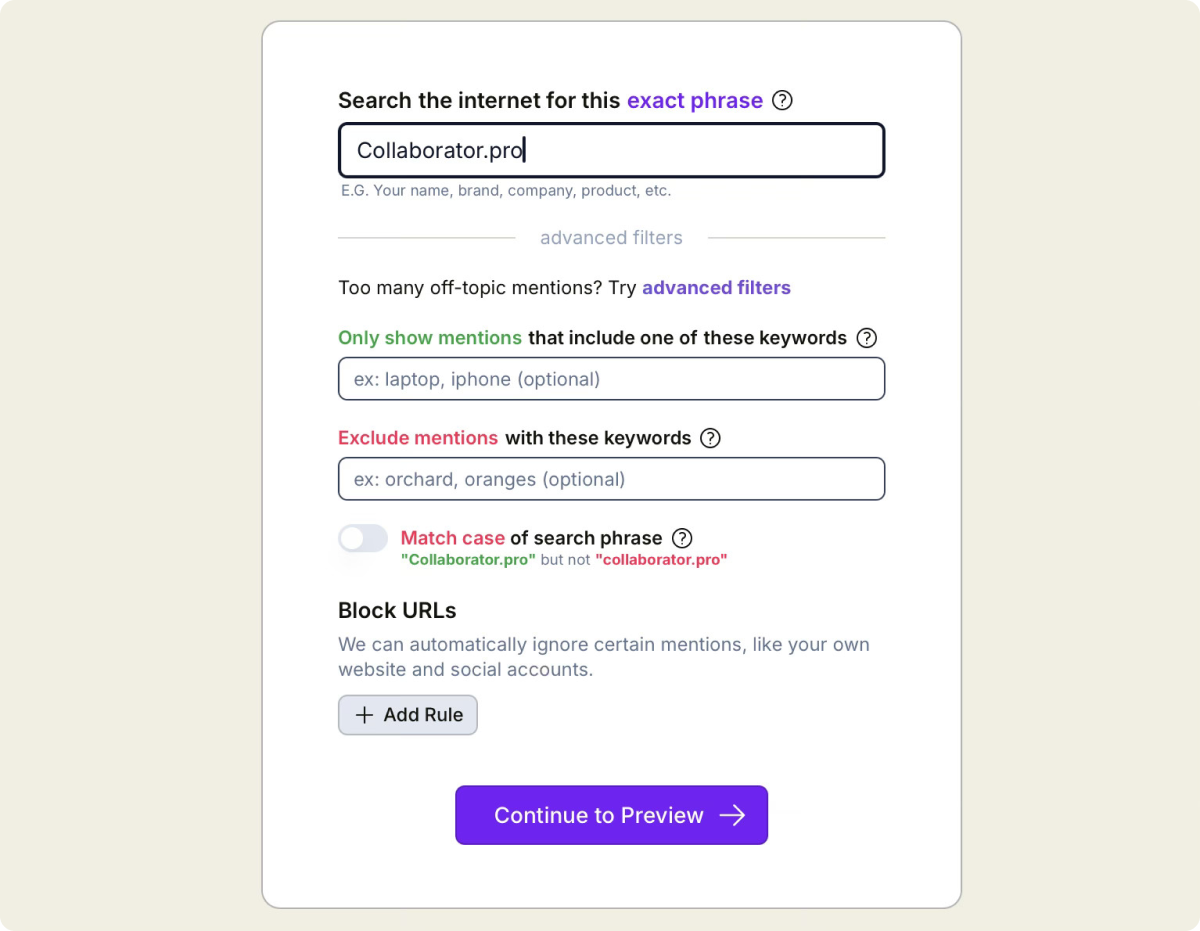
Inside the platform, you can set up specific “Mice” trackers for your brand, your competitors, or industry keywords.
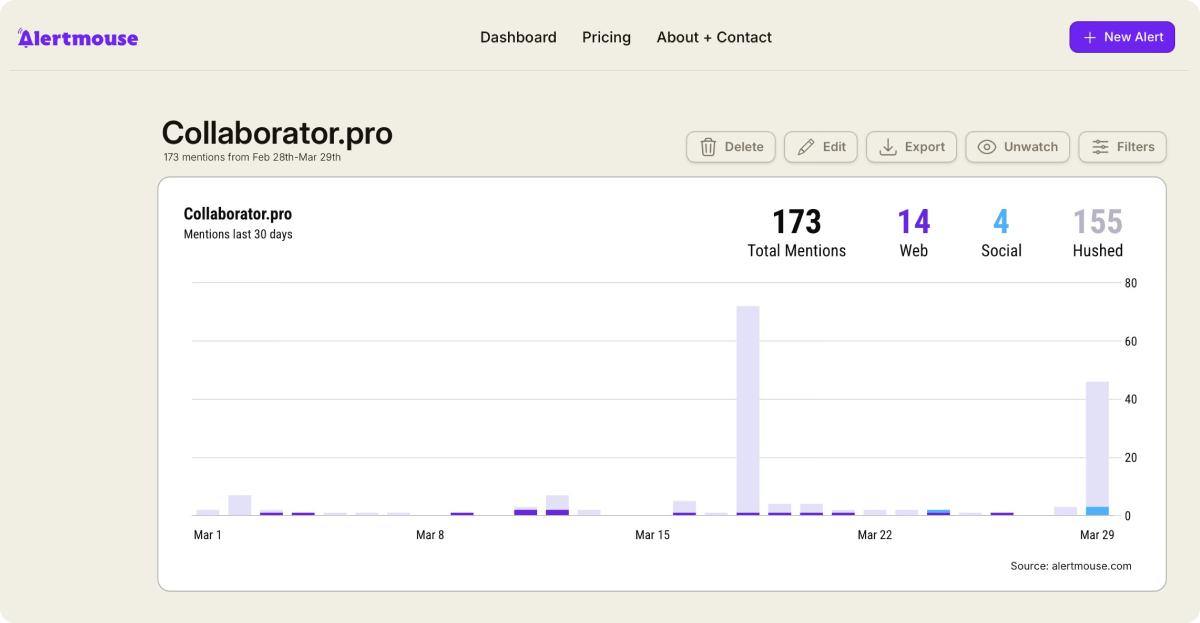
Those mentions then appear in the Main Dashboard, where you can review them and decide which ones are worth an outreach follow-up.
That said, here are some other features you’ll find useful for link-building inside AlertMouse:
- Advanced Alert Settings — Add required keywords, excluded terms, and ignored sites or social accounts.
- Email Alerts — Get daily or weekly summaries of new mentions so you can review opportunities without checking the dashboard constantly.
- Lists — Save mentions into custom lists and review or follow up on them later.
|
Pros |
Cons |
|
Easy to set up alerts and track every mention from one dashboard |
You still have to handle the manual outreach to get the link added. |
|
Flexible filters, exclusions, blocked URLs, and preview settings |
Each mention needs to be reviewed manually to decide which ones are worth outreach |
|
Offers a low-cost way to find unlinked mentions and easy backlink opportunities |
The free plan limits how many alerts you can set up |
AlertMouse Pricing
- Free plan (1 alert, up to 10 mentions per day)
- Slice ($10/month billed annually, 5 alerts, 3 users, unlimited mentions)
- Wedge Pro ($50/month billed annually, 50 alerts, 10 users, unlimited mentions)
- Wheel ($100/month billed annually, 200 alerts, 100 users, unlimited mentions)
Best Link Building Tools For Backlink Monitoring
Google Search Console
Best for: Link builders and SEOs who need free, real-time backlink data straight from Google.
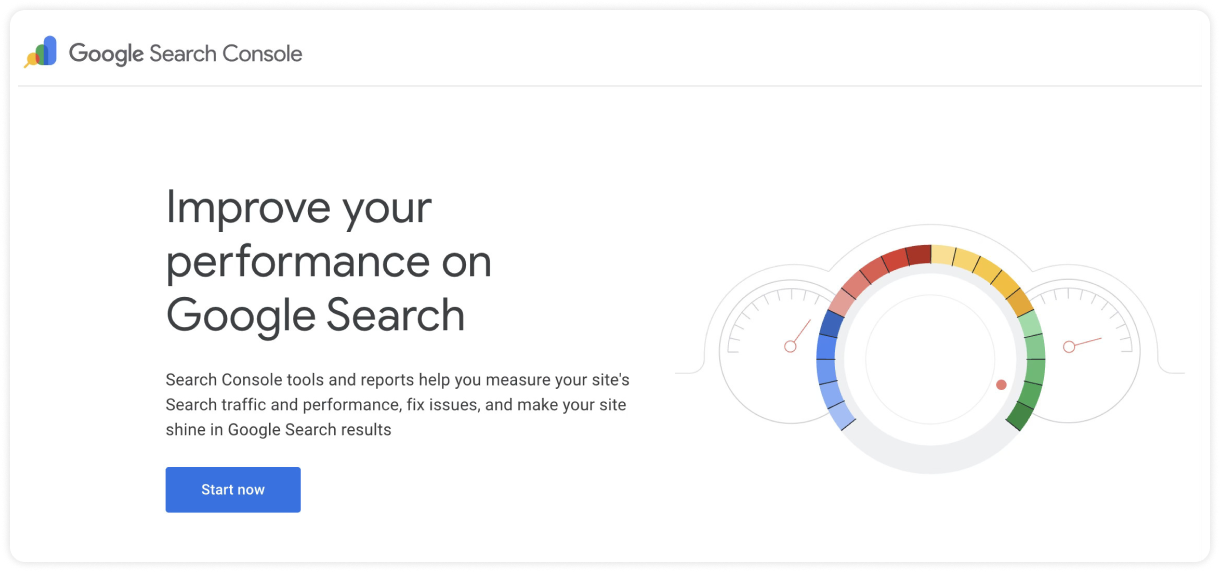
No link building tools list is complete without Google Search Console. It is the only tool that provides data directly from the source. While third-party software like Ahrefs use their own crawlers, GSC shows you the specific links that Googlebot has processed.
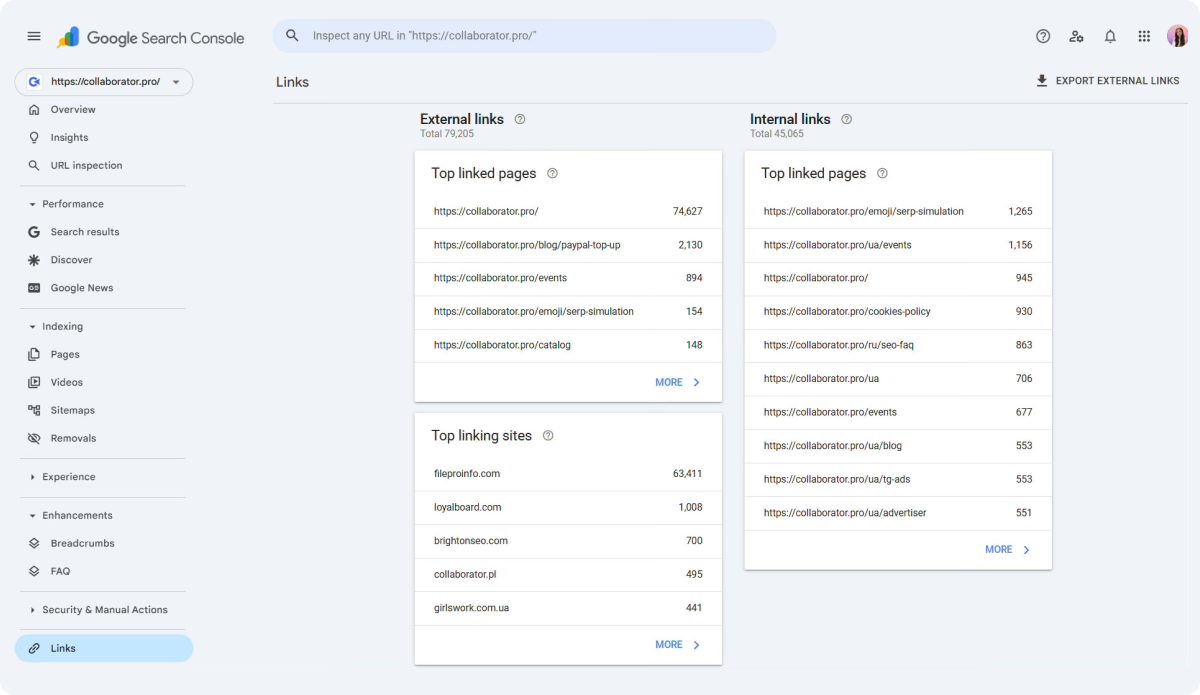
Inside the Links Report, you can see a high-level overview of which of your pages attract the most external links and which websites link to you most.
Additionally, GSC is very useful for monitoring link health, with features like:
- Manual Actions Report — See whether Google has flagged unnatural links pointing to your site.
- URL Inspection — Check how Google reads a page you’re building links to and confirm that it can be crawled and indexed properly.
- Page Indexing Report — Find indexing issues on pages that should be gaining authority from new backlinks.
|
Pros |
Cons |
|
Provides backlink data directly from Google’s own search index |
New links can take 2–3 days to appear as Google processes fresh data |
|
Easy to set up and simple to check once your property is verified |
You only see data for sites you own, so it won’t help with competitor research |
|
A free baseline tool for tracking backlinks that Google recognizes |
The Links report is more limited than dedicated backlink tools |
Google Search Console Pricing
- Free
Linkody
Best for: Freelance SEOs and agencies that want a simple way to track gained and lost backlinks without paying for a broader SEO suite.
Linkody is a backlink monitoring tool that gives you real-time insights into your link profile. It tracks new and lost links, evaluates backlink quality with key metrics (DA, Spam Score, IP, and country), and helps you compare your profile against competitors.
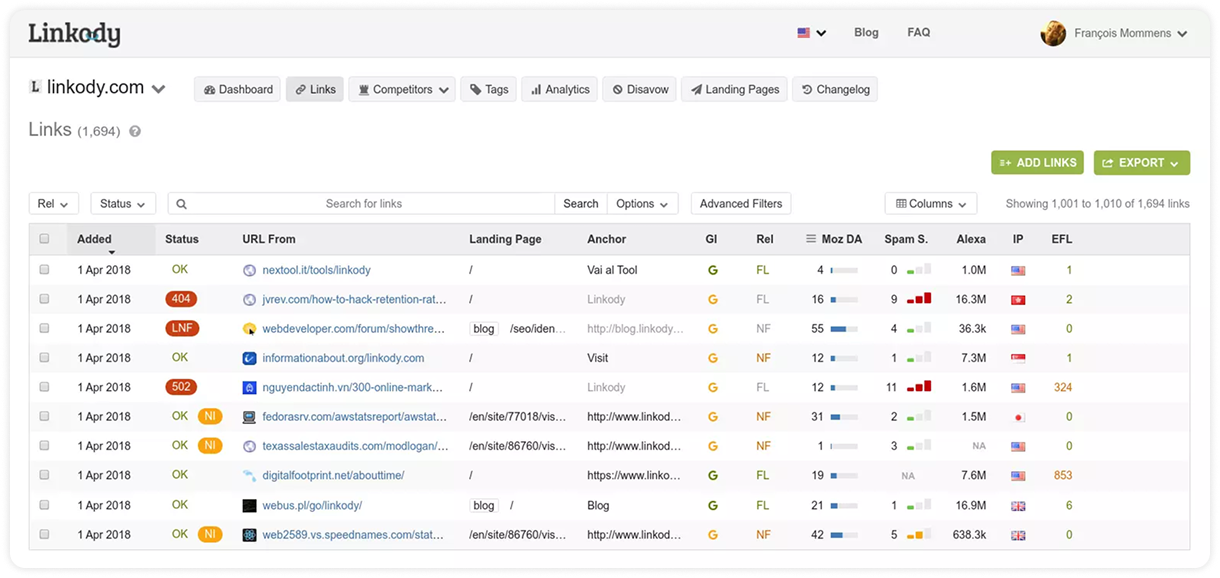
In the dashboard, you can quickly review your backlinks and see details like link status, source URL, anchor text, follow or nofollow tags, as well as the metrics tied to each link.
In addition to that, Linkody offers some other features you’ll find useful for link building:
- Email Reports — Get updates on new links and status changes straight to your inbox.
- Link Visualizer — See exactly where a backlink sits on the page in one click.
- Disavow Tool — Review potentially harmful links and generate a disavow file when needed.
|
Pros |
Cons |
|
Combines GSC data with Moz metrics to give a detailed view of every link. |
Reports "lost" links that are sometimes just temporary crawl errors on the host site. |
|
The Link Visualizer and automated daily checks save hours of manual verification |
The interface is built for utility and can feel a bit busy compared to modern minimalist tools. |
|
One of the most affordable ways to get professional-grade, automated link alerts. |
The price goes up based on the number of domains you add to the account. |
Linkody’s Pricing
- Free 30-day trial
- Webmaster plan ($14.90/month, 2 monitored domains, 500 tracked links, 1 user)
- Advanced plan ($24.90/month, 5 monitored domains, 2,000 tracked links, 1 user)
- Pro plan ($49.90/month, 20 monitored domains, 5,000 tracked links, 3 users)
- Agency plan ($99.90/month, 50 monitored domains, 20,000 tracked links, 5 users)
- Agency XL plan ($153.90/month, 100 monitored domains, 50,000 tracked links, 10 users)
SE Ranking
Best for: Agencies and SEO teams who need to track link growth alongside keyword rankings and provide white-label reports to clients.
SE Ranking is a budget-friendly option for SEOs that want enterprise-level backlink insights on a leaner budget. With a database of 2.9 trillion links, it helps you monitor live backlinks, track lost and changed links, review competitor profiles, and check link quality without paying for a larger SEO suite.
One of its top features is Backlink Monitor, which helps you keep tabs on links you’ve built and watch for changes that might affect the value of the backlink.
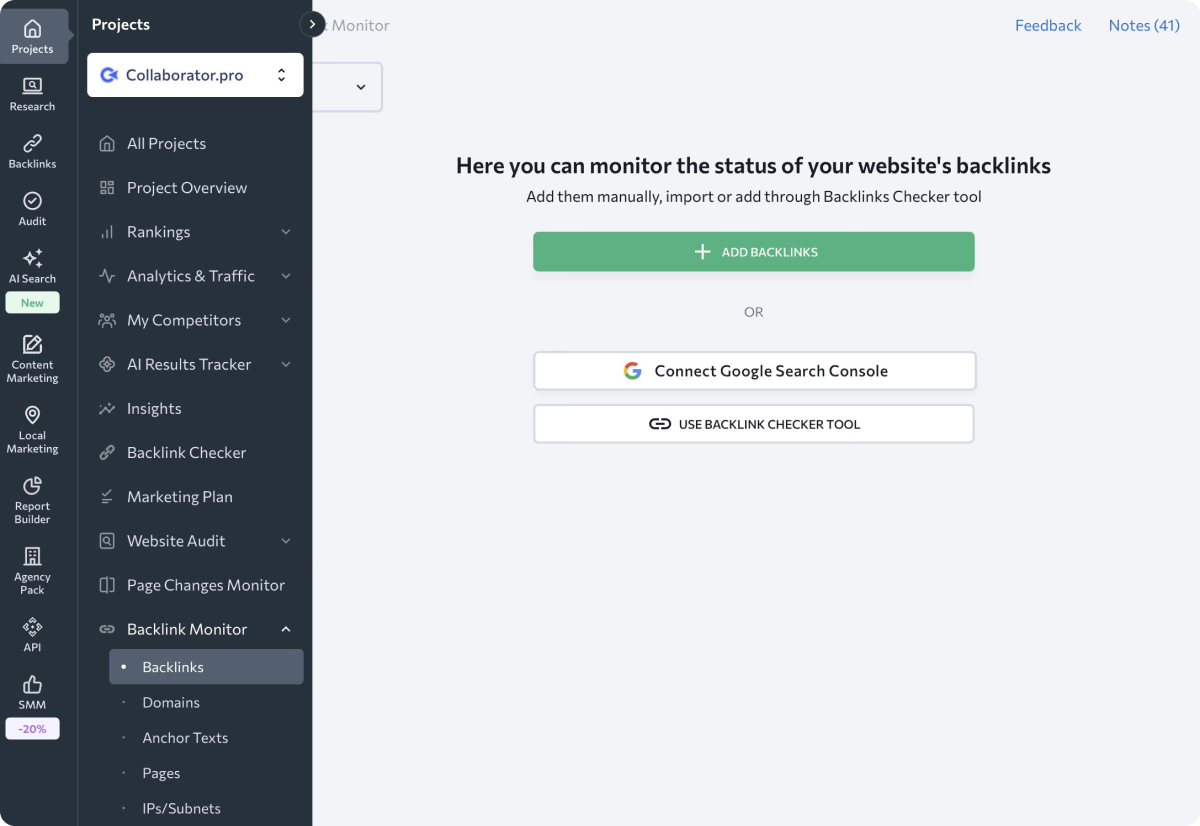
Here, you can add backlinks manually, import them from Search Console, or pull them in from SE Ranking’s Backlink Checker.
As for the other features, SE Ranking also offers:
- Backlink Checker — Analyze backlink profiles and review referring domains, backlinks, and SE Ranking’s Domain and Page Trust scores.
- Backlink Gap Analyzer — Compare your site with competitors and look for missing link opportunities.
- Email Alerts — Get notified when monitored backlinks change status.
|
Pros |
Cons |
|
Finds backlink changes faster than Google Search Console in many cases |
Its backlink index is smaller than Ahrefs’ |
|
Shows useful backlink details like anchors, toxic links, and disavow data in one place |
Can feel broader than needed when your only goal is backlink monitoring |
|
Includes wider SEO features like audits, keyword research, and reporting |
Setup takes more work at the start when you monitor several projects |
SE Ranking’s Pricing
- Free 14-day trial
- Core plan from $129/month (10 projects, 2,000 tracked keywords, 1 manager seat)
- Growth plan from $279/month (30 projects, 5,000 tracked keywords, 3 manager seats)
How to Build a Link Building Stack For Your Budget
After going through all these tools, it’s easy to feel like you need everything at once. In reality, if you’re on a low budget, you can still build links with a leaner stack of tools.
Starter stack ($0-25/mo)
Below are some free link building tools you can use without paying for a full suite.
|
Tool |
Use case |
|
Quick backlink checks and competitor research |
|
|
Review domain authority and backlink data |
|
|
Check indexing status and verify link attributes |
|
|
Hunter.io (free tier) |
Find and verify email addresses for outreach |
|
Google Search Console |
Track backlinks and monitor link status |
Even though this setup takes more manual work, it gives you everything you need to find prospects, reach out, and track early results.
Growth stack ($300–$600/month)
As you start building links consistently, and your needs and budget grow, you can add paid tools to the stack.
|
Tool |
Use Case |
|
Ahrefs or Semrush |
Analyze backlinks, study competitors, find link opportunities, and monitor SEO performance in one place |
|
BuzzStream |
Manage outreach, automate follow-ups, organize contacts, and track campaign progress |
|
Collaborator |
Find vetted publishers and secure placements faster without manual outreach |
This combination covers the full workflow and removes a lot of manual steps, which becomes more important as your campaigns grow.
Link Building Stack by Role
Now that you've seen the tools available based on your resources, the next question is: which of them make sense for the way you work?
That usually comes down to your role and whether you work in-house, as a freelancer, or run an agency.
Solo SEO Specialist/ Freelancer
If you're a one-person team, you usually need a stack that helps you with research, link evaluation, outreach, and monitoring without pushing costs too high.
A good setup looks like this:
|
Tool |
Why it fits a solo workflow |
|
Ahrefs / Semrush / SE Ranking |
An all-in-one SEO suite with all the data a link builder needs |
|
Hunter.io |
Finds email addresses, which saves time during prospecting and outreach |
|
Link Assistant |
Helps you check indexing status and link attributes right in your browser |
|
Google Search Console |
A free way to track which backlinks Google recognizes |
|
Collaborator |
Gives you access to vetted publisher sites, which saves time on manual outreach |
Average monthly budget: around $180–$450, plus placement spend.
In-House SEO/Link-builder
In-house teams usually need tools that support link building while still fitting into a broader SEO or content workflow. Reporting also matters more here, since you often need to show what links were built and how they support growth.
A practical stack in this case would look like this:
|
Tool |
Why it fits an in-house workflow |
|
Semrush / Ahrefs / SE Ranking |
In-house teams often compare data across platforms, so using 2–3 of these tools often works best |
|
BuzzStream |
Keeps outreach organized with sequences and relationship tracking across campaigns |
|
AlertMouse |
Useful for spotting unlinked brand mentions that can turn into quick backlink wins |
|
Featured |
Gives you access to expert quote opportunities on authoritative sites |
|
Collaborator |
A good option for securing placements on vetted sites when speed matters |
Average monthly budget: around $400–$1,000.
SEO/Marketing Agency
For agencies that work with several clients and campaigns at once, the priority shifts to managing workflows, automating tasks, and being able to monitor results and report back to clients.
The tools that make the stack here are:
|
Tool |
Why it fits an agency workflow |
|
Semrush + Ahrefs |
Gives agencies all the data needed for backlink research and client reporting |
|
Pitchbox |
Helps keep outreach under control across multiple active campaigns |
|
BuzzStream |
Good for tracking conversations without losing sight of who said what |
|
Linkody |
Cuts down the time spent checking whether links are still live |
|
Hunter.io Enterprise |
Built for teams doing outreach in higher volumes |
|
Collaborator |
Comes in handy when turnaround time is short, and placements need to happen fast |
Average monthly budget: around $800–$1,500+, depending on team size, tool choice, and placement volume.
Conclusion
As we wrap up our review of the best link building tools, our tip is to map out the biggest gaps in your workflow first. Then look at which tools on this list close those gaps for the best price, and start there.
Related reading
- • What is a Backlink Profile? Build a Strong One in 2026
- • 30 + Free Web 2.0 Submission Sites List for High-Quality Backlinks in 2026
- • Best SEO Extensions in 2026: 40+ Free & Freemium Browser Tools for Every SEO Task
- • 175+ Free Guest Posting Sites List 2026. Top Websites To Submit Guest Posts
- • 42 Best Review Sites in 2026: Full List by Industry
- • Ecommerce Link Building: 7 Proven Tactics, Strategy and Costs in 2026
- • Link Insertions: How They Work and How to Evaluate Them