Collaborator Link Assistant: Free Chrome Extension for Link Building and Backlink Monitoring

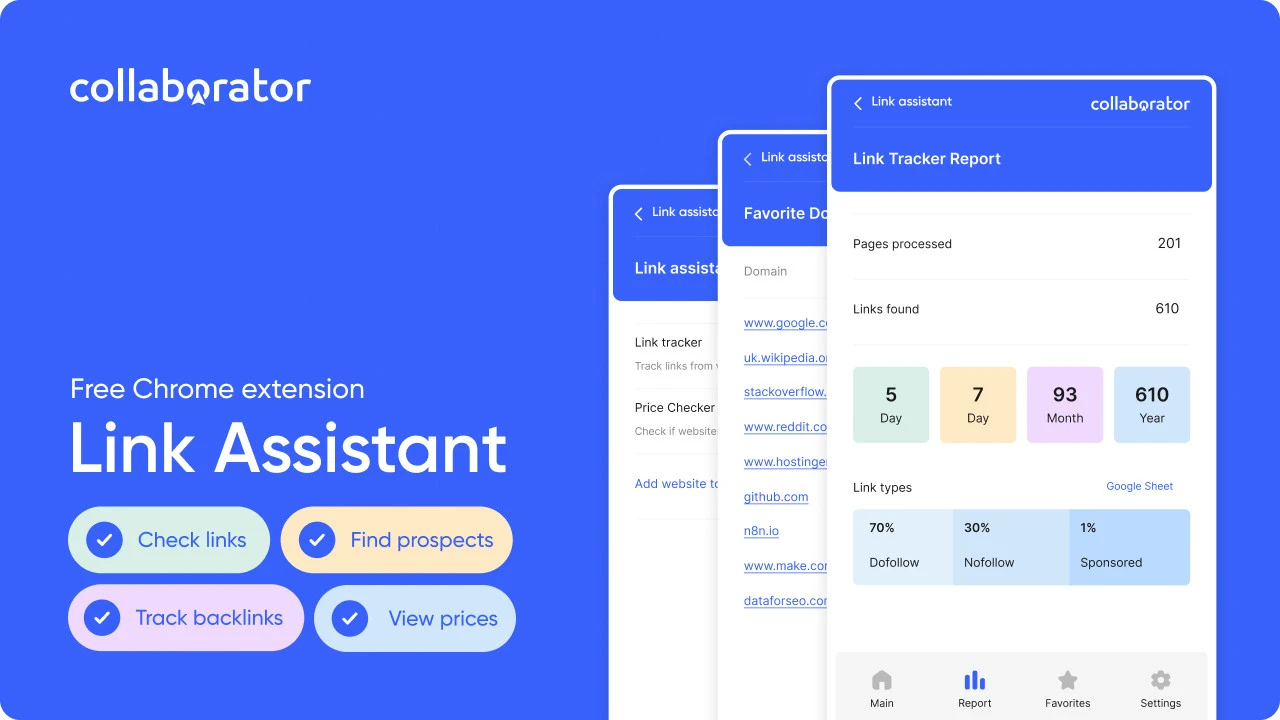
The most time-consuming parts of link building are repetitive tasks: finding placement prices, checking placed links, reviewing their attributes, and validating indexation across multiple tools. It’s where link builders and SEO specialists spend most of their time.
Collaborator developed Racoon Link Checker to save link builders hours on routine tasks. Now, Racoon Link Checker transforms into Link Assistant and includes new features, such as Price Checker to show placement availability and prices on the marketplace directly in SERPs and Ahrefs.
Collaborator Link Assistant takes care of all busywork in seconds, right in your browser. No need to switch tools or scroll dozens of pages.
In this article, we’ll demonstrate how this free Google Chrome extension turns hours of work into seconds.
👉🏻Install Collaborator Link Assistant
What Is Collaborator Link Assistant
Collaborator Link Assistant is a free Chrome extension designed to simplify workflows for SEO specialists, link builders, outreach professionals, and teams managing multiple campaigns.
Collaborator Link Assistant works as a browser-based assistant used both before and after link placement. During prospecting, it shows whether a website is available in the Collaborator catalog and displays placement prices directly in Google search results and Ahrefs.
After placement, it helps you verify links by locating them with a single click and displaying their attributes.
How to Install Collaborator Link Assistant
To start saving time on link-building tasks with Link Assistant from Collaborator:
1. Go to the Chrome Web Store and install the extension.
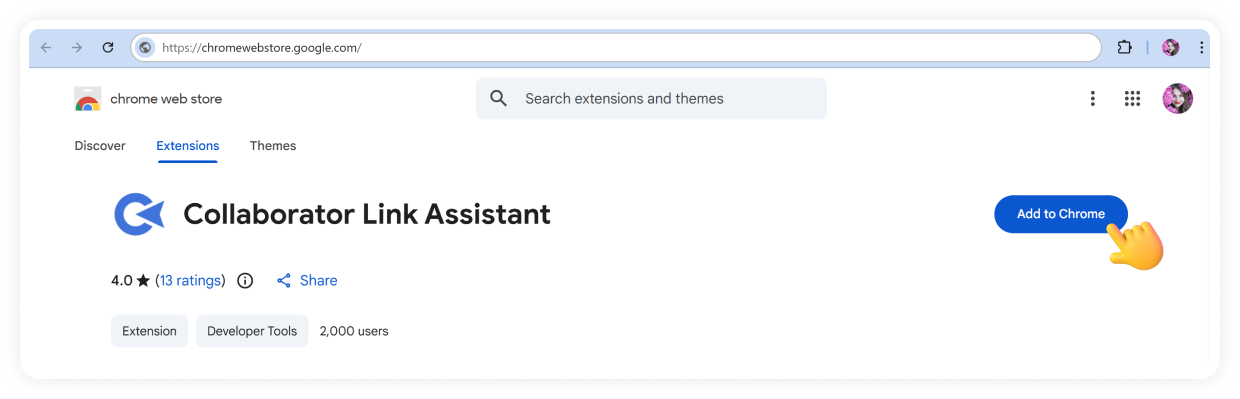
Once installed, open the extension and complete a quick setup:
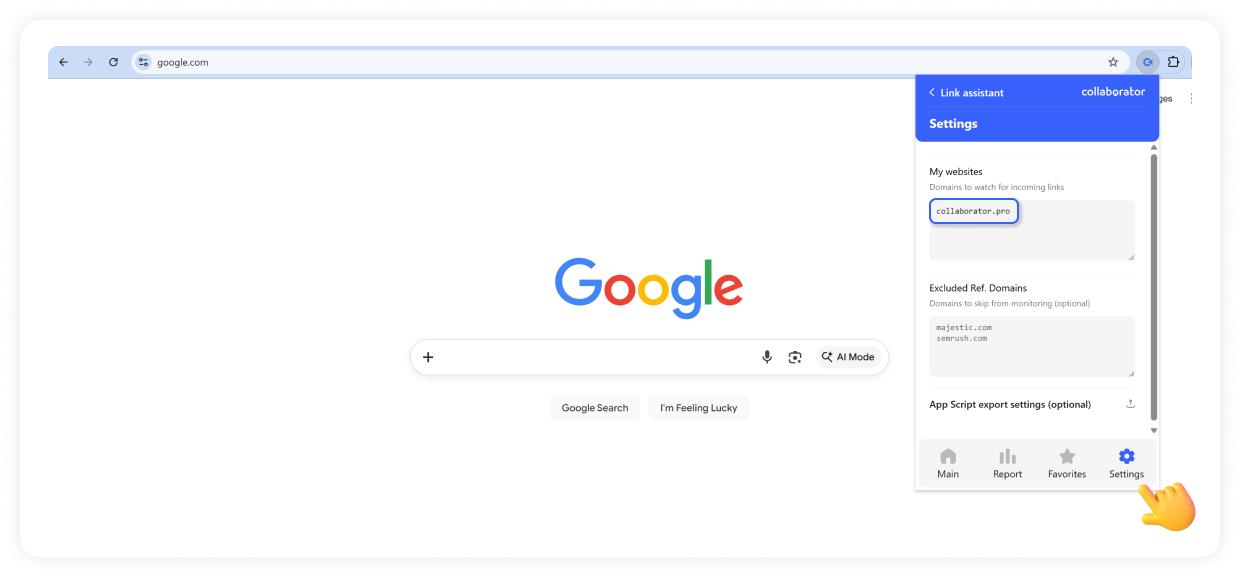
2. Click settings to add your domains to track backlinks.
In the screenshot below, you can see an example of how to add collaborator.pro as a domain to track its backlinks across webpages.
Note: You can also add domains to exclude from tracking.
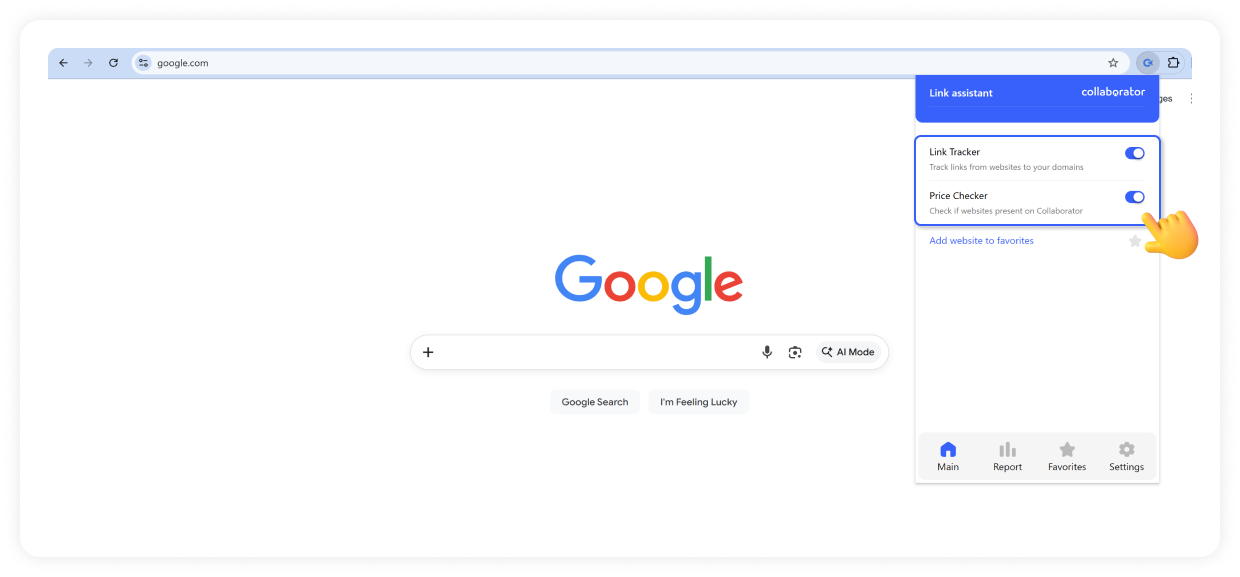
3. After that, the extension works automatically as you browse.
No additional setup is required. Just turn on one or both modes when you need to use the extension and turn them off when you don’t.
Now, let’s see how much time this extension can save in practice.
How Collaborator Link Assistant Works
Collaborator Link Assistant has two modes: Link Tracker and Price Checker — both available in the same extension window.
The one you use depends on what you’re working on.
For backlink checks, go with Link Tracker Mode. For finding placement prices, use Price Checker Mode.
Price Checker Mode: Save Time Finding Placement Costs
Price Checker Mode simplifies the process of checking whether a website is available for placement via Collaborator and how much it costs directly in the SERPs and Ahrefs. It’s one of the most repetitive parts of prospecting.
With Price Checker, you can:
- See which websites are available in the Collaborator catalog
- View placement prices directly next to each domain
When browsing Google search results for your queries, you instantly see which domains are available in the Collaborator marketplace and how much placements cost.
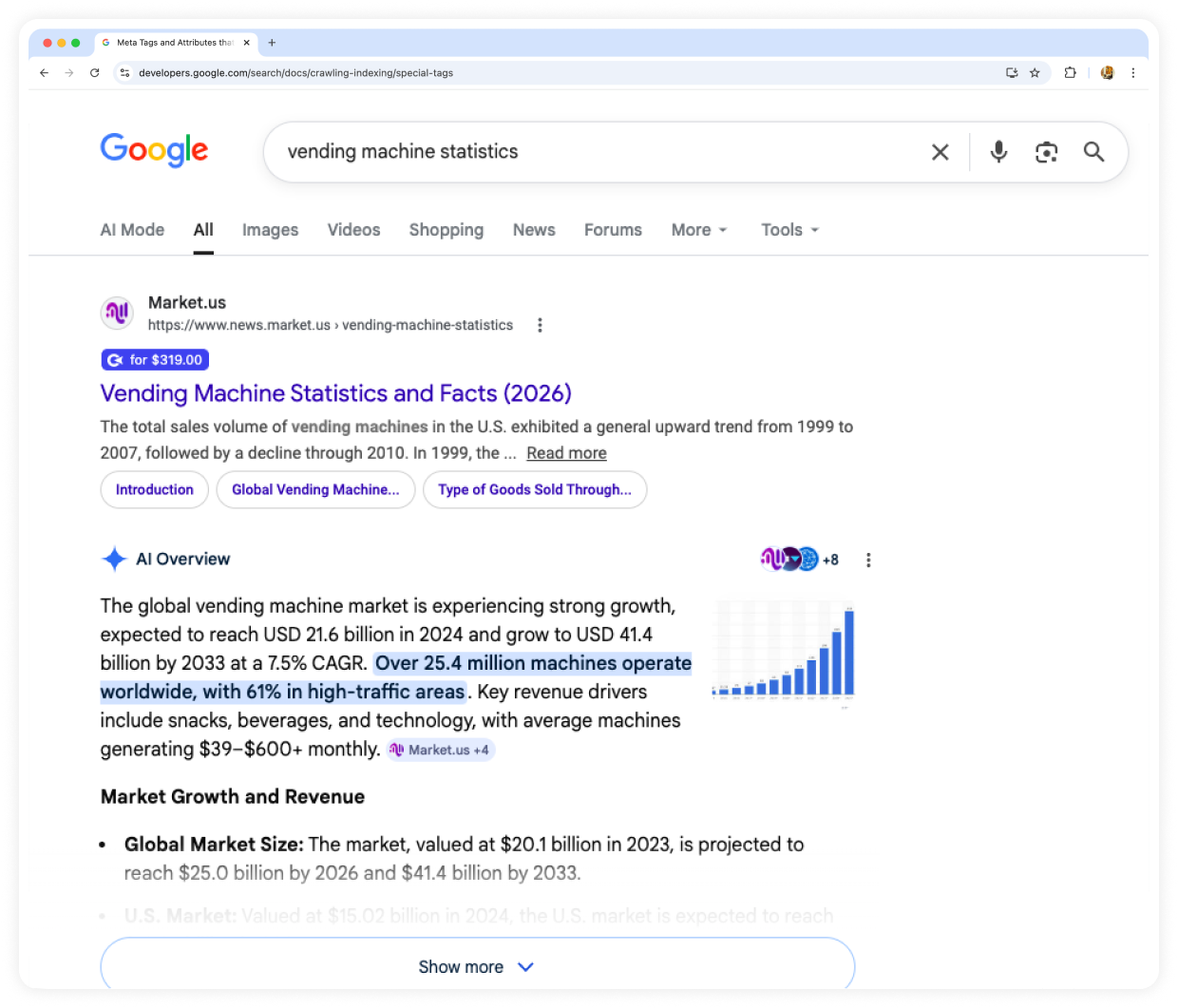
When analyzing competitor backlinks in Ahrefs, the extension shows the same data right next to each domain, so you can evaluate opportunities without switching tools.
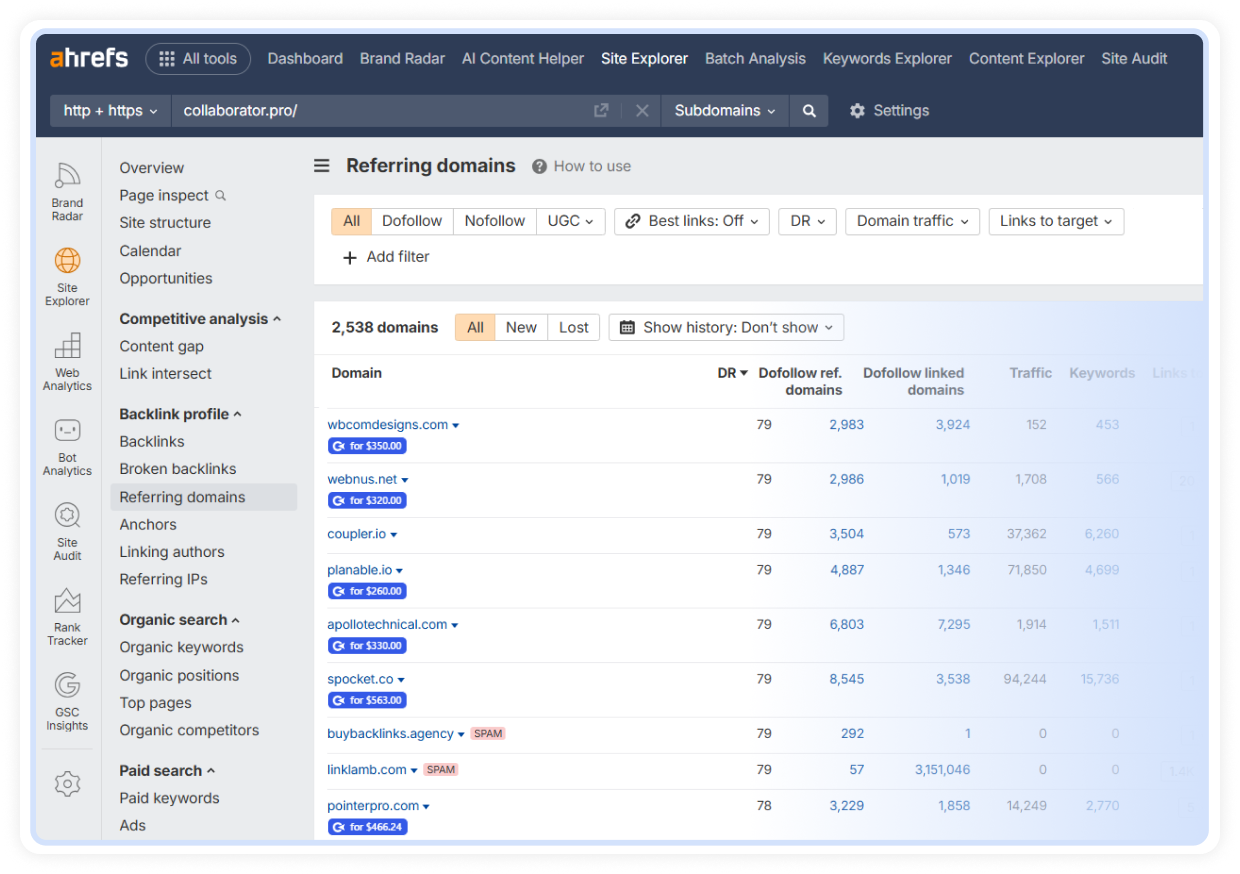
You can eliminate manual checks during prospecting by seeing domains available on Collaborator and their placement costs directly in SERP and Ahrefs with Price Checker Mode. Price Checker can be turned on or off with a single click at any time.
Link Tracker Mode: Save Time on Link Monitoring
Link Tracker Mode takes over checking your backlinks, one of the most time-consuming parts of link building. It detects your backlinks on any page you visit and shows their attributes, indexation status, and technical details in one place.
Once you add your domain to the extension, it automatically detects backlinks to it on the pages you visit. When a link is found, you’ll see a popup with a full list of backlinks on that page, and you can jump straight to each one in a single click.
But it doesn’t stop at just finding links. Link Tracker also shows key details you would normally check manually:
- link attributes (nofollow, sponsored, etc.);
- indexation (page indexed or not);
- technical validation (canonical match, meta robots, robots.txt, X-Robots-Tag).
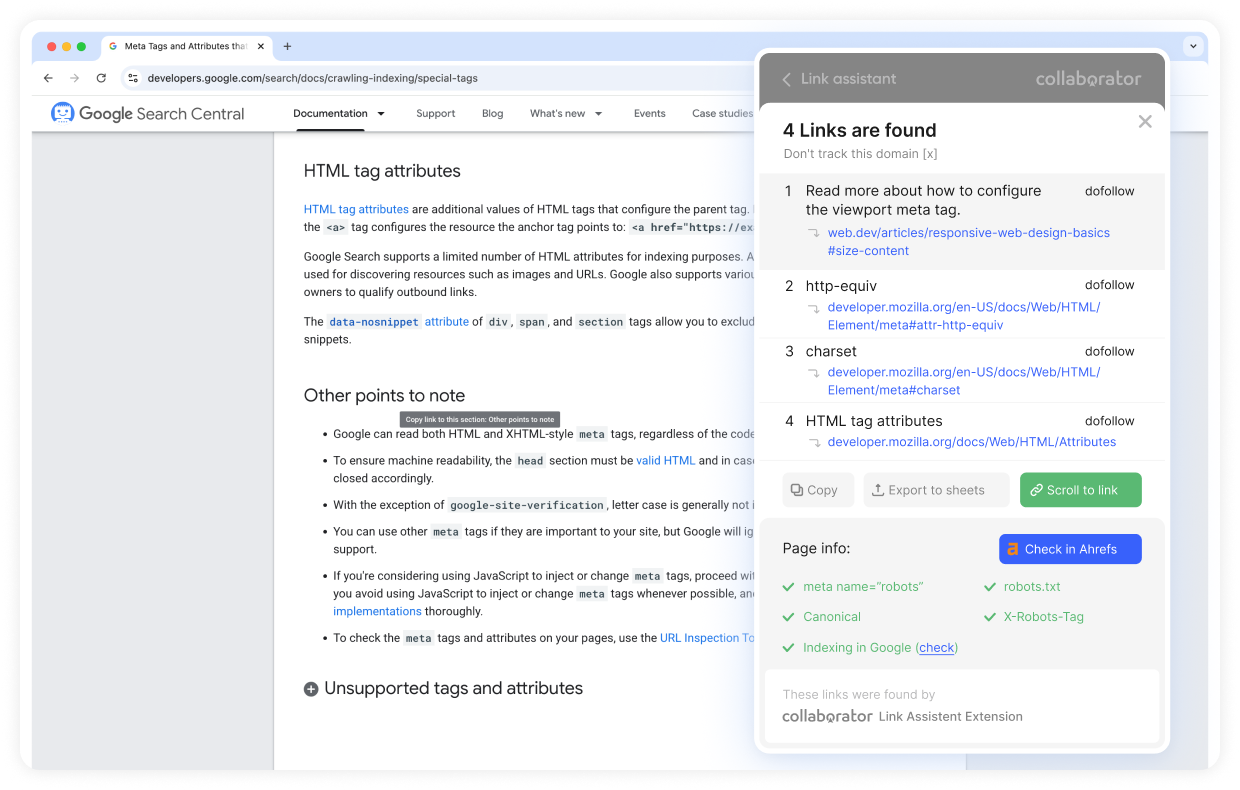
If you need to keep records, you can export all detected links instantly either to your clipboard or directly to Google Sheets.
The extension can also build simple reports, showing links by day, week, month, and year. This way, you can track how many links were found and how they change over time.
You stay in control of how it works. You can turn tracking on or off at any time with a single click and exclude specific domains where monitoring isn’t needed.
Aside from its main features, this extension from Collaborator also offers extra functionality.
Additional Features of Link Assistant
Link Assistant from Collaborator helps you keep your prospecting organized.
As you browse, you can add websites to your favorites in one click and manage this list later. It is especially useful when you come across domains you may want to work with but are not ready to act on immediately.
With your saved list, you can:
- review website quality before outreach;
- find similar domains for scaling your campaign;
- check availability in the Collaborator catalog.
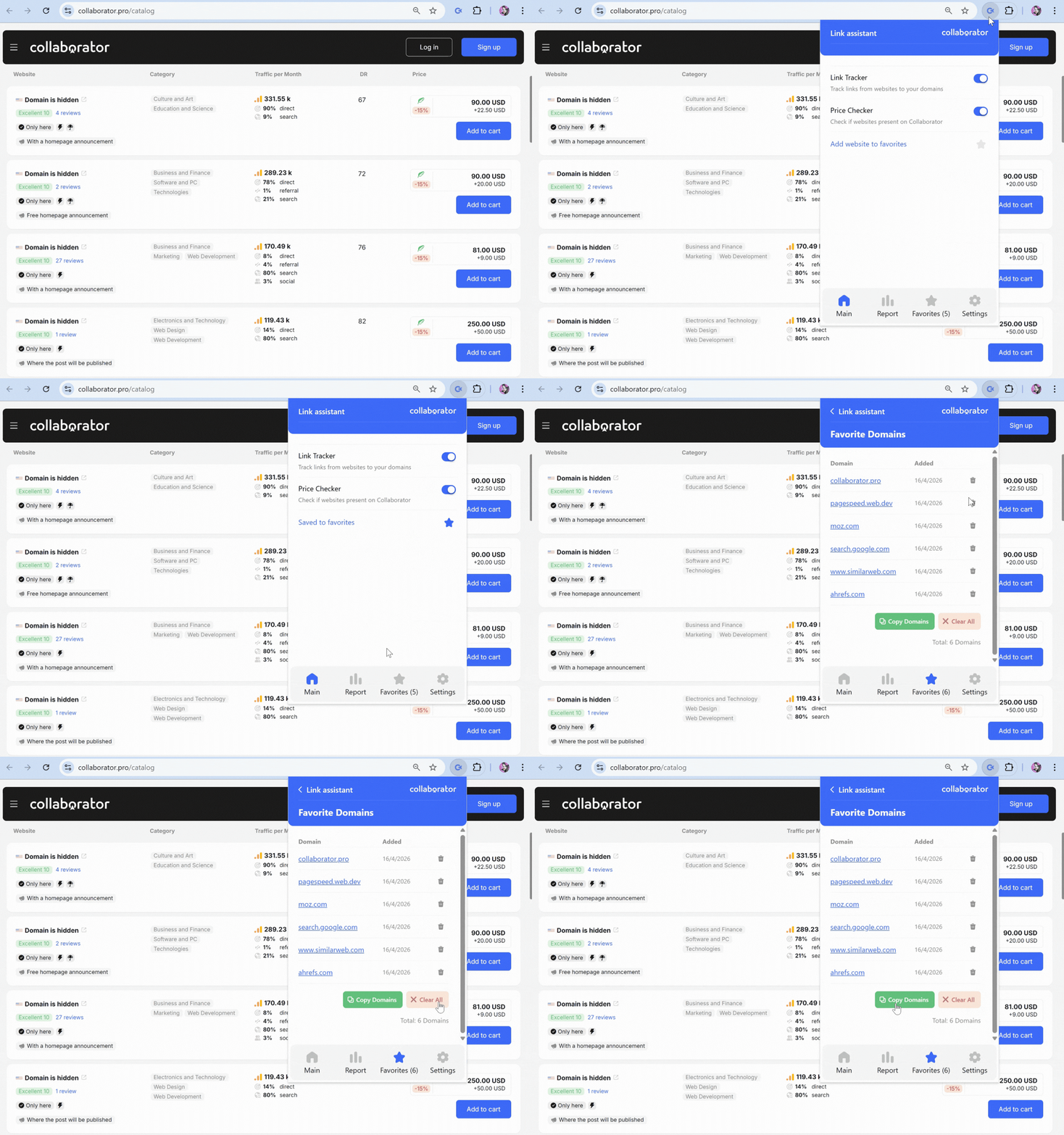
Instead of losing link-building opportunities or saving them in separate documents, you can return to your list anytime and continue working with it in one place.
It takes just a couple of minutes to set up this Google Chrome extension and enjoy all its benefits.
What Problems Collaborator Link Assistant Solves
Link building involves many repetitive tasks that slow down your workflow.
A typical link-checking routine includes:
- opening a page and trying to find your link;
- checking whether it is dofollow or nofollow;
- verifying whether the page is indexed;
- using browser DevTools or tools like Ahrefs to validate technical details;
- repeating the same process again and again.
That leads to several problems:
- too much time spent on routine checks;
- constant switching between tools;
- a higher risk of missing important details;
- fragmented workflow and inefficiency.
Collaborator Link Assistant solves these problems by automating link prospecting and checking. Instead of searching, switching between tools, and validating data manually, you get all the data you need in one click.
Install Collaborator Link Assistant
Time Comparison: Manual Workflow vs Collaborator Link Assistant
When you break down the link-building process into individual tasks, it becomes clear where most of the time goes. Each step may seem small on its own, but together they turn into hours of repetitive work.
Using Link Assistant from Collaborator changes how quickly you can move through your workflow. Let’s look at the average time for each task in detail.
Link Assistant reduces routine link-building tasks by up to 99%
|
Task |
Manual Workflow |
With Link Assistant |
|
Finding placed links |
Scroll pages, search manually (Ctrl+F), check multiple pages Avg. time: 2–5 min per page |
Automatic detection with popup and highlights Avg. time: <1 sec |
|
Checking link attributes |
Inspect element, review rel tags (nofollow, sponsored) Avg. time: 1–3 min per link |
Attributes shown instantly in the interface Avg. time: instant |
|
Validating indexation |
Check Google index manually, review robots/meta/canonical Avg. time: 3–7 min per page |
Automated checks (indexation + technical signals) Avg. time: <1 sec |
|
Checking marketplace availability |
Search domain in the marketplace manually Avg. time: 1–2 min per domain |
Shown directly in SERP or Ahrefs Avg. time: instant |
|
Exporting data |
Copy-paste into spreadsheets, format manually Avg. time: 5–15 min per batch |
One-click export (clipboard or Google Sheets) Avg. time: 1–2 sec |
Tasks that used to take minutes can now be completed in seconds. Over time, this adds up to hours saved across campaigns.
Instead of spending time on routine checks, you can focus on strategy, outreach, and scaling your link building efforts.
Let the extension handle routine checks while you focus on high-impact tasks.
Related reading
- • Traffic Analysis of 7,500+ Websites: Ahrefs vs Google Analytics vs Google Search Console. Unexpected Results
- • AI Filtering by Keywords in the Collaborator Catalog: Find Truly Relevant Websites Faster
- • Team Account in Collaborator: Manage Clients, Teams, and Budgets Efficiently
- • Google AI Overviews (AIO) in Collaborator: a New Metric for Effective Link Building
- • New in Collaborator: Automatic Competitor Analysis
- • How to Integrate Collaborator API to Automate SEO and Link Building Workflows
- • Collaborator Introduces a Free Backlink Checker: What It Shows & How to Use