How to Integrate Collaborator API to Automate SEO and Link Building Workflows

|
Many of our users automate their link building, reporting, and data synchronization by providing direct access to marketplace data with the Collaborator API. As it uses standard authentication, it’s easy to be integrated into virtually any platform without custom coding. |
Agencies and large teams monitor purchased placements, check indexation, and manage catalogs separately, which slows them down and makes it harder to maintain control over budgets and placements. Without automation, even simple workflows like filtering sites or syncing budget spend into a CRM turn into time-consuming, error-prone processes.
The Collaborator API integrates with common tools and provides direct access to marketplace data, allowing for automation across workflows.
This guide explains how to save hours by integrating the Collaborator API to automate link building, reporting, and data synchronization.
What Is the Collaborator API?
The Collaborator API is a way to directly access information and interact with the marketplace without using the interface. It is specifically designed for teams managing large numbers of clients, placements, or link building opportunities, where manual processes become a bottleneck.
The Collaborator API provides the following data:
- Information about deals completed within the account
- Link building budget tracking
- Placement opportunities with filtering options
Collaborator API uses standard web technologies (REST, JSON, API tokens), making it easy to integrate with popular services such as Slack, Google Sheets, n8n, and BI platforms.
Important: keep your API token private and do not share it with anyone.
Let’s find out what is needed to integrate the Collaborator API.
How to Integrate the Collaborator API
To integrate the Collaborator API, you need a personal API token and a basic request setup to start retrieving marketplace data.
Every user already has an API token generated for their account.
You can find it in Personal profile → API, where the token is displayed and ready to copy. This token is used for authentication via the X-Api-Key header.
To get your personal API token:
- Open your personal profile
- Switch to the API section
- Copy your personal API token
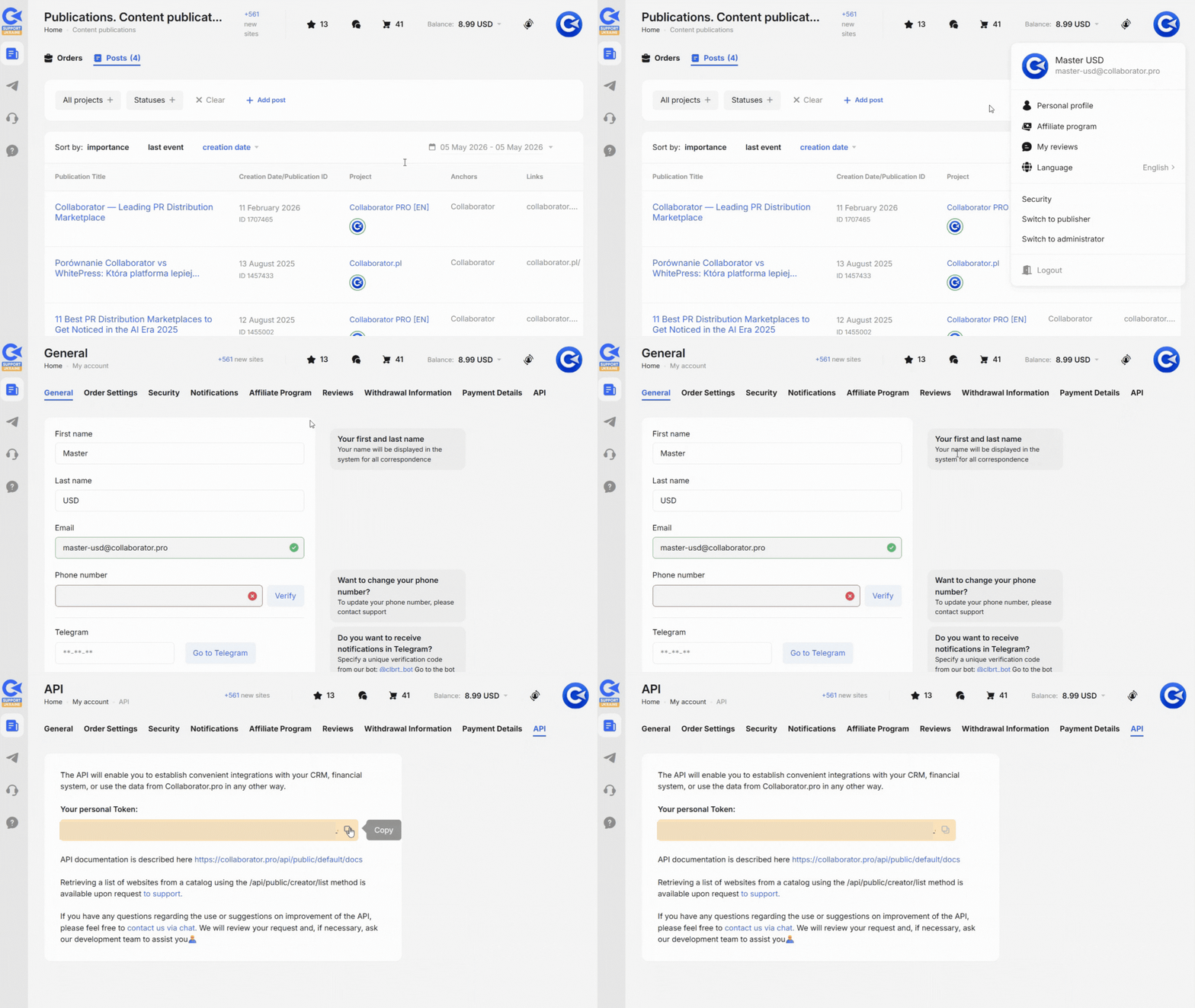
Once you have copied the token, include it in your request headers to authenticate API calls and start retrieving data for your workflows.
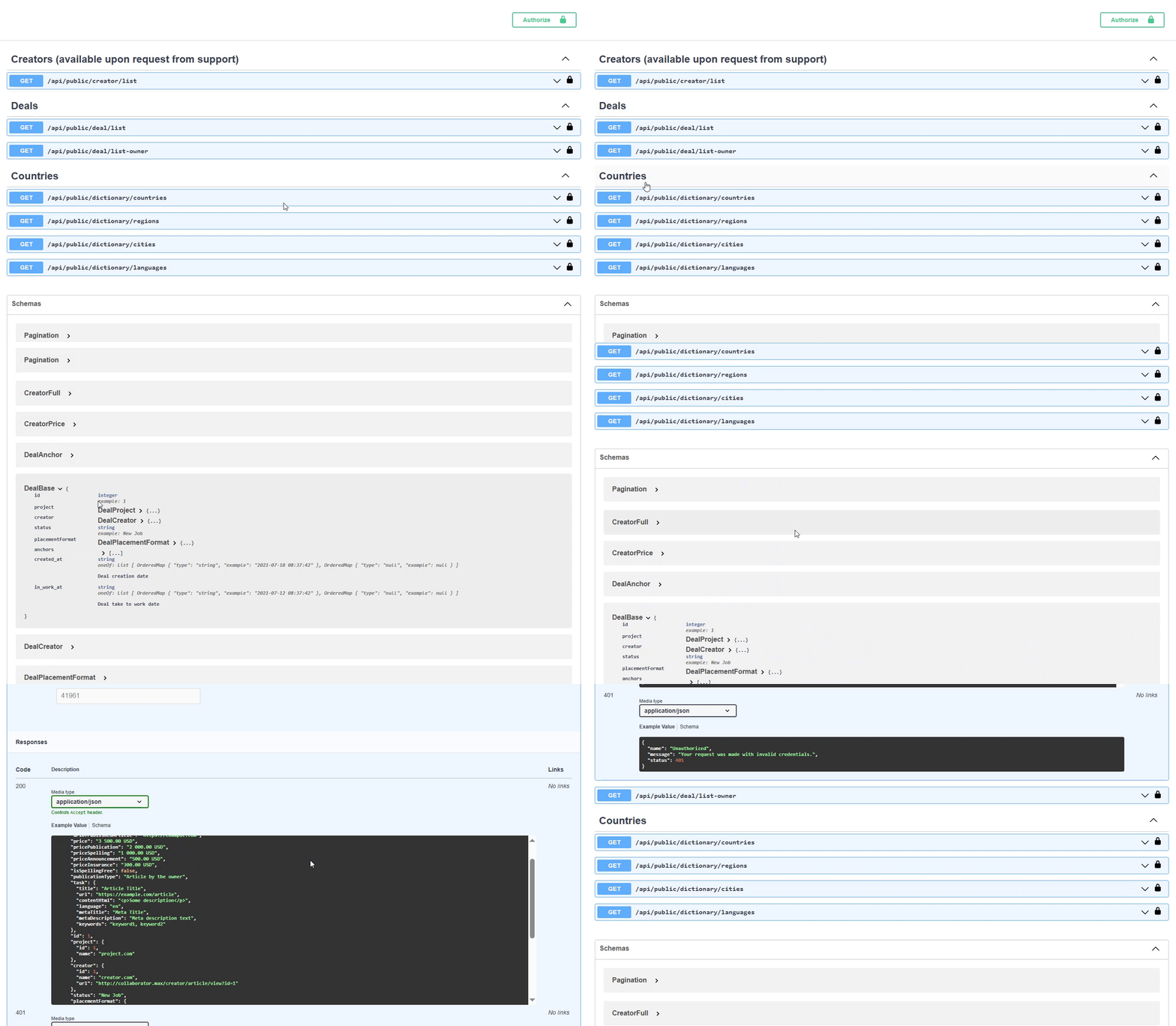
Before making requests, review the API documentation to understand available endpoints and data structure.
The following sections explain the use cases in detail.
How the Collaborator API Can Be Used
SEO, link building, and digital PR teams can integrate marketplace data into various tools and platforms.
In practice, the API is commonly connected to tools like Google Sheets, Slack, Notion, or automation platforms such as Zapier, Make, or n8n.
Requests can run on a schedule and trigger actions based on the response.
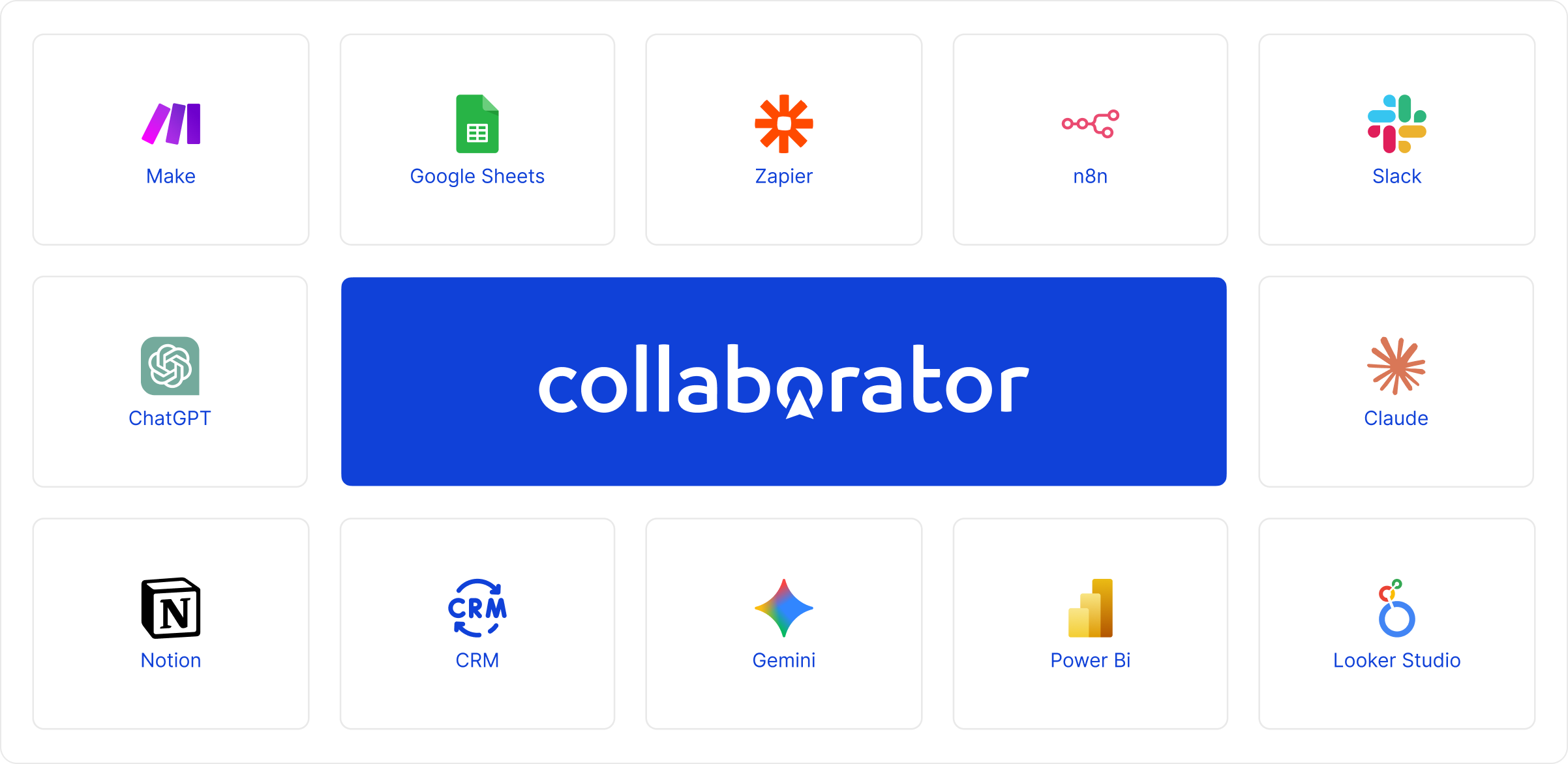
Instead of managing tasks across multiple platforms, these teams can build consistent and scalable processes using a single data source. The following use cases show how this works in practice.
Use Cases for Agencies and SEO Teams
Agencies and SEO teams use the Collaborator API to automate link building workflows, integrate marketplace data into internal systems, and scale operations across multiple clients.
1. Link Building Automation
Teams can automate prospecting, price charges, filtering, and placement tracking using real-time marketplace data.
The API connects Collaborator with internal CRM systems, Zapier, Make, Slack, or n8n and supports multi-step workflows.
Typical flow:
- Fetch new websites via API
- Filter by metrics and pricing
- Push selected options into a CRM or task management system
Besides, by integrating APIs from multiple marketplaces, agencies can compare pricing across platforms and make faster, data-driven decisions.
That creates a consistent process without switching between tools.
2. Reporting and Data Pipelines
The Collaborator API provides direct access to data for reporting and link building budget control. Teams can automatically track where the budget is spent, which websites are purchased, which projects they are used for, and which links and anchors are included in placements.
For example:
- Google Sheets + Apps Script (UrlFetchApp.fetch()) → automatically create tables with spend data, placement prices, and client reports;
- Power BI or Looker Studio → build dashboards for tracking budgets, campaign performance, and the quality of purchased websites.
With the API, reports and data are updated automatically without manual exports.
3. Team Notifications and Monitoring
The API allows teams to set up automated alerts for key updates and deal changes.
For example, Slack notifications can be triggered when:
- a new website matches selected criteria;
- pricing changes;
- new placement opportunities appear;
- a published article drops out of the index;
- an article returns to the index.
This helps teams monitor the current status of placements and react quickly without constant manual checks.
4. Data Management and Prospect Lists
Teams can sync API data into tools like Notion to maintain a live database of websites.
That helps organize prospect lists and keep link building pipelines up to date.
5. Financial and Performance Tracking
Integrate the Collaborator API with analytics tools to track spending and placement cost.
That provides visibility into campaign efficiency across multiple clients.
6. AI-Assisted Website Selection and Prospecting
The Collaborator API can also be used together with AI tools like Claude, ChatGPT, or Gemini to simplify guest post prospecting and website selection.
Instead of manually filtering hundreds of websites, teams can connect the API to an AI assistant and generate curated lists of websites based on specific criteria such as niche, country, DR, traffic, pricing, or placement type.
For example, teams can:
- connect the Collaborator API to Claude, ChatGPT, Gemini, or other AI tools;
- provide a project URL and placement requirements;
- ask AI to find websites that match specific criteria such as country, DR, traffic, niche, or pricing;
- refine results with follow-up prompts and additional filters.
A prompt can look like this:
“Here is my project moversnotshakers.com. Can you find the best media in the catalog where I should place a guest post? Mostly I'd like to find niche websites from the USA, DR 40+, traffic by Ahrefs 1,000+.”
Use Cases for Website Owners
Website owners use the Collaborator API to manage tasks, track performance, and streamline operations.
1. Task Management Automation
New tasks can be automatically synced into internal systems or dashboards to enable additional notifications in convenient communication channels.
There is no need to check the platform manually and speeds up task processing.
2. Deal and Performance Tracking
Website owners can track completed deals and analyze performance over time.
This data includes:
- Number of placements
- Pricing trends
- Workload and capacity
3. Notifications and Workflow Integration
Automated alerts can be set up for new tasks and status updates via Slack or email.
It helps prioritize work and respond faster.
4. Internal Reporting
The API can be used to build internal dashboards that show:
- Earnings
- Completed deals
- Task status
That provides a clear overview without manual tracking.
How to Get Access to the Collaborator API
The Collaborator API for deal data is available by default. Simply open your Personal Profile, copy your API token, and use it for authorization.
If you need access to the website catalog API, please contact our support team. You can also book a demo, describe your requirements, and our specialists will help you get access, set everything up, and show how the API can be used for your specific workflows.
Why Automate Workflows With the Collaborator API
The main reason is to save time by reducing manual work. Agencies can automate link-building prospecting and price monitoring, and build internal dashboards for decision-making and budget planning. Website owners can streamline task management and analyze completed deals.
The Collaborator API enables automation across core SEO and PR workflows.
|
Workflow Area |
Without API |
With Collaborator API |
|---|---|---|
|
Prospecting |
Teams manually search for websites, compare metrics, and check availability. |
Prospecting is automated using API data and integrated filtering logic. |
|
Price Monitoring |
Prices are checked manually across the marketplace. |
Price changes can be monitored automatically via API requests and alerts. |
|
Data Management |
Data is stored in spreadsheets and updated manually. |
Data is retrieved via API and synced directly with internal systems. |
|
Workflow Coordination |
Teams switch between multiple tools to manage tasks and placements. |
Workflows are connected and managed within a single integrated system. |
|
Reporting |
Reports are built manually using exported data. |
Reports are generated automatically using real-time API data. |
|
Execution Speed |
Execution slows down as the number of campaigns grows. |
Execution scales efficiently through automation and real-time updates. |
The Collaborator API enables automated prospecting, price monitoring, reporting, and task management using real-time marketplace data. By integrating it with tools like Zapier, Google Sheets, or BI platforms, teams can build systems that run continuously without manual checks or data exports.
Related reading
- • Collaborator Link Assistant: Free Chrome Extension for Link Building and Backlink Monitoring
- • Traffic Analysis of 7,500+ Websites: Ahrefs vs Google Analytics vs Google Search Console. Unexpected Results
- • AI Filtering by Keywords in the Collaborator Catalog: Find Truly Relevant Websites Faster
- • Team Account in Collaborator: Manage Clients, Teams, and Budgets Efficiently
- • Collaborator Recognized by DesignRush as a Top SEO, Digital Marketing, and PR Company
- • Collaborator Introduces a Free Backlink Checker: What It Shows & How to Use
- • Collaborator Named a Finalist in the 2026 Global Digital Excellence Awards