Collaborator API v2.0: How to Integrate and Use It to Automate SEO, GEO, and Link Building Workflows

|
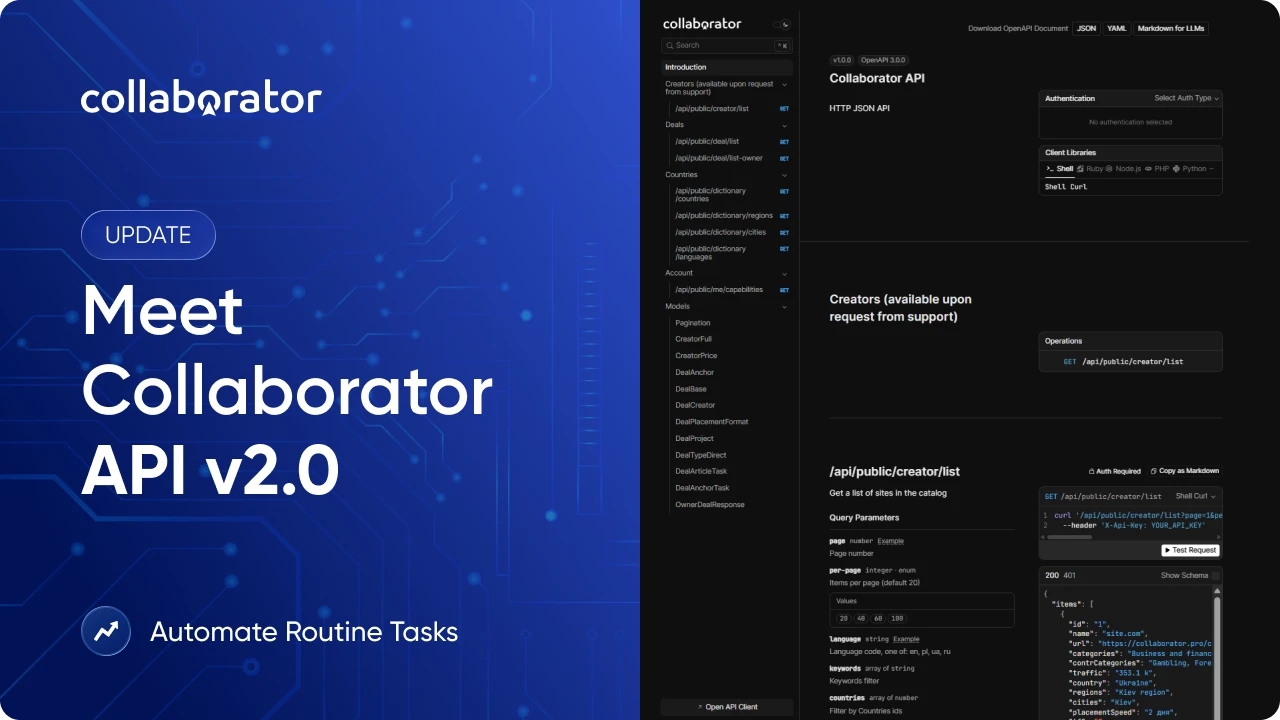
The Collaborator API v2.0 lets you do more than just retrieve marketplace data. From searching websites and placing orders to accepting deals and submitting publication URLs, you can automate key steps of the placement workflow without having to use the platform interface. |
Working in SEO, GEO, and PR includes handling plenty of repetitive tasks every day, whether you are an in-house or freelance advertiser, link builder, or website owner. Finding websites that meet specific requirements, ordering placements, processing incoming orders, publishing articles, and tracking completed deals can consume hours of manual work.
The Collaborator API v2.0 lets you connect the marketplace with the tools you already use and automate routine tasks across your link-building workflow. You can access marketplace data directly, integrate the API with LLMs, and reduce the need to handle everything manually.
In this guide, we’ll show you how to get started with the API and use it to automate link building, reporting, and data synchronization.
What Is the Collaborator API v2.0?
The Collaborator API v2.0 provides direct access to marketplace data and lets you manage placements and other marketplace operations without using the interface. It’s especially useful when you work with multiple clients and large numbers of link-building opportunities, where manual searches, orders, and routine updates can take up too much time.
With the API, you can connect Collaborator to your own tools, automate repetitive tasks, and keep your link-building workflow organized as your workload grows.
The available capabilities depend on whether you're using the API as an advertiser or a website owner.
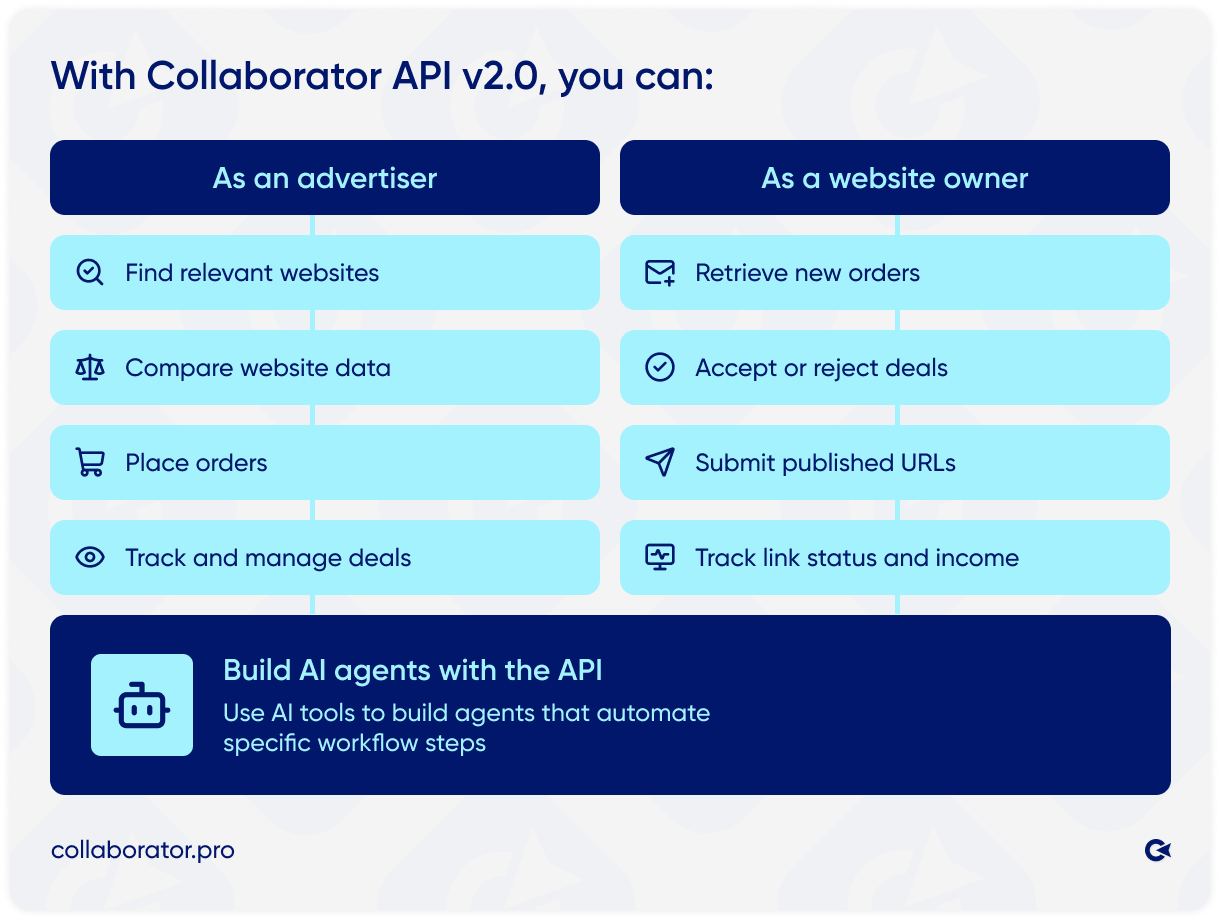
The API uses standard web technologies, including REST, JSON, and API tokens, making it possible to connect Collaborator with external applications, internal databases, reporting platforms, and LLMs, such as ChatGPT, Claude, Codex, and Cursor.
For example, you can use Google Sheets to organize marketplace data, Slack to notify your team about new orders, or Power BI to build custom performance dashboards. You can also build an AI agent to automate the entire workflow or just the steps you choose.
How to Integrate the Collaborator API v2.0
To integrate the Collaborator API v2.0, you need a personal API token and a basic request setup to start retrieving marketplace data.
How to Get a Personal API token
Every user already has an API token generated for their account. It is used for authentication via the X-Api-Key header.
To get your personal API token:
- Open your personal profile
- Switch to the API section
- Copy your personal API token
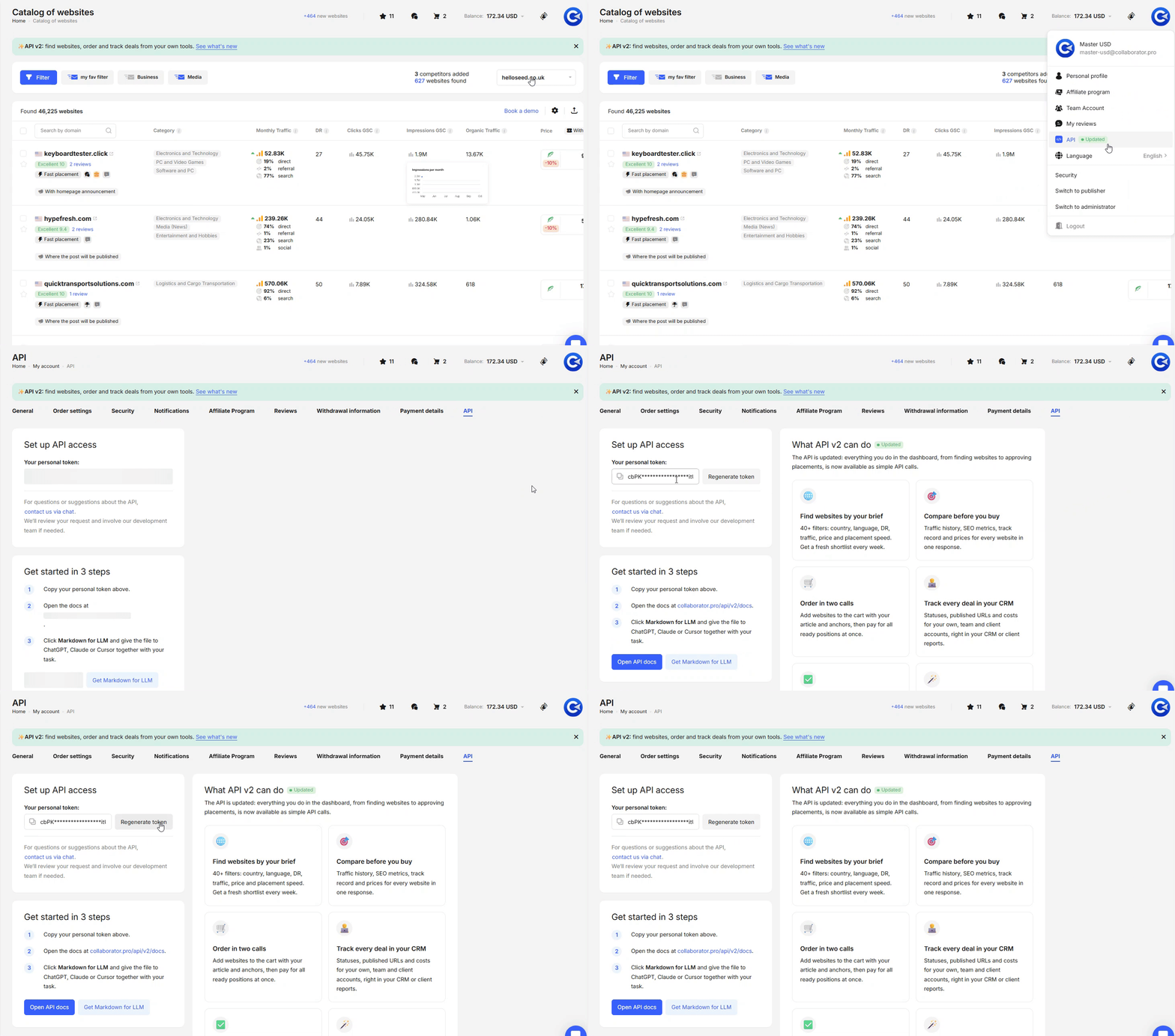
Important: Keep your API token private. Never share it in public repositories or messages. If you're using an AI coding assistant to build an integration, add the token only to your own code. If it gets exposed, regenerate it.
Explore the Collaborator API v2.0 Documentation
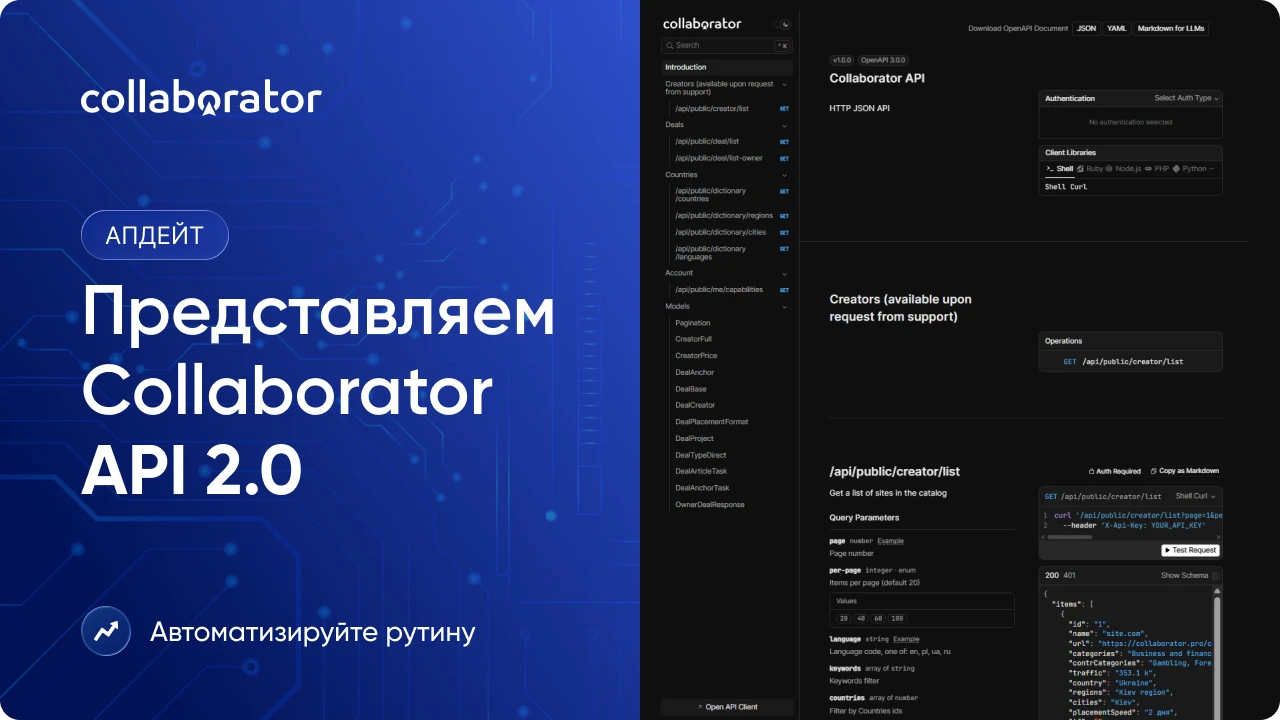
Before building an integration, review the Collaborator API v2.0 documentation to understand the available methods, parameters, data structures, and validation rules.
The documentation describes how to work with different marketplace resources, including websites, projects, articles, carts, and deals.
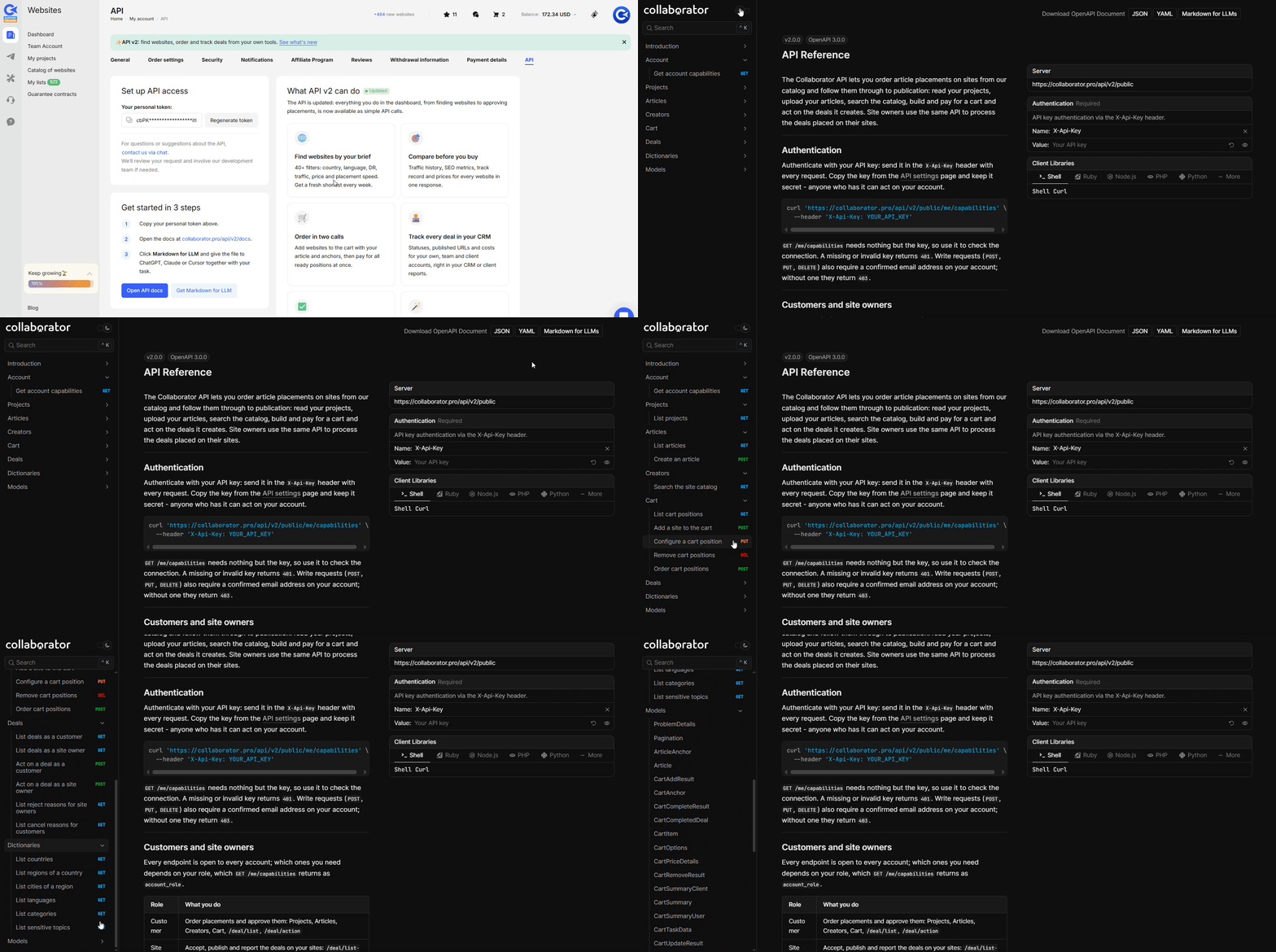
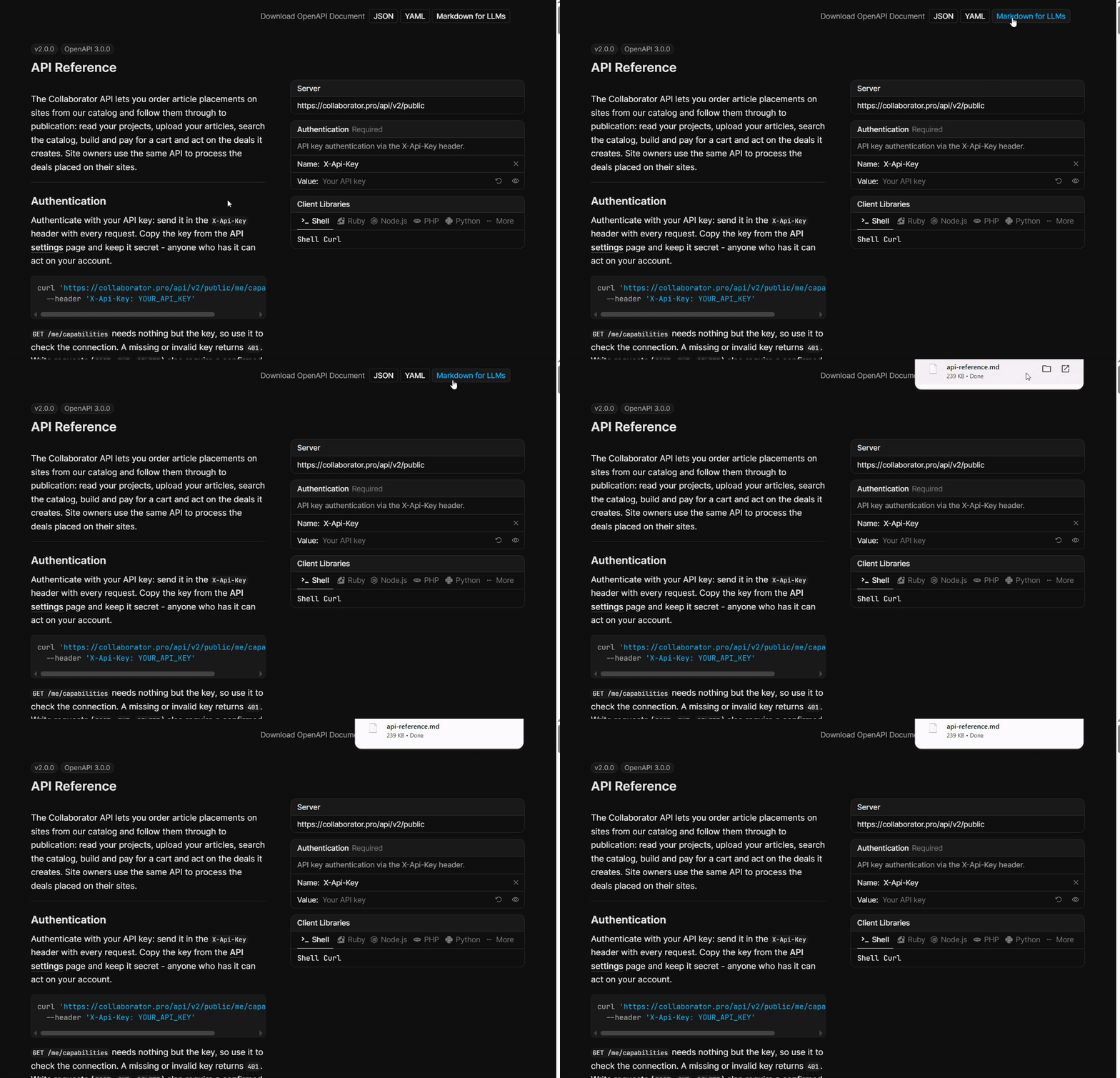
It also includes a Markdown for LLMs option. This feature lets you download the API documentation as a single Markdown file and provide it to AI coding assistants such as ChatGPT, Claude, or Cursor.
The assistant can use the documentation to understand the available API methods and help you build an integration based on your requirements.
We'll look at how this works in more detail below.
How Advertisers Benefit from Collaborator API v2.0
Individual advertisers and SEO, GEO, and PR teams can use the Collaborator API v2.0 to automate website discovery, placement ordering, and deal tracking. Instead of performing every operation manually in the marketplace interface, they can build workflows that connect Collaborator with their internal systems and tools.
Website Discovery and Automated Prospecting
Finding suitable websites is one of the first steps in any PR or link-building campaign. Advertisers need to consider several factors, including the website's location, language, topic, SEO metrics, traffic, and placement price.
With API V2, you can search the full Collaborator website catalog programmatically and apply filtering options described in the table below👇
|
Filter category |
Available options |
|
Geography |
Country, region, city, and website language |
|
SEO metrics |
Ahrefs DR, rank, traffic, and referring domains; Majestic TF and CF; Moz DA; Serpstat data |
|
Budget |
Price range and price with writing |
|
Quality |
Placement speed, website age, rating, and Google News |
|
Topic |
Categories, sensitive topics, and keywords |
|
Sorting |
24 fields in ascending or descending order |
The API also provides detailed website information, including traffic history and other marketplace data.
Example:
An SEO specialist wants to find niche websites in the USA with DR 40+ and Ahrefs traffic above 1,000 for a guest post campaign. Instead of checking websites one by one, they can use the API to filter the catalog by country, topic, DR, and traffic, then retrieve matching results for further analysis.
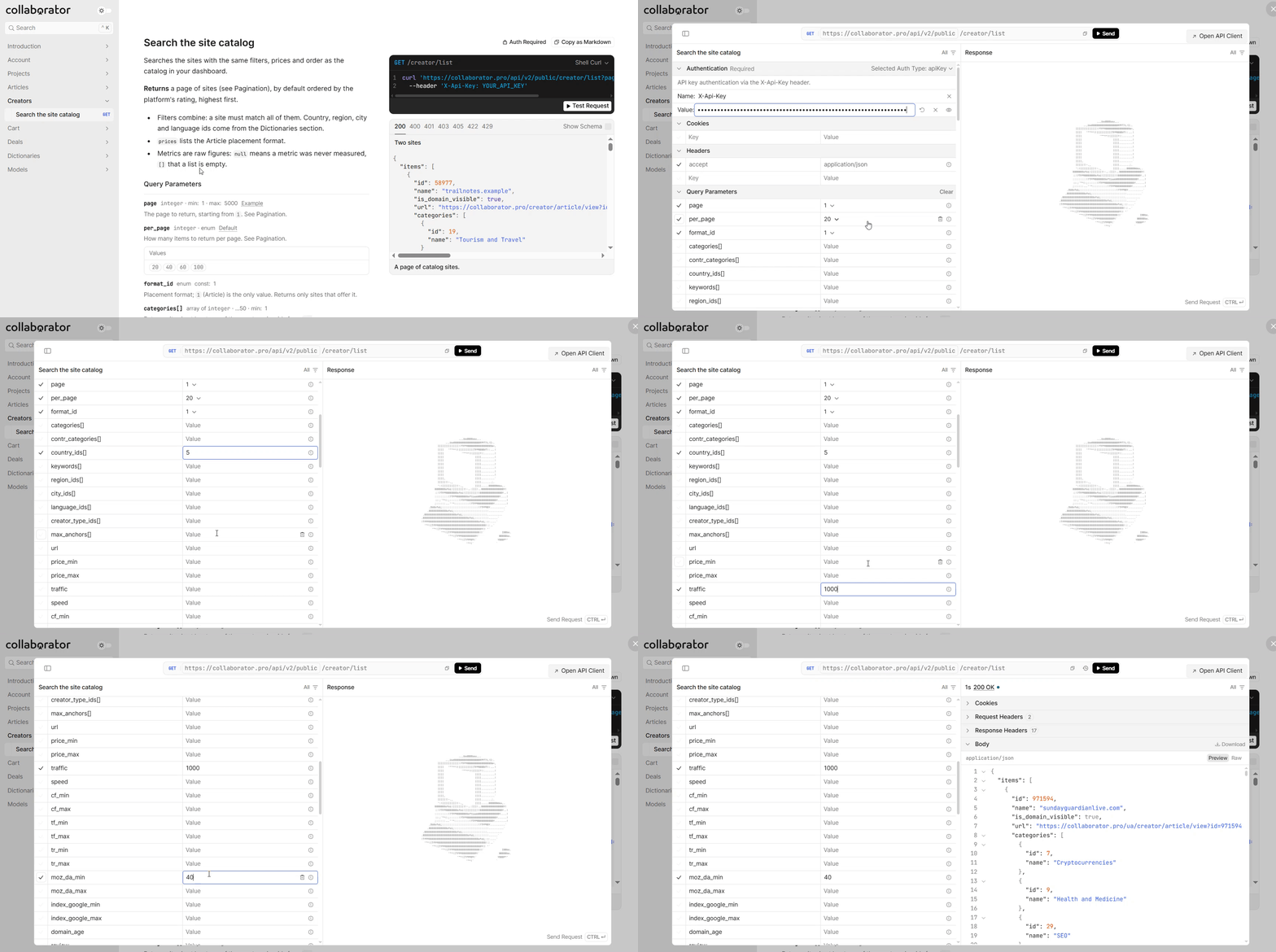
Another useful option is to save search criteria in your own scripts and run them regularly. For example, an agency can automatically retrieve newly added websites that meet its requirements instead of repeating the same search manually.
Automate Placement Ordering
Finding suitable websites is only one part of link building. Advertisers also need to select placements, configure tasks, provide article briefs, and submit orders.
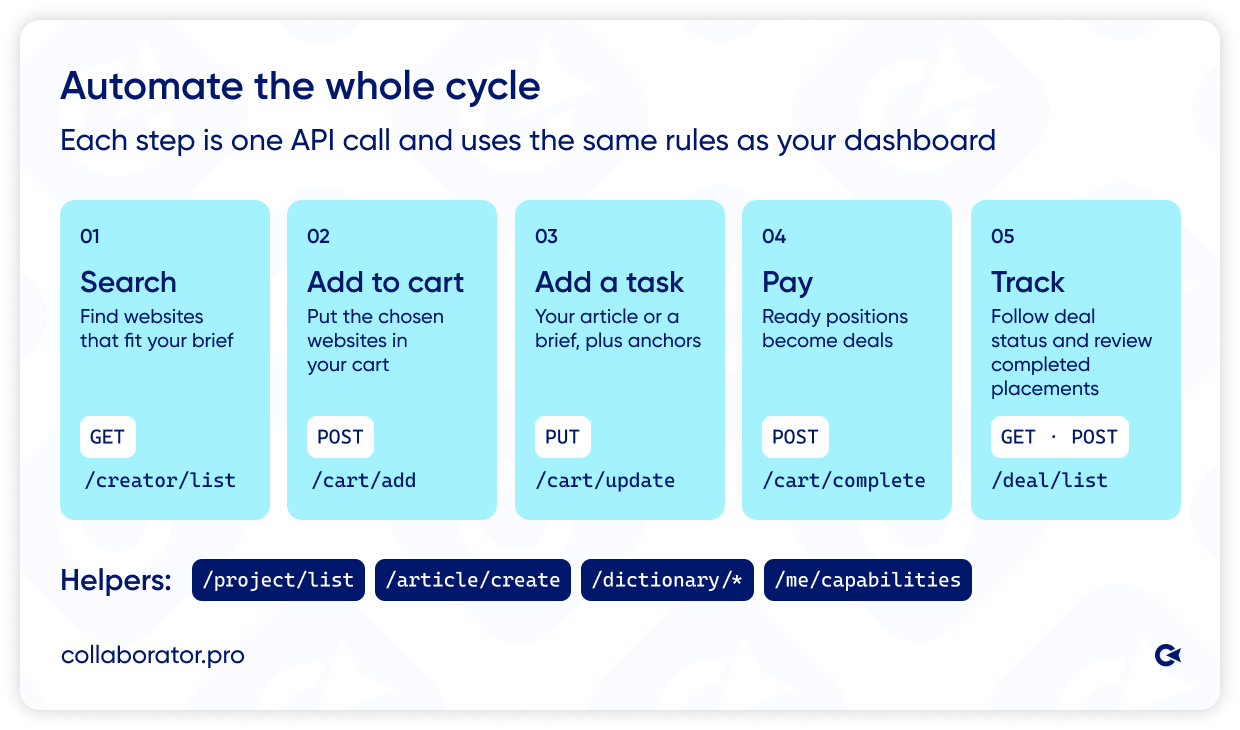
Collaborator API v2.0 allows you to automate this process through a sequence of API requests.
After choosing the right websites for placements, you can:
- Add to cart: Add selected websites using POST /cart/add
- Configure tasks: Update cart items with article briefs, anchors, and other requirements using PUT /cart/update
- Complete the order: Submit the cart using POST /cart/complete
You can also create articles through the API using /article/create, submit them for moderation, and attach approved articles to placement orders.
This means advertisers can automate much more than website selection. The entire process, from finding suitable publishers to submitting placement orders, can be managed through their own applications and scripts.
Deal Tracking and Workflow Monitoring
Once you've placed an order, you can use the Collaborator API v2.0 to track each deal and monitor its progress without constantly checking the marketplace manually.
The API provides access to deal statuses, so you can follow the entire placement process:
- New (new) — the task has been created
- In work (in_work) — the website owner is working on it
- Pending approval (ready) — the website owner has submitted the result for your approval
- Posted (complete) — the placement is complete
You can also retrieve detailed deal information, including key dates, published URLs, anchors, task details, and price breakdowns. This makes it easier to review placements, check delivery details, and keep your records up to date.
Automate Deal Approval and Revisions
You don't have to approve placements manually in the Collaborator interface. When a website owner reports a placement and the deal reaches the ready status, you can decide what happens next directly from your own system using POST /deal/action.
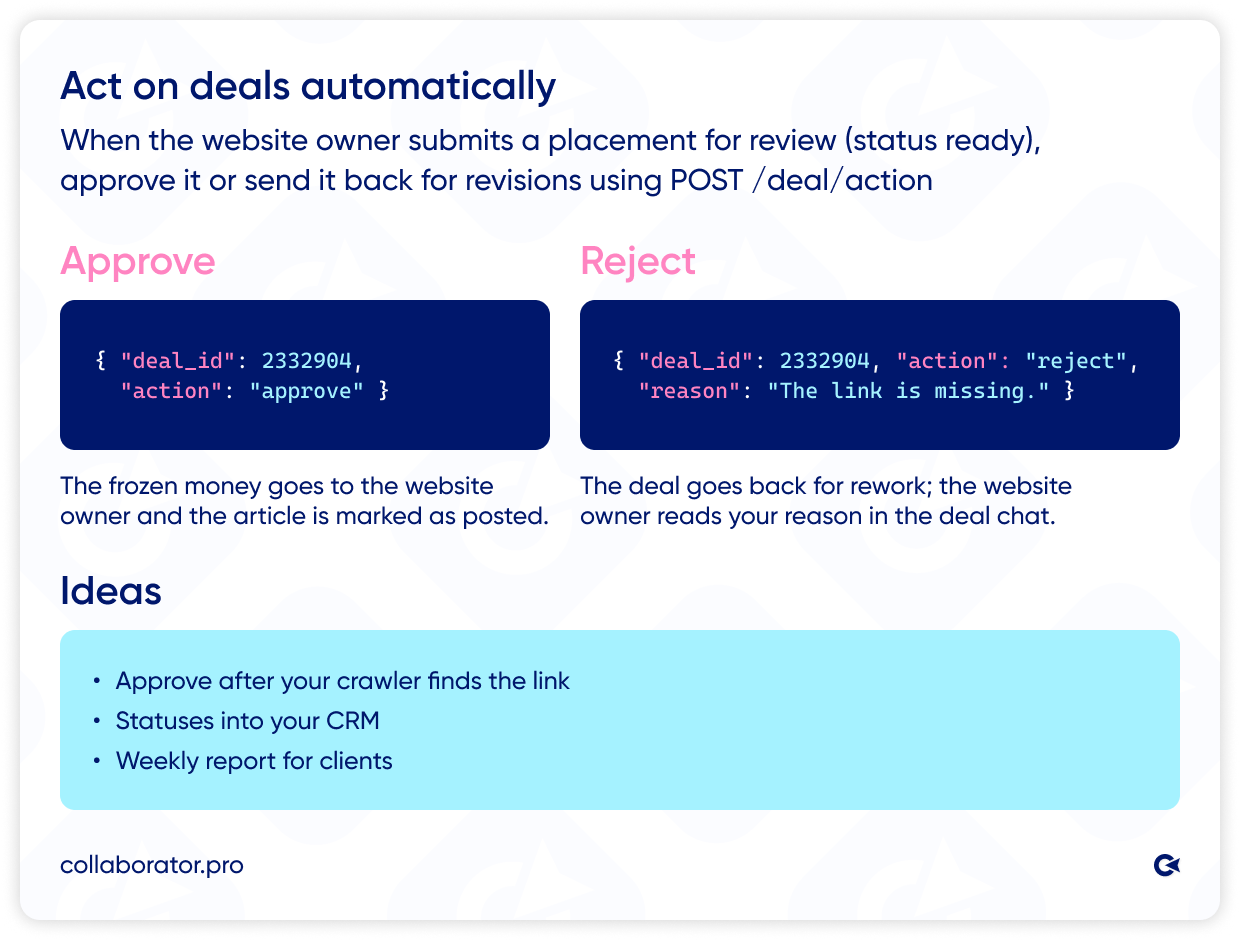
For example, you can set up an automated approval workflow that checks whether your crawler has found the backlink before approving a deal. You can also send deal statuses to your CRM or generate weekly placement reports for clients.
For agencies, the API is especially useful for managing deals across multiple projects and clients. You can organize and filter them by project, folder, status, date, or text in the title, anchor, or URL, while keeping deals handled by colleagues and client accounts in one list.
Reporting and Data Management
The Collaborator API v2.0 can also serve as a data source for internal reporting and analysis.
Teams can retrieve marketplace information and synchronize it with tools they already use to manage campaigns, budgets, and client relationships.
For example:
- Google Sheets + Apps Script: Automatically collect placement information, prices, and spending data to create campaign reports
- Power BI or Looker Studio: Build dashboards to analyze placement costs, campaign performance, and purchased websites
- Internal databases or CRMs: Store website information and deal data alongside other project records
This approach reduces manual exports and makes it easier to maintain consistent records across multiple projects.
How Website Owners Benefit from Collaborator API v2.0
Website owners can use the Collaborator API v2.0 to automate incoming order management, content publication, and deal monitoring. It also makes it possible to connect marketplace operations with existing editorial workflows and internal systems.
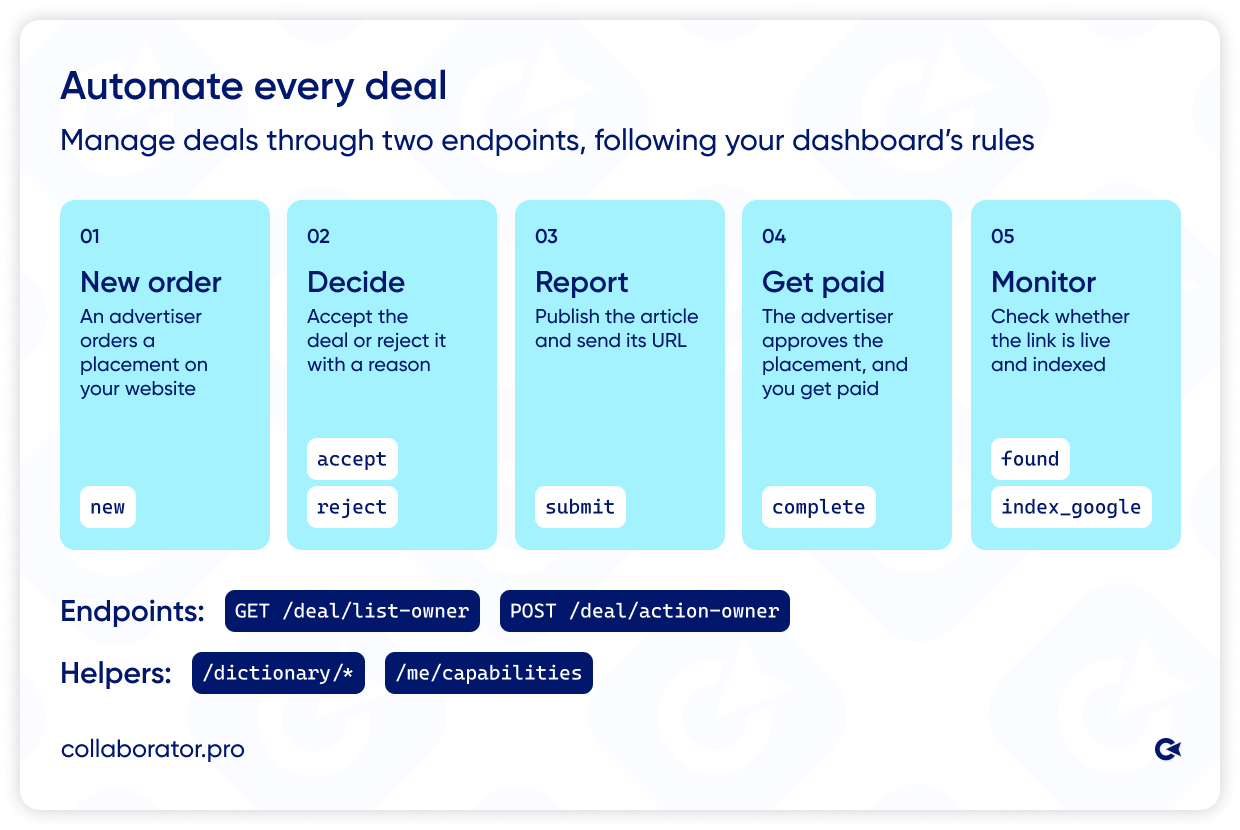
Automate Incoming Order Management
Website owners regularly receive new placement orders that need to be reviewed, accepted, or rejected. When order volumes grow, checking every new task manually can slow down the publishing process.
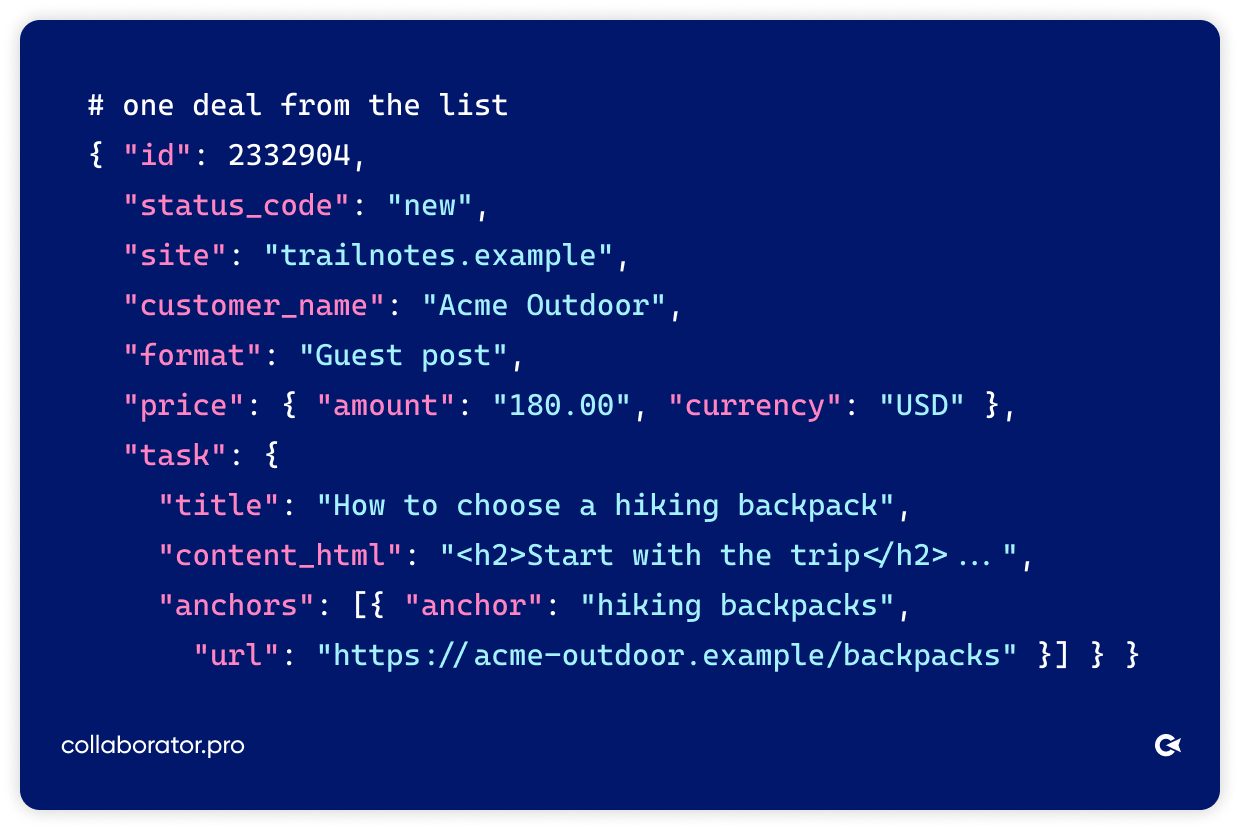
With API V2, website owners can retrieve incoming orders and process them through external applications.
The GET /deal/list-owner method returns deals placed on the website owner's properties, including relevant task details such as:
- Article title and content
- Meta information and keywords
- Content brief
- Required anchors and target URLs
- Deal status and other order information
Automate Deal Acceptance and Rejection
Website owners can accept or reject orders through POST /deal/action-owner.
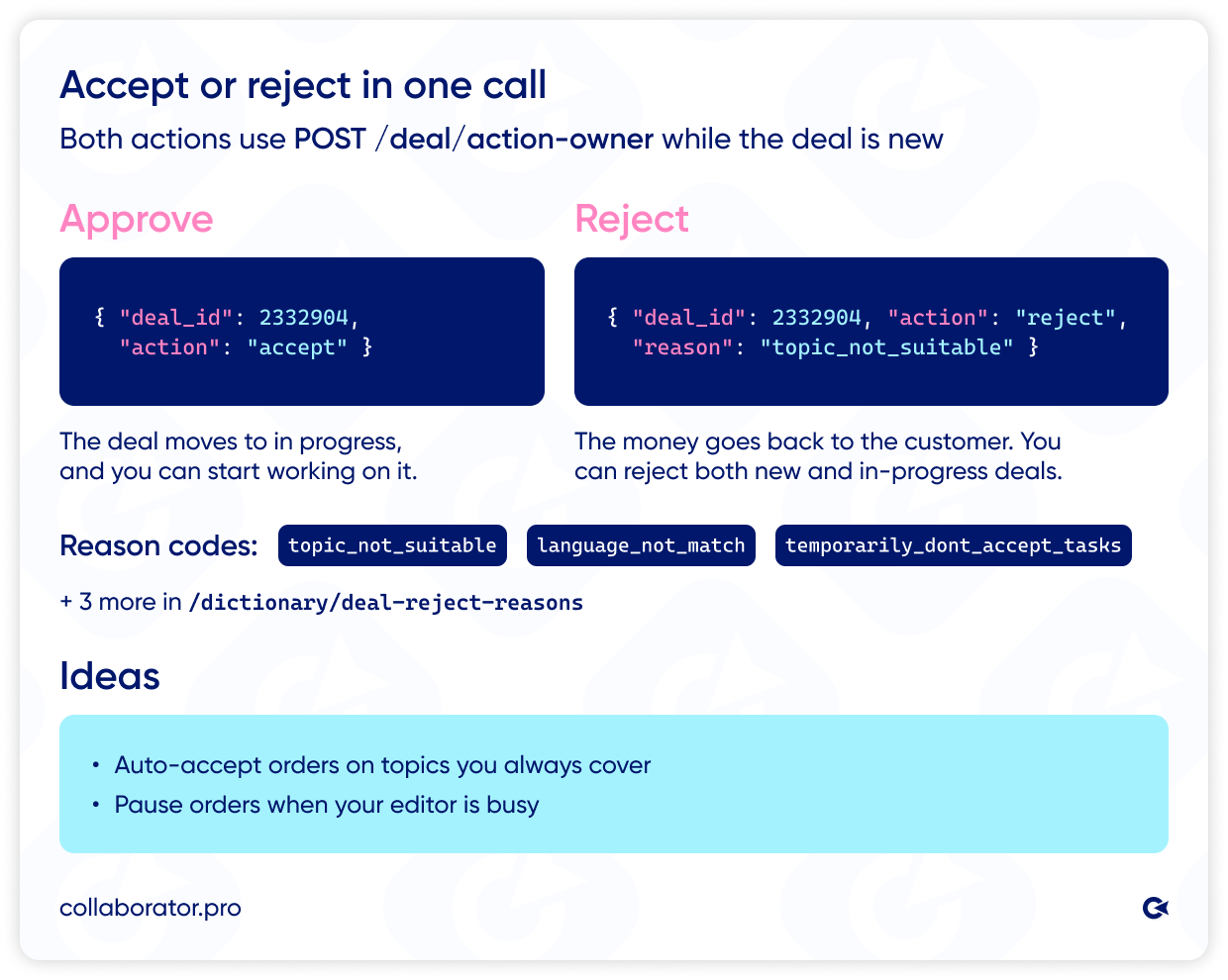
When accepting an order, the deal moves into the in-work status. When rejecting it, the website owner can specify a reason, such as an unsuitable topic, language mismatch, or temporary inability to accept new tasks.
This allows publishers to organize order processing around their own systems rather than relying on manual checks in the Collaborator interface.
Automate Content Publication and Deal Submission
For publishers who manage their content through a CMS, connecting it to the Collaborator API v2.0 can simplify the publication process.
For example, imagine a website owner receives an order with ready-made article content. Instead of manually copying the text into the website's CMS and then returning to Collaborator to submit the publication URL, they can build an integration that transfers the content and task details to their CMS and streamlines the publication process.
A possible workflow:
- Retrieve new orders through the API
- Send the article content and task requirements to the CMS as a draft
- Review and publish the article on the website
- Submit the publication URL to Collaborator through the API
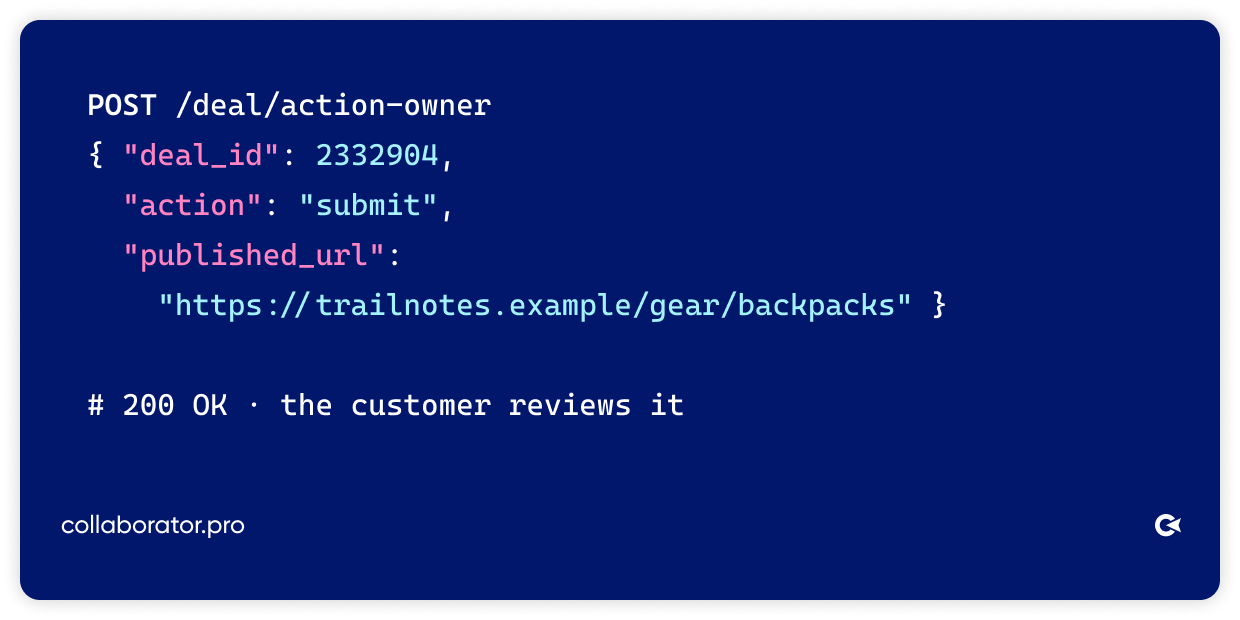
The exact automation depends on the publisher's CMS and its integration capabilities, but the API provides the foundation for connecting these processes.
This can reduce repetitive work and help publishers process more orders without manually transferring information between systems.
Deal Status Monitoring and Link Health
Website owners also need to monitor completed placements and make sure published links remain available.
The Collaborator API v2.0 provides access to deal statuses throughout the order lifecycle:
|
Deal status |
What it means |
|
New (new) |
A new order is waiting for the website owner's decision |
|
In work (in_work) |
The order has been accepted and is being processed |
|
Sent back (rework_ready) |
The submitted work requires corrections |
|
With customer (ready) |
The completed work is awaiting advertiser approval |
|
Posted (complete) |
The deal has been completed |
Each deal also includes information about the published URL and link-health checks. Website owners can retrieve information about whether a URL is found and whether Google has indexed it.
This data can be used to build custom monitoring workflows and receive notifications when a published link requires attention.
Internal Reporting and Team Coordination
The API makes it possible to connect Collaborator orders with the tools a publishing team already uses.
For example:
- CRM systems. Automatically transfer incoming orders into an internal task-management workflow
- Slack, Telegram, or Discord. Notify editors and managers when new orders arrive or deal statuses change
- Google Sheets. Collect deal information and organize operational reports
- Power BI. Build dashboards to monitor completed deals, earnings, and workload
It is particularly useful for publishers with several editors or managers who need to process orders but don't need access to account finances.
Build API Integrations with AI Assistance
You don't necessarily have to start building an API integration by studying every method manually. Collaborator provides a Markdown for LLMs option that helps AI coding assistants understand the API documentation and generate code for specific tasks.
The documentation includes API methods, parameters, validation rules, and other information an AI assistant needs to understand how to work with Collaborator.
Here's how to use it:
- Open the Collaborator API v2.0 documentation
- Click Markdown for LLMs to download the documentation as a single file
- Upload the file to ChatGPT, Claude, Cursor, or another AI coding assistant
- Describe the workflow you want to automate
- Review, test, and configure the generated code
You can describe a task in natural language and ask the assistant to help create a script that uses the relevant API methods.
For example, an advertiser might request:
“Create a script that checks Collaborator for new US websites with DR 30+ every Monday and emails me the results.”
A website owner could ask:
“Create a script that checks for new Collaborator orders every 10 minutes and sends a notification to my team in Slack.”
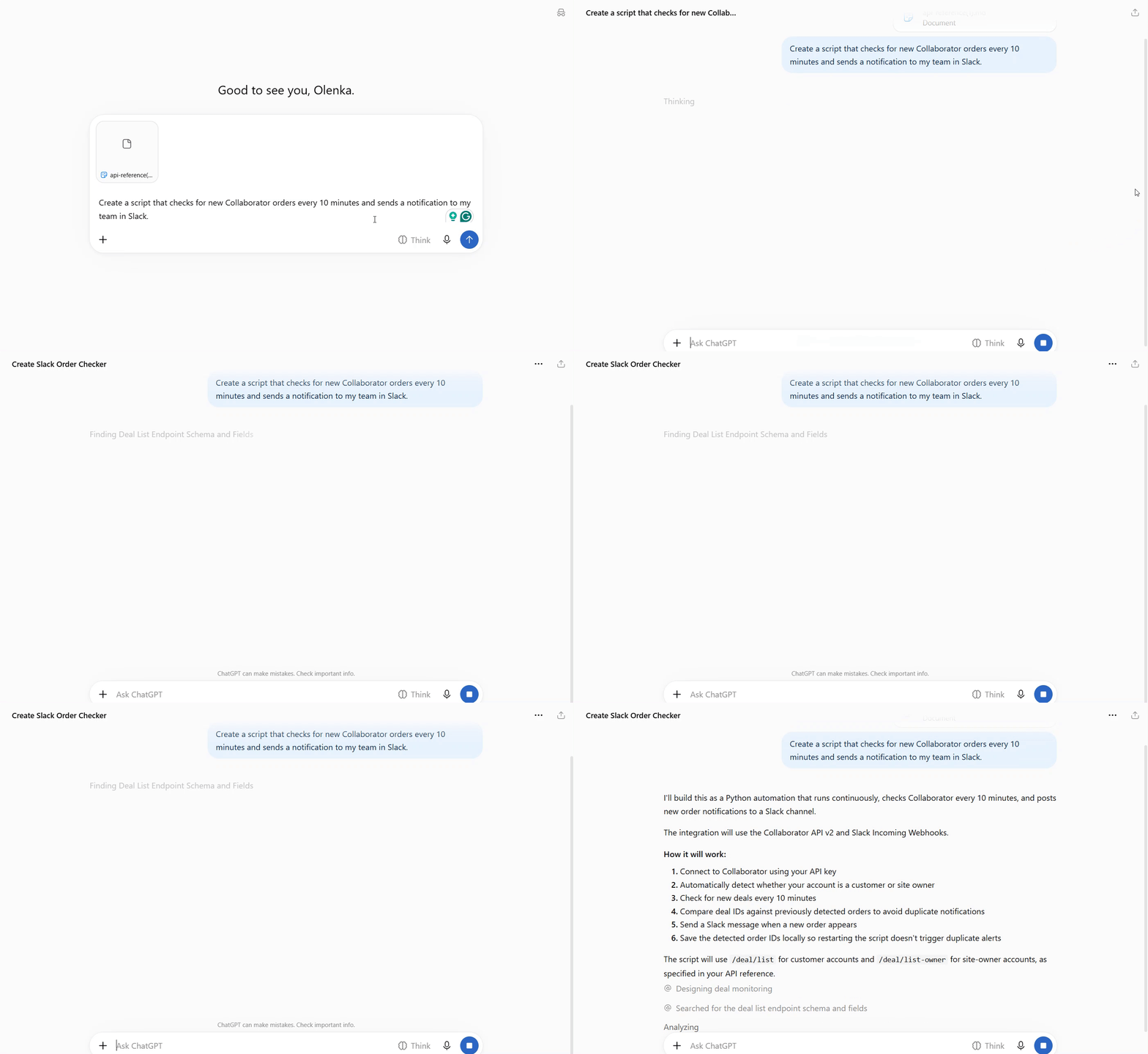
The assistant can use the documentation to identify the relevant methods and help generate the integration code.
Why Automate Workflows with Collaborator API v2.0?
The main benefit of the Collaborator API v2.0 is that it reduces repetitive manual work and gives users more flexibility in managing marketplace operations.
Advertisers can automate website discovery, placement ordering, and deal tracking. Website owners can streamline incoming order management, connect publication workflows to their CMS, and monitor completed deals.
Here's how API automation changes common workflows:
|
Workflow step |
Without API automation |
With Collaborator API v2.0 |
|
Website selection |
Teams manually search the catalog and apply filters |
Search the full catalog programmatically using detailed criteria |
|
Placement ordering |
Users manually select websites, configure tasks, and submit orders |
Automate website selection, cart management, task creation, and order submission |
|
Order processing |
Website owners check and process incoming orders manually |
Retrieve, accept, or reject orders through external systems |
|
Content publication |
Publishers manually transfer content and submit publication URLs |
Connect the API to a CMS and automate supported publication workflows |
|
Deal tracking |
Teams check individual deals in the interface |
Retrieve deal information and monitor statuses programmatically |
|
Link monitoring |
Website owners check published links separately |
Retrieve link-health information, including URL availability and Google indexation |
|
Reporting |
Teams manually collect and export data |
Synchronize data with spreadsheets and analytics platforms |
|
Workflow coordination |
Teams switch between Collaborator and internal tools |
Connect Collaborator to CRM, CMS, communication, and reporting systems |
With Collaborator API v2.0, users can build workflows that fit their own business processes instead of adapting every operation to the marketplace interface.
Whether you're managing link-building campaigns or processing orders for multiple websites, the API provides the flexibility to connect Collaborator with the tools your team already uses.
Get Started with Collaborator API v2.0
Ready to automate your link-building or publishing workflows?
Explore the Collaborator API v2.0 documentation, get your API token, and review the available methods to find the capabilities you need.
You can also download the Markdown for LLMs documentation and use an AI coding assistant to help build your first integration.
Related reading